The i8910 HD gets two more big fix-ups: HX-V8-32 and 'n2o4'

Published by Steve Litchfield at 17:56 UTC, September 2nd 2010

The saga of continually improving user firmware for the Samsung i8910 HD continues with the release of two new firmware alternatives. From HyperX, featured before on AAS, comes 'HX-V8-32', rolling in faster application icon display, extra keyboard options, numerous small bug fixes and better compatibility with Nokia's Symbian software. From 'faenil' comes 'n2o4', nicknamed 'The Queen'(!),  Read on for screens, links, changelogs and more...

In the HyperX corner

Here's the HyperX Custom ROMs home page and here's the blog entry announcing the new HX8 release. Credit goes to his whole team, of course, Andy (HyperX) would be the first to acknowledge that he's had some help, notably from Panagiotis and Szakalit, names who have also helped in the faenil firmware below, it seems.

Here's the specific HX8 original to HX-V8-32 changelog, paraphrased slightly:

  • numerous hxpatcher bugs fixed
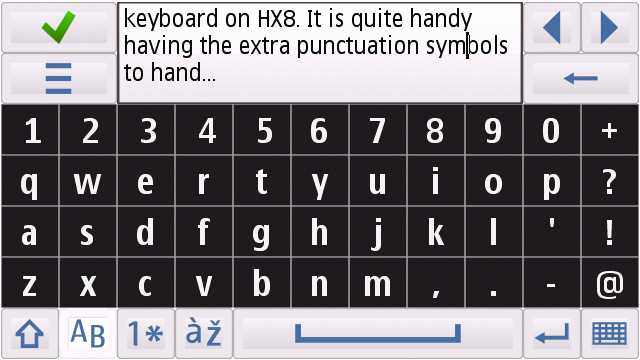
  • 4-row keyboard for English and German (fullscreen and mini qwerty)
  • new fancy lockscreen removed - it'll return when bug-free in a future firmware
  • folder delay fix – there's now no delay when entering big folders (only works in portrait-mode, mind you - in landscape it must reload)
  • the i8910 HD now supports vector floating-point (VFP) architecture (better Nokia compability)
  • smoother video capture in 720p resolution
  • faster device boot-ups

HX-V8-Fixed also includes, of course, the changes and improvements from previous firmwares, including:

  • open to all apps from all sources 8-)
  • added extra keyboard modes and layouts
  • fixed Music player – now has smooth kinetic-scroll and full Theme customization
  • new better, faster brighter optional Homescreen slide the icons to start the app etc.
  • messaging-app customization with the SMS app you prefer (several threaded options)
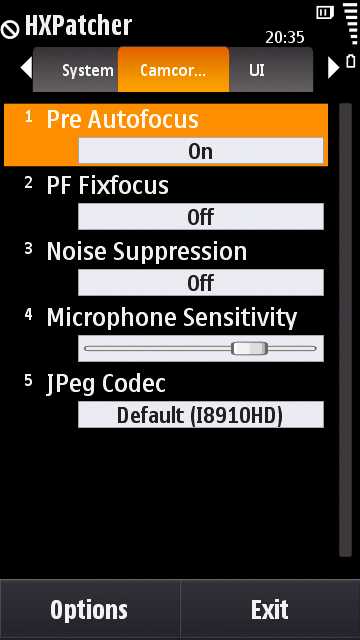
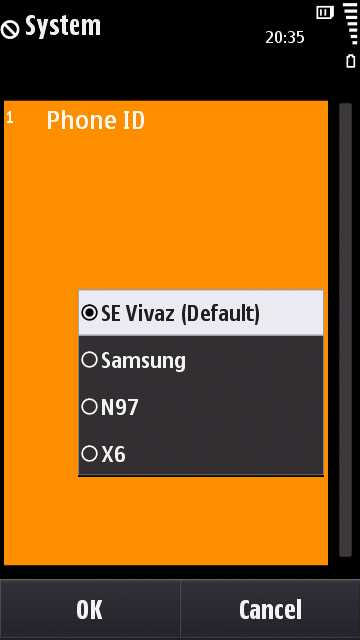
  • HXPatcher now can change the BrowserID on the fly, ditto JPEG codecs
  • “Orientation-mode” forces the application to use portrait/landscape or a hardware-specified setting ! Now you can listen to music without the anoying album rotate and so on…..
  • microphone sensitivity and kinetic scrolling customisation
  • power consumption improvements
  • optional pre-focus in HD video capture
  • five times more free disk space on disk C
  • PhoneTorch built-in

Screenshot of new keyboard

 Screenshot, HX8 Screenshot, HX8

To support the HX firmwares, a new forum has been started. Go join in the discussion!

PS. There are special things planned for HX9, one of which had my jaw on the floor - but I'm sworn to secrecy...!

In the faenil corner

Not covered before, here on AAS, faenil is the other principle compiler of custom firmware for the i8910 HD. The basic principle of loading via the special Windows XP-based flashloader is the same as with the HyperX firmwares, but the look and feel of many of the additions is quite different, as you can see here.

Release n2o4's changelog highlights include:

  • the faenilator, a Qt-written 'on the fly' firmware settings changer
  • a Qt-written backup utility that should enable far more of your i8910 HD set up to be preserved across firmware changes
  • thumbwheel homescreen, written in Flash
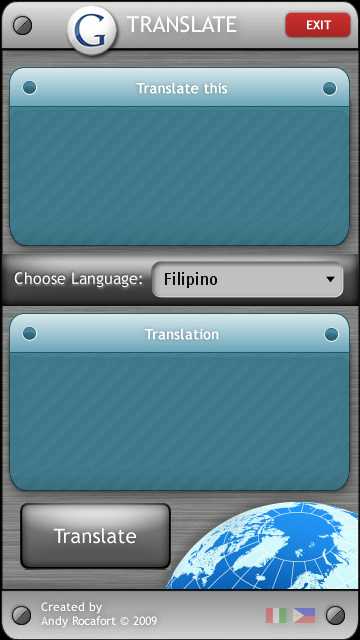
  • Google Translate widget

Plus most of the generic improvements from the HyperX list above.
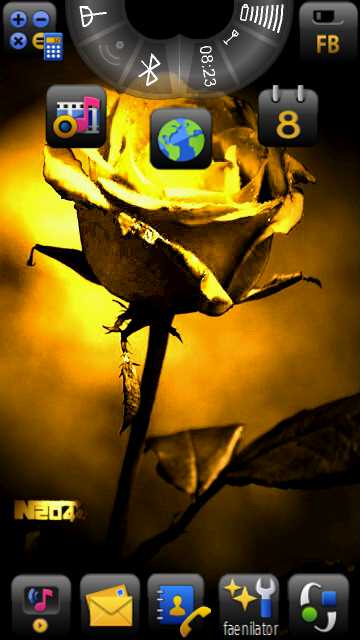
Screenshot Screenshot

You can download the faenil firmware and keep track of developments at i8910tuning.com.

It's fair to say that installation of the faenil firmwares involves more 'things to be aware of', in terms of versions and workarounds, but then the end product is reputed to be slightly more stable, so the choice really is up to you.


Disclaimers apply on all this. Don't attempt to flash your device unless you're fully confident and don't blame us if something goes horribly wrong! Note that you'll lose everything on your device during the reflashing process. Here's our guide to keeping your data and apps, the more you back up the less you'll have to do after reflashing. 8-)

Steve Litchfield, AAS, 1st September 2010


Filed: Home > News > The i8910 HD gets two more big fix-ups: HX-V8-32 and 'n2o4'

Platforms: S60 5th Edition

Categories: Software, Hardware, Links of Interest

News Discussion

slitchfield
Hmm.... I've found a few bugs so far, suggest holding off upgrading until I give an all clear! 8-)
slitchfield
All clear now, HX-V8-32 is fixed nicely 8-)
Jimmy1
I have v8 and although nice, it's pretty buggy. Glad to hear it's fixed.

Still though, not many apps available for my i8910. It's basically a glorified feature phone with a good camera. A Samsung Jet, if you will.
slitchfield
Not many apps? There are hundreds for S60 5th Ed. Plus the Ovi Store client works perfectly on the i8910 HD and then you've access to buying/downloading 90% of the same apps a Nokia X6/N97/5800 owner would have.
Jimmy1
I haven't totally played with it (because I'm on another phone) but v8 totally lets you use all the Nokia/Ovi 5th edition apps?

For reals?
slitchfield
Well, a lot of them anyway... Well worth playing with at least! 8-)
malerocks
Steve, and others. While I appreciate all the hard work Andy is putting in to show us the potential power of Symbian phones, are so frequent updates not becoming a hassle? I mean AFAIK, you have to re-install and re-load everything on the phone after each upgrade right?
Would suggest to Andy and team that maybe they can release an update every 3-4 months or so. That ways a person would have enjoyed using his setup phone for a sufficient period and then upgrade.
slitchfield
It's only 30 mins or so of effort each time and there are always new features to play with. It's not like these are just bug fixes... 8-)
UKJeeper
Quote:
Originally Posted by malerocks View Post
Steve, and others. While I appreciate all the hard work Andy is putting in to show us the potential power of Symbian phones, are so frequent updates not becoming a hassle? I mean AFAIK, you have to re-install and re-load everything on the phone after each upgrade right?
Would suggest to Andy and team that maybe they can release an update every 3-4 months or so. That ways a person would have enjoyed using his setup phone for a sufficient period and then upgrade.

I would say "no", its not a hassle. It's great that someone is actually supporting the i8910. Samsung has failed miserably, and Symbian has no interest in supporting the phone.

OK, not having UDP is a pain, but TBH it's not hard to just reinstall. I keep all my sis files on the microsd and they all install in no time.

As far as constantly upgrading, you don't have to if you don't want. Its optional. Unless there's something in the next firmware you NEED, just skip it.


The i8910 is worth the effort. Best 5th edition Symbian phone there is, no contest. Steve will agree with that. Its a shame its only kept as good as it is by people who have nothing to do with the company that sold it.
Jimmy1
Quote:
Originally Posted by UKJeeper View Post
I would say "no", its not a hassle. It's great that someone is actually supporting the i8910. Samsung has failed miserably, and Symbian has no interest in supporting the phone.


The i8910 is worth the effort. Best 5th edition Symbian phone there is, no contest. Steve will agree with that. Its a shame its only kept as good as it is by people who have nothing to do with the company that sold it.
This. 100-times this.

BTW, I slipped my SIM card back into the i8910 and played w/ the update. You know, what I ran into? RealPlayer's stream ability in My Media. Can you actually get it to stream Internet Radio or am I asking for too much? Anybody...?

Anyway, the reception for it is suddenly flaky. I'm thinking (and I've been reading) that AT&T off-loaded much of its 3G signal in the NY area onto the 850 MHz band (to better accommodate the iPhone users), and since this phone supports 1900, the reception isn't as strong as I remember it being. It's mainly only on Edge, and even that seems weaker. Weird.

Full thread: 10 Comments / Post New Comment

Search

Navigation

Social

Advert

Translate

Also All About