
Tell Nokia how you backup your phone

Published by David Gilson at 18:09 UTC, June 16th 2010

Nokia Conversations are running a poll to find out how users backup the data on their phones. Of course, some of the options are for Nokia's own services, although it's good to see plenty of scope in the options for third party solutions. Now could be a good time to cast your vote if you've had a bad experience with the likes of Ovi Sync. More below, including some constructive criticism for the pollsters!

The options in the poll (found here) are:

  • Nokia Ovi Suite
    Nokia PC Desktop
    SyncML
    Email provider service
    Web service
    I don't backup my phone
    Other:
    Nokia Ovi Suite
  • Nokia PC Desktop
  • SyncML
  • Email provider service
  • Web service
  • I don't backup my phone(!)
  • Other

The options here are actually rather confusing and overlap too much. For starters, "Nokia Ovi Suite" and "Nokia PC Desktop" are the same thing. Next along, if people synchronise with a "Web Service", it is usually done through "SyncML", including Nokia's own Ovi web services.

I'm all for Nokia getting feedback on this area, particularly so because of the reports of bad experiences with Ovi Sync. Furthermore, while the Ovi web interface for contacts and calendar is aesthetically top-notch, its functionality is limited, even lacking basic import and export of user data. It's also a missed opportunity for Nokia to find out which other web services people are using. As I reported on a while ago, there's quite a range of options.
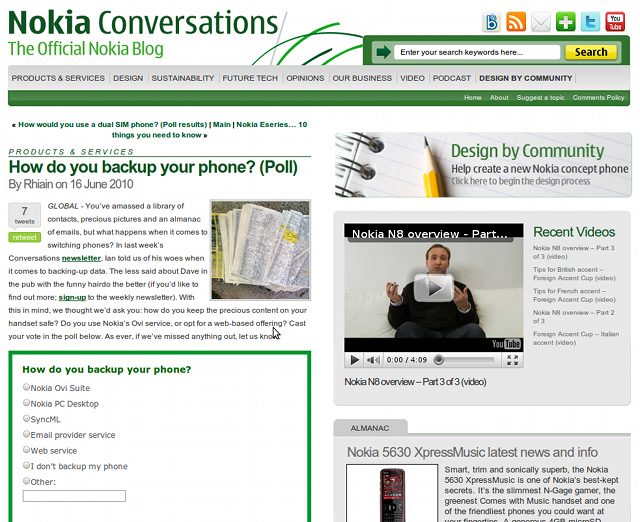
Nokia Conversations Poll - How do you backup your phone?

David Gilson for All About Symbian, 16th June 2010.


Filed: Home > News > Tell Nokia how you backup your phone

Platforms: General

Categories: Links of Interest, Editorial Thoughts

News Discussion

IanD
Hi David - thanks for the link and for drawing this to your readers' attention.

On SyncML vs. Web - yes, you are correct. However, I am not sure that a lot of users perceive things in this way. SyncML is an app to most people, whereas Plaxo (for example) is a web service.

Are Ovi Suite and PC Desktop the same thing? You might call it rebadging or a new version of the same thing, but it will be interesting to see how many people have made a conscious switch. We'll share all the results next week, of course.

Thank you again,
Ian
davidgilson
Quote:
Originally Posted by IanD View Post
Hi David - thanks for the link and for drawing this to your readers' attention.

On SyncML vs. Web - yes, you are correct. However, I am not sure that a lot of users perceive things in this way. SyncML is an app to most people, whereas Plaxo (for example) is a web service.

Are Ovi Suite and PC Desktop the same thing? You might call it rebadging or a new version of the same thing, but it will be interesting to see how many people have made a conscious switch. We'll share all the results next week, of course.

Thank you again,
Ian
Hi Ian,
Thanks for posting and I'm looking forward to seeing the results!
seki
I've already told them .. the N8 needs wireless/wired .. and full automated backup .. so the user doesn't need to think about backups .. I have this functionality with SymNC but its a little expensive for most users.

That was my submission for "build my app".
Unregistered
hava a try.
MOV Converter for Mac is specially designed for Mac OS X users which can convert various video and audio formats to MOV with just a few clicks, including avi, flv, 3gp, mp4, mpg, 3gp, mov, m4v, ts, tp, trp, mts, m2ts, tp, mkv, mod, asf, mp3, mka, wav, wma, mp2, jpg, bmp, ect.
In addition, you can customize watermark at will, such as set image watermark, text watermark, ect.
Category:
AVI to MOV Converter for Mac
FLV to MOV Converter for Mac
DIVX to MOV Converter for Mac
DVD to MOV Converter for Mac
MP4 to MOV Converter for Mac
M4V to VOB Converter for Mac
MPG to MOV Converter for Mac
WMV to MOV Converter for Mac
VOB to MOV Converter for Mac
Nörde
Talking about backup... Anyone knows a software to easily get all installed programs from the phone for easy reinstall later. I just need the SIS files from the phone to put back after hard reset. I don't have all the original install files as they were installed from OVI store or are otherwise lost.

Something that works with 5th ed...
Dashwire
The best way to backup your phone is through the m:IQ application, which is free from Best Buy Mobile....

m:IQ takes the content on your phone and automatically pushes it to a private account on the web. From that point on, what you do on the phone will instantly update on the web and what you do on the web will instantly update on your phone – without you ever having to think about it.

Users sync their contacts, text messages, calendar events, calls, photos, videos, and internet favorites from their phones to their private web-based m:IQ account.* Once backed-up in the cloud, users can interact with their information in exciting new ways, send and receive text messages, share their experiences with friends and social sites, and easily restore their content when moving from one phone to the next.* Content instantly transfers between the phone and the web without requiring any user interaction – ensuring that users are always backed-up and have access to their information.

Hope that helps!
Unregistered
PC Suite

I use PC Suite's Backup program which backs up files to my local computer this works quite well for me. I also synchronize my task, appts., contacts, and notes to MS Outlook as a form of backup.

Ovi Suite

Ovi Suite's desktop application doesn't include all the features of the PC Suite desktop application and it runs much more slowly, but if you think of the Ovi Suite as consisting online features as well, it is almost as complete as PC Suite. As a form of backup, I tried using Ovi Suite to sync my Calendar and Contacts over the air to Ovi.com and used Shared Files on Ovi.com be stored on Nokia's site as well as using Ovi Suite to store my files on line. I found this useful, but less convenient than PC Suite. Ovi Suite also just uses too many PC resources, slowing my entire computer to a crawl, even while Ovi Suite is idle.

Image-Based Backup

I would really like an image-based backup application so that I don't need to re-install each of my applications.

Conclusions

The latest version of Ovi Suite is supposedly less slow and allows you to keep local copies of Shared Files from Ovi.com, but I really need PC Suite's features that allow you to manage your calendar, contacts, and SMS messages from my PC.
webmaster.ravi
is there any nokia dual sim symbian cell phones in the market.
jamescrash
suppose if i don't have pc suite then how can i back up my phone book. because i want to backup my phone book only.

Full thread: 6 Comments / Post New Comment

Search

Navigation

Social

Advert

Translate

Also All About