Exclusive: Skype now official and for Nokia S60 5th Edition phones
Published by Steve Litchfield at 8:03 GMT, February 16th 2010
Exclusive: Skype for Symbian, long in beta for S60 3rd Edition and missing-in-action for the Nokia N97 marque, has now been overhauled, face-lifted and released for both, and is out of beta. You can get it by going to skype.com/m in Web on your (N95 onwards) S60 phone and downloading when prompted. Read on for lots of screenshots from my Nokia N97, comment and links.
Here's Rafe's first look at Skype for Symbian, from the beta released a few months ago. You might want to glance over this first. The S60 5th Edition version has been given a major cosmetic overhaul, though seemingly at the expense of a greater RAM hit.
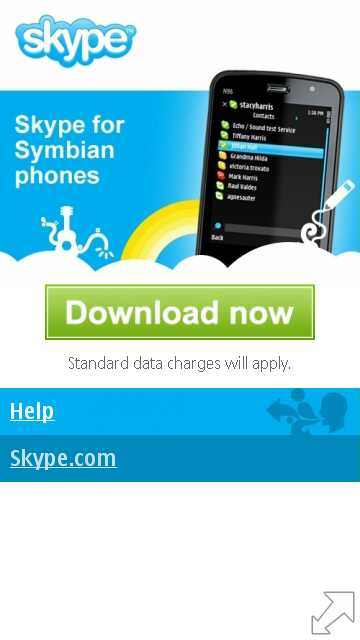
Here's the main Skype information age for Symbian. And yes, the image for the N97 is wrong 8-) And, no, judging from the comments below, it doesn't seem to work on anything non-Nokia - though I'm sure Skype are working on it.
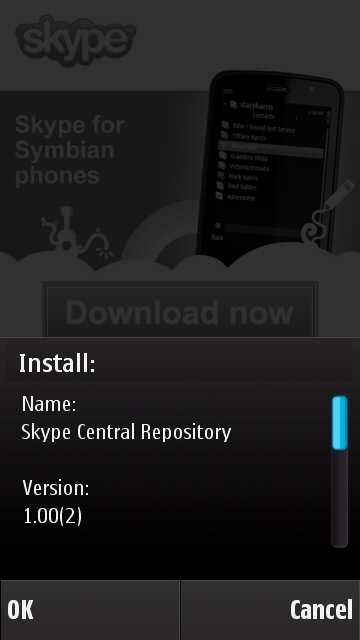
Here's Skype for S60 5th Edition being installed on my Nokia N97:
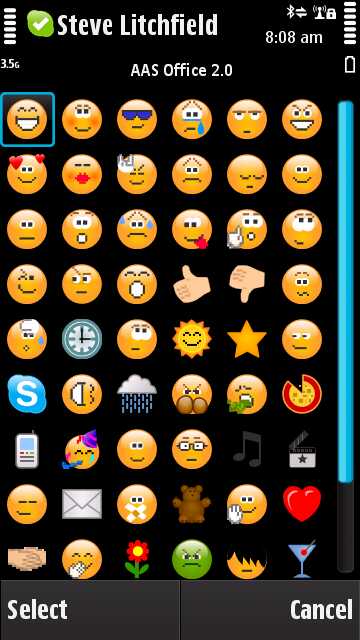
Skype is pretty heavy in terms of demands on the phone's processor, especially when starting, so you have to be patient while it signs in, retrieves your Skype contacts/thumbnails (the first time - all these are stored locally and retrieved far faster thereafter) and checks statuses. There's the option to include all your phone contacts as well, for calling via Skype if desired (and if you have Skype-out credit).
It's also very slow when downloading an existing chat history and then rendering it. Chat messages don't seem to be stored locally and it can take up to minute for a lengthy chat history to be loaded up and rendered - guys, why not just grab the last day's worth, rather than the last month? Just a thought.
You can see why it has taken a while to get such a heavyweight application to the phone - Skype tries to fully replicate the desktop client far more than it tries to compete with the more nimble phone-centric Nimbuzz and Fring. As a result there will have been plenty of people at Skype tearing their hair out over the full client's performance on the N97 (and N97 mini and 5800, to be fair) - it really needs faster hardware and more RAM.
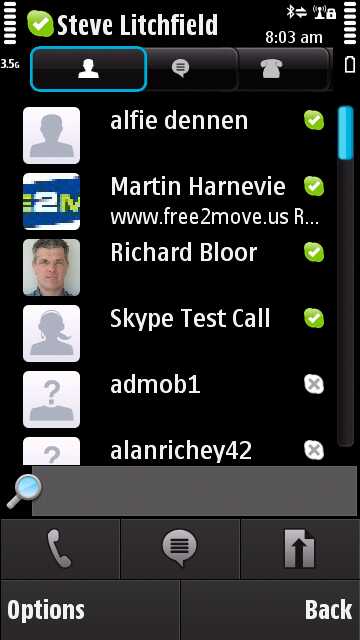
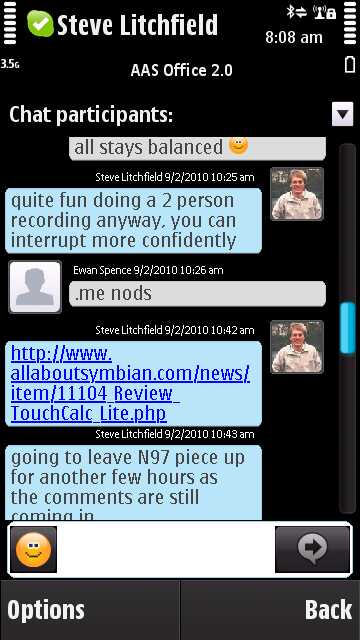
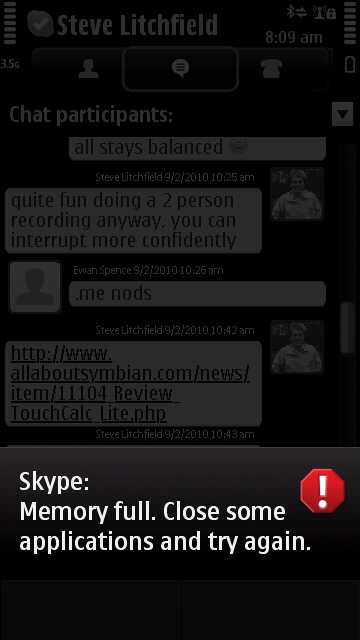
As you'll see from the last screenshot, we're back to the usual 'Nokia really should have put more RAM in these things' rant, I'm afraid. Skype will already be RAM-optimised, after so long in development, so all you can really do is close other hungry apps, like Gravity, Web and Photos, before kicking off Skype.
Still, it works, call quality is good, and it's great to see this app finally available for the Nokia N97, albeit 5 months later than originally promised.
(Now, Nokia, what about a decent Symbian/S60 smartphone with a fast processor and far more RAM so that it can do Skype justice?)
Steve Litchfield
Categories: Software
Platforms: S60 3rd Edition, S60 5th Edition
News Discussion
krizanand
the last screen shot made me disappointed, maybe you should have not posted it steve :tongue: , having said that they have finally released it.
seki
*cough* S60 5th edition my arse .. maybe Nokia S60 5th edition but not the Satio .. I'd be interested to hear if folks with Samsungs have the same issue.
No video calling? .. sorry Fring FTW!
Unregistered
It is not working on my N97 with 33MB on C: left! only installed necessary on C: like Maps and MfE. of course i have newest firmware and made a hard reset after it. but with Maps not in firmware and MfE only installable on C: -> no change... but with Fring and Nimbuzz no issue :-) (both installed too on E: as Skype WAS...)
Unregistered
I am a bit dissapointed because there is no video calling option...?
Unregistered
Why do people keep mistaking C: driver space and RAM?
The C: drive is NOT the same as the RAM.
Low RAM has NOTHING to do with how much space there is left on C:
Gery
Quote:
Originally Posted by seki
*cough* S60 5th edition my arse .. maybe Nokia S60 5th edition but not the Satio .. I'd be interested to hear if folks with Samsungs have the same issue.
No video calling? .. sorry Fring FTW!
|
It's also not working on the I8910. Installation stops with the message "Phone not supported". Maybe editing the package would help, although it would most probably need the VoIPAudioSrv like the beta which doesn't work with Samsung phones.
mato3113
I am using Skype on my N97 and it works great, it is quick, stable and feature reach. Perhaps Steve is running too many apps in background which causing sluggish Skype performance. I am running only few apps concurrently with Skype (maps, mail, etc). Present Nokia handsets are underpowered and it is necessary to bear it mind. Perhaps Samsung and Satio handsets could perform better up to Steve taste :D
Please do not compare Fring and Nimbuz with Skype client. Fring and Nimbuz can do so many things but very poorly. Skype offer decent call quality, instant messages etc. - non of this I can say about Fring & Nimbuz.
slitchfield
Err.... mato, you're not employed BY Skype, by any chance?
Unregistered
Remember at the N97 launch they said Skype would be integrated with the phone's normal Contacts application? I.e. you could bring up a contact and have the option of SMS/MMS/Call/VoIP/Skype etc.
This is very nicely integrated into Maemo 5 and I truly hope that the same applies to the N97 and other S60 5th edition devices.
Unregistered
i understand now. but why is it not running? i have NO apps opened. just tried to start skype. but no message or something else... after pressing "continue" it ends. so Nimbuzz and Fring ARE STILL better then the skype client.
Unregistered
Quote:
Originally Posted by slitchfield
Err.... mato, you're not employed BY Skype, by any chance?
|
of course not, but you have to admit that on Nokia Symbian phones the native Skype is the best working voip at moment. Even Nokia's built in SIP isn't as good as native Skype (for consumers). Maybe in future Google will compete with Gizmo5.
Unregistered
Quote:
Originally Posted by Unregistered
i understand now. but why is it not running? i have NO apps opened. just tried to start skype. but no message or something else... after pressing "continue" it ends. so Nimbuzz and Fring ARE STILL better then the skype client.
|
Are you using generic Nokia firmware or branded one? possibly Skype could be blocked on operators branded handsets.
UKJeeper
You might want to alter the title slightly to read "and for Nokia S60 5th edition" as its not working on the i8910, even when sideloaded, and from what i gather nor on the Satio.
Unregistered
i've changed some time ago the PD to a not branded one. cause of this i have newest firmware running. without that i would still stay with version 11!
DaniK84
Quote:
Originally Posted by Unregistered
i understand now. but why is it not running? i have NO apps opened. just tried to start skype. but no message or something else... after pressing "continue" it ends. so Nimbuzz and Fring ARE STILL better then the skype client.
|
Same problem here. 5800-356, not branded,latest firmware, just closes after pressing continue. Installed on phone memory. No apps opened either...
Seems still buggy,here's hoping for a bugfix update too.
fakefur
*sigh*
rub some more salt into the wounds of my "flagship" phone
oh well...
Unregistered
Only way for single app eat up all memory (+20 megs free at least) is to have a severe memory leak.
Antoine of MMM
Mental note to pass AAS the link when I post first ;)
There are some issues still with the client, but its at least here and there are paying attention to many of them. I'm not disapointed in it personally, but the random shutting off of the app does get annoying throughout the day.
There's an issue where if you have a ton of contacts (I've got 1000+) and then try to merge the Skype and local phonebook that Skype crashes. You need to uninstall, then reinstall, and select *not* to show phonebook contacts in Skype app.
Haven't seen anything else just yet. But like I said, its good that its finally here.
psiegumfeldt
When I go to skype.com/m on my 5800XM I do not get a download link and if I ask for a sms from Skype this link directs me to the same link with no download option.
Anyone else having the same problem? Or have an idea of where else I can get it?
macdiddy
The Samsung I8910 doesn't support VIOP, so I don't think you'll get Skype to work.. :(
Fevves
i8910 might not support VoIP, but then again Fring devs has the workaround for this - and as you know Fring redirects you to Skype call services... What's the deal now? Why native Skype application can't do what third party application can when using Skype services?
Unregistered
at least for...skype also broke down afer continue...i switched to english (language settings) today and it worked...after switching back to my normal language it still continues to work...seems to be a bug
stuclark
Quote:
Originally Posted by macdiddy
The Samsung I8910 doesn't support VIOP, so I don't think you'll get Skype to work.. :(
|
It does support VOIP. It may not have all the SIP profiles built-in by default, but as someone else has mentioned, Fring (and others, like Truephone) have made VOIP work perfectly well on the i8910 (and Satio)
macdiddy
Fring use a server based solution afaik, so doesn't need VIOP on the handset, the Skype app is full p-2-p all done on the handset.
macdiddy
Quote from Steve Litchfield:
Chat messages don't seem to be stored locally and it can take up to minute for a lengthy chat history to be loaded up and rendered - guys, why not just grab the last day's worth, rather than the last month? Just a thought.
I found in settings -> general in the app that you can change how far back you want to receive your chat messages (data storage) i.e. 1 day, 3 days, 1 week, 2 weeks, 1 month, 3 months or forever.
Full thread: 42 Comments / Post New Comment