
Click here for a complete list of All About Symbian's Nokia 5800 XpressMusic tutorials
How to set the home page / start page on the Nokia 5800 XpressMusic's web browser
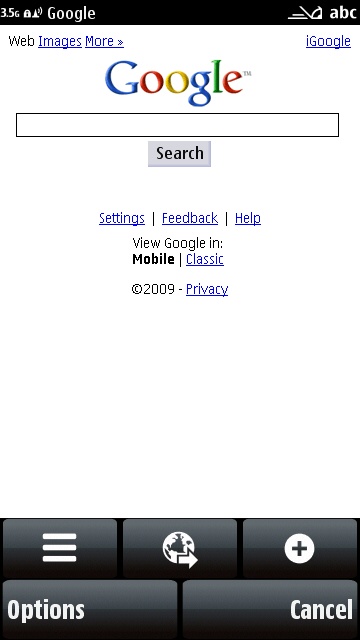
If you want to set a home page (for example Google) for the web browser on the Nokia 5800, here's how to do it:
1. Open the web browser.
2. Go to the website that you want to set as the home page.
3. Select "Options".
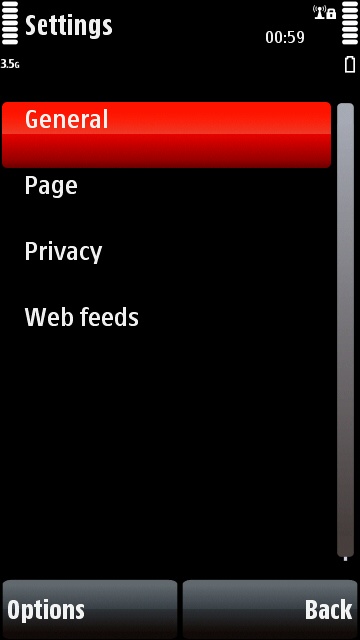
4. Select "Settings".
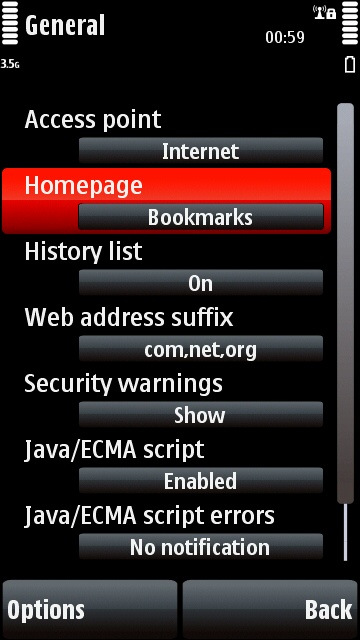
5. Select "General".
6. Select "Homepage".
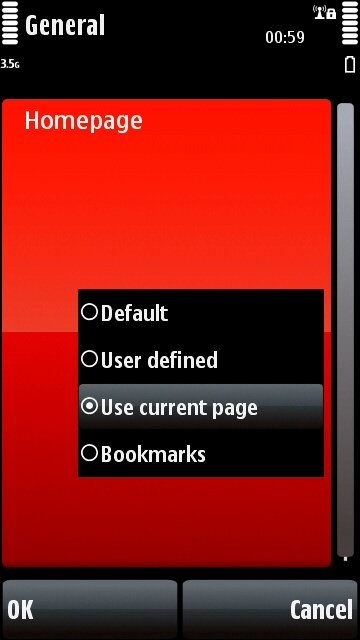
7. Select "Use Current Page".
...and that's it! The page you were on will automatically appear when you next start up the browser.
If you prefer you can display your bookmarks instead of a particular website. Use the method detailed above, but select "Bookmarks" instead of "Use Current Page".
The home page can also be accessed by selecting the "Homepage" icon from the options box.
Click here for a complete list of All About Symbian's Nokia 5800 XpressMusic tutorials