Route and AccuWidget - WRT examples with miniview

Published by Rafe Blandford at 18:21 UTC, May 13th 2009

Forum Nokia regularly publishes example applications; they are intended as examples for developers, but occasionally are useful enough to be downloaded and installed by consumers. New today is Route, a basic GPS tracking widget. AccuWidget, an existing WRT example, which shows weather forecasts, has also been updated. Both widgets support miniview, which means they can be added to the homescreen of the Nokia N97. Miniview is something that all widget developers should consider implementing.

The Route widget allows you to do basic route tracking; it provides an exmaple of how WRT widgets can access phone services, in this case the GPS. The widget displays location, distance, speed and time information. Route will only work on S60 5th Edition devices (those that support platform services).

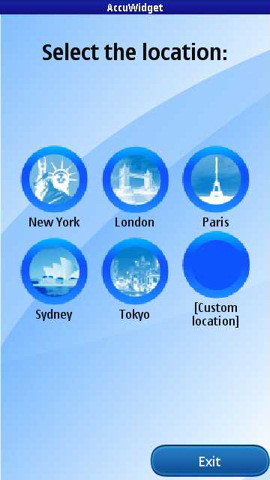
The AccuWidget is a basic weather widget (current conditions and forecast). It uses publicly available RSS feeds and is a good example of how a WRT widget can create a rich client experience for a basic web service. AccuWidget will run on all S60 devices that support WRT.

Both widgets also demonstrate how to implement  'dynamic scaling to different resolutions and orientations by modifying the CSS styles on the fly, and showing transition effects when switching between views'.

In miniview Route shows the distance travelled and current speed in miniview, while AccuWidget shows a summary of the current weather.


Filed: Home > News > Route and AccuWidget - WRT examples with miniview

Platforms: S60 3rd Edition, S60 5th Edition

Categories: Software, Developer

News Discussion

Unregistered
anyone know where I can get teh config for a specific place for the weather app? e.g. I want manchester rather than London but I can't find how to get the correct config to enter?
Unregistered
Found the answer myself, go to www.accuweather.com Choose Forecast-Quick Look. EWnter teh city you want in teh International option for outside the USA. click Go

In the next page look at teh URL in teh address bar and youy will find the code you need embedded. In my experience it doesn't remember the Custom location so I expanded the zip and edited the .html to swap out New York for my own chosen specialty. zip it all back up and you are good to go.

Full thread: 2 Comments / Post New Comment

Search

Navigation

Social

Advert

Translate

Also All About