All About Symbian - Symbian, Nokia and S60 unwrapped.
Google Sync Beta for SyncML (S60) phones
Published by Rafe Blandford at 0:16 UTC, February 10th 2009
Google today launched the beta of its new Google Sync service for mobile phones. The service, which is free, allows you to synchronise data between your phone and Google's web services. This, for example, allows you to synchronise the contacts on your phone with the contacts data used by Google's GMail. All recent S60 and UIQ phones are supported through the use of SyncML. However currently only the synching of contacts is supported. Read on for more details.
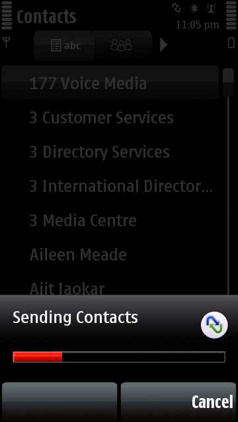
The service uses SyncML and can be set up by creating a new SyncML profile on your phone. This can be done from within the Contacts application (Options > Synchronise > Settings) or from the dedicated Sync application (S60 3rd Edition and UIQ) or from the phone's settings (S60 5th Edition - Settings > Data Transfer > Sync). The necessary settings for the SyncML profile are explained on this Google help page.
One of the advantages of Symbian phones is they allow you to have multiple SyncML profiles, which means you can use several different SyncML based services at the same time. Automatic syncs are not supported, instead it is necessary to manually start a sync from the Contacts (Options > Synchronise > Start) application or from the Sync application.
Once you have synchronised your contacts to Google's servers they can be accessed through the Contacts module of GMail. From here you can view and edit your contacts and any changes you make will be copied back to the phone on the next synchronisation.
Google Contacts, running inside GMail, with data synchronised from the Nokia 5800.
Google Sync will be useful if you are a heavy Google services users and want to keep your Google Contacts in sync with your phone. You may also find it useful for filling your Google Contacts, from your phone, for use in other Google services such as GMail and Google Talk.
However if you are just looking for a way to back up your phone, or edit PIM information via the web, then there are many other SyncML services available. These include Nokia's own Ovi Sync (which also supports Calendar, Tasks and Notes) and Vodafone's Zyb, which will serve you better than the bare bones Google Sync.
It should be noted that there are already a number of third party services and applications, including GooSync, which enable similar functionality to Google Sync.
Here's a video, from Google, explaining the new service:
ActiveSync powered Sync coming soon?
Intriguingly, in the help section for Google Sync, there is an entry that notes support for Google Sync through Nokia Mail for Exchange is coming soon. Google is currently using ActiveSync to enable its sync services for Windows Mobile devices. This would suggest Google is planning to make its Sync service available through a Microsoft Exchange ActiveSync server/solution for other devices too.
This would mean you would be able to to use Mail for Exchange or Dataviz's RoadSync to automatically synchronise with Google Calendar and Contacts. With the current SyncML solution synchronisation must be manually activated.
Google Contacts API
Google also provides an API for Google Contacts, which enables third parties to access and manipulate the data stored in Google Contacts. A number of solutions which use the API are already available. This is something that Nokia has, thus far, failed to provide for Ovi. The integrations and mash-ups which APIs enable are likely to be a key factor in the 'service battle' between Google, Nokia, Microsoft and Apple.
If you're looking for a way to automate SyncML synchronisations then you should check out Swim (http://code.google.com/p/bergamot/wiki/Swim). You will need to Symbian Sign this application yourself though (main reason I didn't;t include it in the main text).
S60 5th Edition (5800) does make reference to automatic sync in its help files, but I can't see this in the actual Sync application / settings. Possibly the feature didn't make into the final version.
Unregistered
hello, I wanted to know what to put in the aforementioned field, the Google Help doc doesn't mention this field and its required, I guess on fp1 does not have this field. thanks
dougalzene
Working pretty well but verify your syncs as it took out primary email addresses from two contacts which had more than one address. I have 300+ contacts, about 20 of which have more than one email address.
It's much easier to verify if, once you're reasonably happy that it's not deleting everything (and you've backed up too), to do a Nokia PC Sync with Outlook and look at that log.
matchstick
So why does the Google Sync for Blackberry, iPhone and Windows mobile support syncing Contacts AND Calendar but Symbian only get Contacts ?
Surely if it's all SyncML based it should work the same on every phone ?
Rafe
Quote:
Originally Posted by Unregistered
hello, I wanted to know what to put in the aforementioned field, the Google Help doc doesn't mention this field and its required, I guess on fp1 does not have this field. thanks
You put contacts - it mentioned in step 6 of the instructions.
iPhone and Windows Mobile are using ActiveSync for the Sync because there SyncML support (the open standard) is poor or non-existent. As I noted I would assume ActiveSync support will be added for S60 (it would probably work now if you could guess the settings) shortly. That's when you'll get Calendar support. Why Google couldn't do this from the start is a bit strange.
shadamehr
- MAJOR issues with this for many users...
As reported on various Google Support Forums, whereby it fails part way through, with an "Invalid Host Address" message:
The issue is that it fails at a random point (but clearly based on a data limit getting hit), which seemed strange to me, until I found "ARTICLE 2" above, which indicates it relates to a Buffer Overun error.
As such, the user discovering this, 'capdog', seems to be blaming NOKIA as the culprit, which seems rather strange, as all my other syncml syncs work fine, and I use Ovi, Gsync, GooSync, and Nokia Maps, as well as others suck as Mobyko et al - and they all work fine, so strange Nokia is to blame, if it's only affecting Google Contacts syncs?.
But he reckons:
"I found what "Nokia has a buffer overrun issue in their sync software and they are overwriting / destroying the SyncML data with essentially garbage:
<SourceRef>4.nf|f0|NT`z&$ n</SourceRef>
In some cases one of the garbage characters are an XML entity character. When that happens the XML document can not be parsed and the sync is aborted (HTTP connection terminated). The phone will then give an error like 'Invalid Host Address'. "
So bear in mind, that for those of you with any reasonable amount of contacts, this still seems to be NOT WORKING yet...
-
Unregistered
setup this sync on my n95 and it seems to be working fine. one problem i noticed is, if i delete a contact in one place (say n95) and the other side i can still see the contact even after sync !
but if i update a contact (adding more info like phone no etc.,) thats updating both ways.
shadamehr
Quote:
Originally Posted by Unregistered
setup this sync on my n95 and it seems to be working fine. one problem i noticed is, if i delete a contact in one place (say n95) and the other side i can still see the contact even after sync !
but if i update a contact (adding more info like phone no etc.,) thats updating both ways.
If true, another "not much use" case. No point sync'ing, if it doesn't actually "sync" any changes, or deletions *lol*
But I cannot even say if it is true, because of the Issue above for those who's contact list is data heavy...
Also,
BEAR IN MIND ANOTHER POSSIBLE ISSUE...
On the same Google Support Forums, many many people now, are stating that for a Contact entry on the phone where they have two mobile numbers, when they do a Sync, BOTH numbers get copied over to the Google side of things, BUT, the phone then gets stripped to just ONE number for that contact.
The same is also being reported for those entires with more than one Email address on the Phone Contact entry.
So in my view, still a long way to go for this, if it is (a) subject to a mjor bug that makes it not even possible to sync for many, and (b) is potentially highly "data-destructive" if you have multiple numbers or emails etc for any contact in your phone!
Be Advised!
Unregistered
Google said they don't support ActiveSync for MfE. But I tried it on E71 with the instructions they had for iPhone. And it worked both for contacts and calendar.
Unregistered
Can you explain how you set sync up for syncing your google calendars on the e71? I'm not sure which remote database name to use.
shadamehr
Quote:
Originally Posted by Unregistered
Can you explain how you set sync up for syncing your google calendars on the e71? I'm not sure which remote database name to use.
See post numbers 5 and 6 above.
Short answer is, YOU DON'T.
Exactly like this entire article says.
They have released CONTACTS Sync.
It states all over this thread that this is the case.
NOT Calendar Sync direct to Google.
If you want Calendar Sync to Google, use something like GooSync like I do.
The free version lets you do one single Calendar, up to 30 days ahead.
The paid for version, that I use, allows me to do the whole family's calendars to my phone, and any period you wish ahead or in the past.
But the free version itself will allow up to one month in the future.
But please read posts properly.
Hope this helps and is not rude though. Good luck
Unregistered
Install "Mail for Exchange", download from this site:
wwwdot businesssoftware.nokia.com/mail_for_exchange_downloads.php
I believe it works for almost all Symbian S60 phones.
Enter m.google.com as the server address.
Leave the Domain field empty.
Enable only calendar.
david_e51
So far this is the best solution i have found to sync your S60 calendar with Google:
i-Phone and Windows Mobile are using Active Sync for the Sync because there Sync Ml support (the open standard) is poor or non-existent. As I noted I would assume Active Sync support will be added for S60 (it would probably work now if you could guess the settings) shortly. That's when you'll get Calendar support. Why Google couldn't do this from the start is a bit strange.
Google today launched the beta of its new Google Sync service for mobile phones. The service, which is free, allows you to synchronise data between your phone and Google's web services. This, for example, allows you to synchronise the contacts on your phone with the contacts data used by Google's GMail. All recent S60 and UIQ phones are supported through the use of SyncML. However currently only the synching of contacts is supported. Read on for more details.
Such a very amazing link!
Thanks you for the post.
Froilen
Why Google only supports syncing contacts using SyncML is a mystery. There is however a Swedish company that has filled the gap with a great free service for syncing your calendar with Google as well. You'll find them at http://www.syncme.se/
teeku
S60 5th Edition (5800) does make reference to automatic sync in its help files, but I can't see this in the actual Sync application / settings. Possibly the feature didn't make into the final version.
__________________
Vczxsd
Smart phones are all the rage; they connect you in ways no other cell phone can. When the fad started, it used to be just Blackberry phones, but now you can get an iPhone, phones running Windows Mobile, or the new S60 phones. But which one is right for you?