All About Symbian - News from the Symbian Ecosystem...

'Fixing' Flash Lite 3 on the Nokia E90

Published by Steve Litchfield at 6:15 UTC, June 4th 2008

You'll recall that the Nokia E90 Communicator recently received a major official firmware update, to v210.34.75, as reported by me here. This brought the E90 into a pretty mature state apart from the fact that Web's Flash integration seemed horribly broken, but only for some people. Read on for my investigation...

The really bizarre thing, as I say, is that for some people v210.34.75 worked properly, with Flash-enabled web sites rendering properly and YouTube (etc) videos playing, while others (including me) were left floundering with an almost useless browser that simply terminated itself whenever anything Flash-related was called upon. Which means virtually every major site these days...

What was especially interesting was that the problem manifested itself on my newly updated E90 with no user data on, no previous backups restored and with no memory card inserted. In other words, we can't blame the usual culprits - third party software, microSD conflicts and so on.

So what's left? I decided, on a hunch, to do a factory reset using the usual *#7370# sequence. And yes, I know that the Nokia Software Update had effectively done the same thing, starting the E90 with a clean internal disk and everything on defaults. But I was curious.
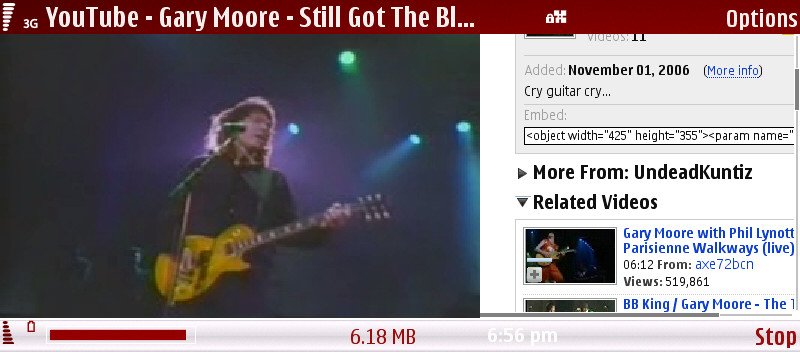
Flash Lite 3 on the E90 with v210 firmware

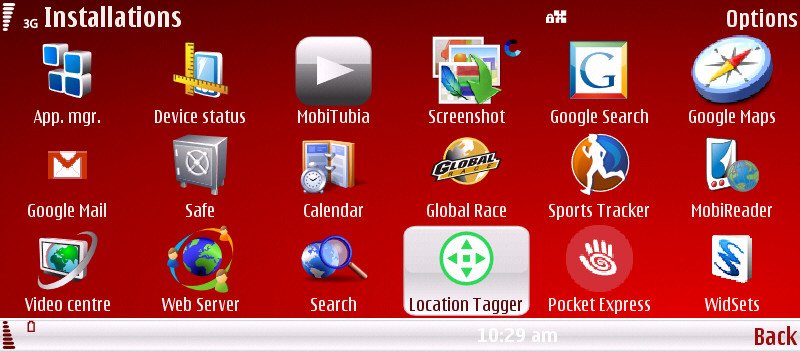
Web worked. It played Flash video files, it displayed complex Flash animations, and seemed almost 100% stable. Hmm.... I started installing my 30 or so (Nokia and) third party applications, bringing the E90 back up to the spec level I need for day to day smartphone use. You know, Quickoffice 5.0, Handy Safe, Internet Radio, Nimbuzz, Location Tagger, Sports Tracker and the rest...
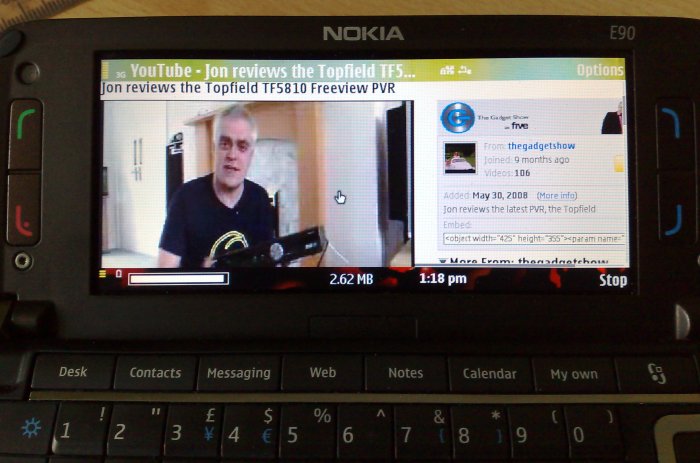
Flash Lite 3 on the E90 with v210 firmware

As I installed, I'd stop every now and then and check that Web was still working. Yes. Video playback from YouTube wasn't as smooth as on the N95, but then the E90 has a larger screen to drive and slightly less graphics processing oomph. But at least it was working and not crashing.

I started running everything in sight, leaving it all going in the background and then trying Web video playback - it still worked.
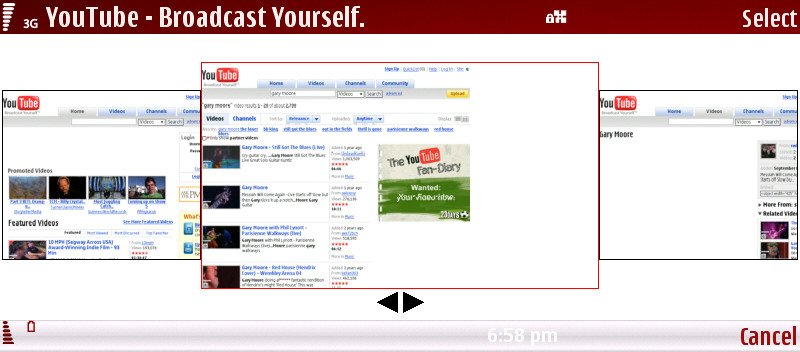
Flash Lite 3 on the E90 with v210 firmware

Flash Lite 3 on the E90 with v210 firmware

So why on earth did this not work after the original v210.34.75 firmware update? I'm not completely sure, but here's my theory - do please jump in if you know enough to correct me....

After a wipe to factory settings or after a firmware update, the internal disk is basically empty. As the phone is powered on, a sizeable number of system working files are created for the first time, along with configuration files, all of which are added to or modified as you start using the device. In other words, the system area on the internal disk is both complex and always changing, in ways that you and I never get to see.

My theory is that at some point in S60's initialisation or when Web is first launched, the Flash Lite 3 modules are integrated - the OS and browser make a note of where to find them when needed and what capabilities are present. At this point, things sometimes go wrong. And sometimes go right. The situation seems to be binary - if Web and FL3 work fine straight after the update/hard reset then they'll carry on working forever more, whereas if they don't work at first then the system is 'broken' and you need to hard reset again.

The reason why FL3 sometimes integrates OK and sometimes doesn't, in my theory at least, is that we're talking about real time operating systems and complex interactions between all the different tasks, added to which  you're likely to do things in a slightly different order each time in terms of keypresses and application launches/installs. It obviously doesn't take much to make FL3 on the E90 unstable, at least in this current OS build - it's ultimately down to an instability (the new name for 'bug', you know?....) in either S60 Web or Adobe's Flash Lite 3 code.

The bottom line? If Flash videos don't play in your E90's Web, then it's time to do your backups, hard reset it and try again! [footnote: the 'solution' has now been tested on several problem E90s and has worked each time]

Steve Litchfield, All About Symbian, 4 June 2008
Flash Lite 3 on the E90 with v210 firmware

Categories: Hardware, Miscellaneous
Platforms: S60 3rd Edition

News Discussion

Arjen
Good tip Steve, thanks. Since Flash isn't working on my phone either I'll try this as well on my E90 and post the results here, although I'm not really looking forward to re-installing everything :frown:

My 2 cents for the reasons that this works is that the Flash libraries need to be initialized before you install a lot of third party applications or synchronize your phone with PCSuite for example. With this fix, the first thing you do after the format is checking whether or not Flash works. Since the internal disk is almost almost empty at that time, the libraries get initialized properly. And, since they were initialized properly, Flash will continue working even if you installing lots of other stuff afterwards

If you first install all your third party apps or maybe do a sync using PCSuite and then try to run Flash for the first time, for example by trying to play a video on Youtube, apparently something prevents the libraries from being installed correctly, causing a browser crash.
tozman
Hi everyone, I had the same problem with bugs on FL3, hard resetting the phone made it work right. Thanks a lots for the tip.
phillips6549
its intersting to hear that FL3 is able to play videos on YouTube but will it play the streaming content on BBC IPlayer?
Mark.
Mr-X
Yes, this is something I would also like to know.

The screen on the N95 8GB is too low in resolution so BBC iPlayer doesn't really work with it. Since the E90's resolution is considerably higher I think it will probably work. Could you please try it out, Steve?
Arjen
My 2 cents weren't worth a penny :rolleyes:. It's not the additional stuff that makes the Flash unable to work in the browser.

Like Steve said before: it either works after a reformat or doesn't. In my case after reformatting and rebooting the browser still didn't display Flash content (it crashed as soon as the Flash player got loaded from a Youtube webpage). So I did another *#7370# and after that the browser played the Flash content happily. Now after restoring the backup I made and installing the applications it failed to restore (I wonder when Nokia is going to fix that) Flash content is still playing perfectly in the web browser.
slitchfield
The iPlayer picture is fine - though I tend to run Flash videos 'full screen' anyway. Unfortunately, the BBC's servers don't really pick up on the fact that a phone is being used and the streaming's not properly optimised, meaning that the frame rate is often unwatchable and the sound breaks up from time to time.

Shame really. BBC - please wake up to the fact that S60 phones would like in on the iPlayer action! 8-)

Steve
Jonek
@ Steve. What theme are you using ? It looks really good. I also wonder how you get such a big icon for the Gmail-app, mine is relly tiny.
slitchfield
Theme is PiZero's commercial 'Fire', btw
Unregistered
I can play youtube.com videos, but they are palyed via RelPlayer (when I choose the link, the RealPlayer starts). Is it ok, or they should be played directly in the browser with FlashLite3?
Arjen
That's probably because you're using the mobile version of Youtube. To play the video in the browser, scroll down in the web browser to the bottom of the screen and select the link for the "desktop version" of Youtube. Works great in the E90 browser.
Unregistered
I checked the Nokia website, but it is still stuck at the old release...
siausin
The new firmware is buggy, think first before you upgrade..totally mess up my E90 GPS...now cannot get GPS fix..even in open sky with no blockage at all...:con?
slitchfield
GPS is fine. It's just that you'll have lost your access points with the upgrade. Check your data connection and check that Nokia Maps is using it for Assisted GPS etc.
Onno Ephraim
I'm not sure you're right. After I upgraded my E90 fails to get a fix from time to time. Most of the time it works just fine, but once in - say - five to eight attempts it fails. I can't figure out why, but after a reboot everything is fine again; and fast due to the AGPS.
siausin
Quote:
Originally Posted by slitchfield View Post
GPS is fine. It's just that you'll have lost your access points with the upgrade. Check your data connection and check that Nokia Maps is using it for Assisted GPS etc.
After the firmware upgrade the phone is by default set to use a-GPS, network GPS, etc...had checked and confirmed the settings are correct...the GPS is definitely buggy, at least it is so on my machine...the problem i had is despite leaving the phone in open space (beach), no buildings or other blockage, all settings correctly set...after 30 minutes, still no fix = it has to be a bug to take 30 minutes and nothing come out..and i realize that at time it will fix and some other time it will not fix at all..it is like the phone has mood in respect of locking in the GPS...Nokia needs to address this instability issue..at least I know somebody above had quite similar experience, that the GPS fails to lock in sometimes..When I used the old 7.40..firmware, I had no problem at all...when i compare my experience with the old firmware and the current firmware, it is obvious to me it is bad news for the GPS..
slitchfield
Hmm.... what do you see for 'Satellite status' in the 'GPS Data' app?

Steve
siausin
under satellite status i had squares besides a set of numbers..those squares never expand into bars..

I also found that youtube mobile doesn't work..it launched real player but stuck at downloading and nothing get download. Youtube full version works fine.

Mail for exchange and company directory work fine..but after installing blackberry connect, company directory of mail for exchange cannot launch...
Unregistered
I seem to have a weird problem... after loading the new firmware and doing a hard reboot I have a working Flash lite however when I restore all my stuff from before the firmware update, Flash 3 stops working again!

Any suggestions?
Unregistered
...but when I go to other sites, they always tell me that I don't have the latest flash player. So they gave me a link to adobe and then when I finally enter the site, they told me that they don't have the right software for me. HELP! What should I do? Is my E90 outdated? What happened??? THANKS! :)
Unregistered
I have also tried resetiint, reloading re installing formating mem card done all 10 times still wont work on myphone, Funny thing is that i ded mysoisters phone at the same time same softeare same pc everything and it worked 100% must be a wat of reinstalling flash 3
sam_patrik
My firmware version is 303.34.84. Flash enabled web site is not working in my E90. I tried resetting using this *#7370# after this i checked the firemware version it is still same 303.34.84.
Even after resetting and reinstalling firmware, flash is not working in the browser. I checked the flash version that is installed in the media folder, the version is flashlite 2.0. Please help me in fixing this.

Full thread: 21 Comments / Post New Comment

Copyright Notes || Contact Us || Privacy Policy (Ellie)