All About Symbian - News from the Symbian Ecosystem...

Opera Mini 4.1 Beta Now Available

Published by Ewan Spence at 9:03 UTC, April 2nd 2008

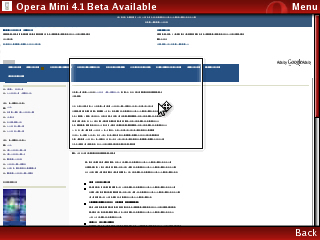
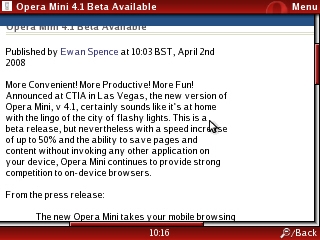
More Convenient! More Productive! More Fun! Announced at CTIA in Las Vegas, the new version of Opera Mini, v 4.1, certainly sounds like it's at home with the lingo of the city of flashy lights. This is a beta release, but nevertheless with a speed increase of up to 50% and the ability to save pages and content without invoking any other application on your device, Opera Mini continues to provide strong competition to on-device browsers. Screenshots and more details below.

From the press release:

The new Opera Mini takes your mobile browsing experience to a new level of interactivity with both the phone and the Web. With Opera Mini 4.1 you can:

  • Go racing
  • Opera knows a thing or two about performance. Opera Mini 4.1 features speed improvements and is up to 50% faster than Opera Mini 4.
  • Autocomplete your URLs
    Save your fingers. Opera Mini will automatically suggest URL completions, making address input easy and intuitive.
  • Save pages
    Getting ready to lose your signal? Make the most of offline time by saving Web pages for later viewing.
  • Find content in the page
    Finding that word or phrase on the small screen has never been easier. Opera Mini now lets you immediately find the content you want.
  • Download and upload files
    Now you never have to leave Opera Mini for your phone's clunky native browser to download images, ringtones and other content, or add attachments to e-mail. Opera Mini handles all of these files.
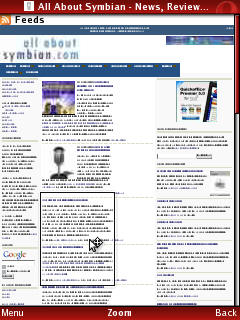
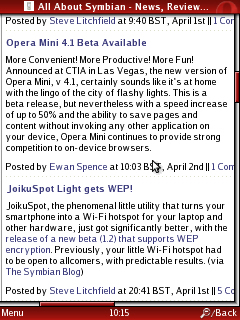
 

Opera Mini 4.1 Opera Mini 4.1 

Opera Mini 4.1 Opera Mini 4.1

Read more at Opera, or download from operamini.com/beta/.

Categories: Software
Platforms: General

News Discussion

Hardeep1singh
Let's hope they concentrate on Opera biggie now. I want Opera 9.5 :mad:
ares
This version is signed!!! Yay!!!!
Jay3gsm
I wish the icon could be sorted out. I hate the really small icon you get in the menu with Opera Mini, the standard Opera browser icon is much better.
junchao8
Quote:
Originally Posted by Jay3gsm View Post
I wish the icon could be sorted out. I hate the really small icon you get in the menu with Opera Mini, the standard Opera browser icon is much better.

Just extract the jar using a unzipper and replace the image with one you like, simple as that.
Guess Who
...or install it from the Services (WAP) browser, I got the big icon in this way. Installing from pre-downloaded jre/jar resulted the small icon.
symbiandisciple
every time i tried to used mini opera, it just keep rebooting my phone?
Jay3gsm
My phone doesn't have a services (WAP) browser anymore, so I'll have to give the first option a try. Thanks for the tip
malerocks
So far have not noticed a great diffeence in speed (not 50%), but the other features are great...
Unregistered
I just found a version of the new opera mini 4.1 beta with the internet explorer icon. Download it from here: http://dailymobile.se/2008/04/02/jav...-is-available/
Unregistered
this just replaced the built in browser onmy e61i. Much Much Faster!!!
Good Job Opera
hargs48
really great update...working excellent on my N95 8GB...& I replaced the default icon with a much better/bigger Opera one also...:icon14:
Unregistered
Very quickly browser!
Unregistered
Is there a way to move the bookmarks etc over to the new version without much of a hassle (not including syncing with desktop Opera which I don't use)?

If it's a matter of copy & paste from a folder that's fine. I feel that I have tweaked my start page and bookmarks to perfection and it would be a shame to have to do everything again, although Opera Mini is by far the best mobile browser I have used across several platforms.
Unregistered
You don't have to sync with the desktop browser per se. You can create a my.opera.com user account and use the Web interface with your preferred desktop browser.
malerocks
My 'multimedia device' seems to have slowed down a bit after installing this beta. Anyone else facing this issue???
Arcade
Anyone wanting to copy over the feeds, bookmarks or speed dials should try the 'synchronize Opera ' in green, at the bottom of the start screen. Make an account and sync with the 4.0 version; then sign in with the 4.1 and sync.. Now the beta looks just like my other opera mini..
Sergey Zak
"Pretty cool stuff, huh."

Full thread: 17 Comments / Post New Comment

Copyright Notes || Contact Us || Privacy Policy (Ellie)