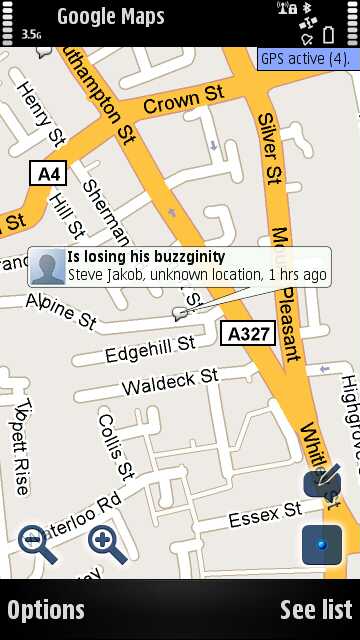
Following the announcement earlier this evening of Google Buzz, the extension of Google and Gmail into social networking, Google Maps (for Mobile) 4.0 has been released, advertised with the feature: "Post and view real-time messages & photos at places around the world". For Symbian at the moment, Buzz is just implemented as another Layer in Google Maps' existing system, though there will be a compatible web site soon as well. For the Gmail integration to work, you'll have to click the link on the Google Buzz web site and then reload your Gmail page. Otherwise, just use Buzz direct from the new Google Maps, just 'Add Buzz', tap the speech bubble and you're off. Screenshots, video and more below. Comments welcome if you've got it working as well.
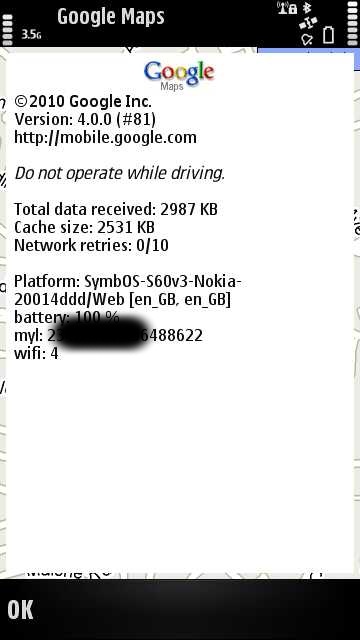
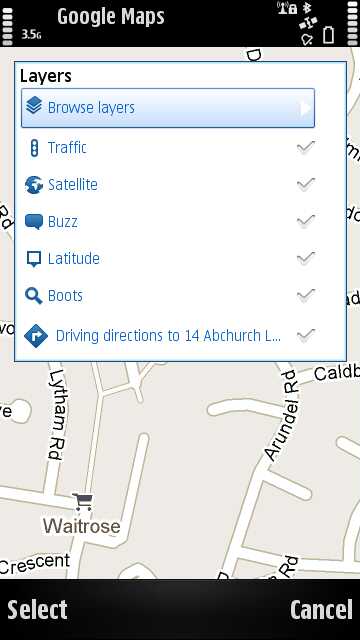
Screenshots of Google Maps 4.0 with Google Buzz in action:
You can get Google Maps 4.0, a 1.6MB download, by going to m.google.com in Web on your Symbian smartphone.
"The new Buzz layer allows you to see buzz near you or anywhere on the map. You can post public buzz directly from the layer, and even attach a photo from your phone. Also, try visiting a mobile Place Page to read recent comments or to post buzz about that place. You can access Place Pages from the web app as well, by tapping on the place name in any location-tagged post."
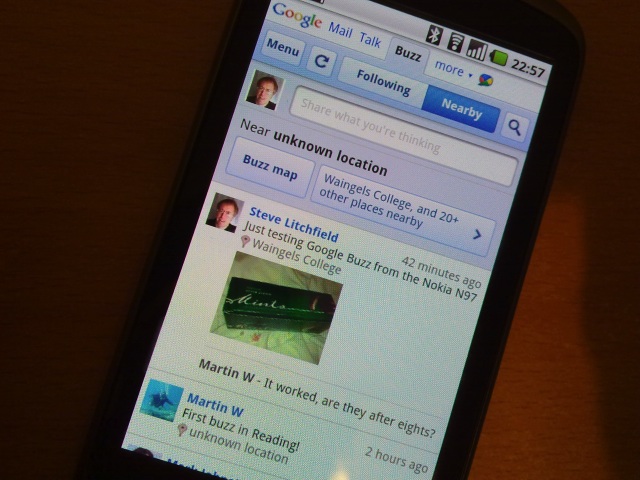
A Symbian-optimised mobile Google Buzz web site is 'coming soon', apparently (and is available now for iPhone and Android). You can find out more about Google Buzz by going here. Here's the Buzz site, as seen on the Google Nexus One:
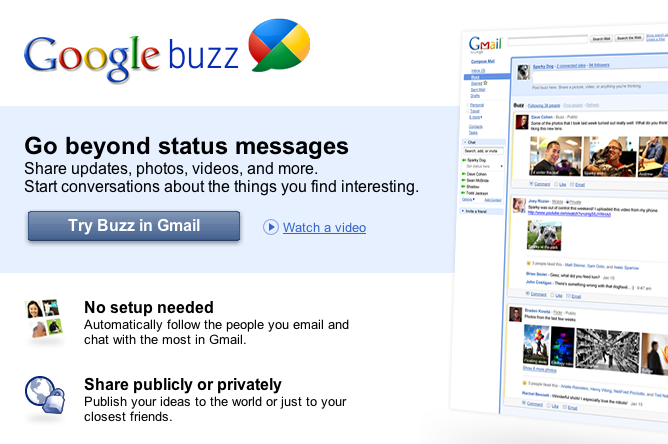
And here's what you'll see in Gmail on your desktop web browser, with Buzz appearing as a 'folder' in your Gmail left column. People you email a lot are automatically added, with others left in a 'suggested' list - a system that seems a little arbitrary, but I guess Google had to kick start Buzz somehow. At least this way they can boast tens of millions of users on day one.
It's interesting that Google's approach, based on a 'new' social system, follows Nokia Ovi Maps 3.3's own location sharing features, which is integrated with the existing (and huge) Facebook. It's worth noting that, like Latitude itself, which doesn't seem to be integrated into Buzz, just because Google's behind something doesn't necessarily mean it will become a roaring success....
Finally, here's the official Google Buzz intro video:
For me it was not available from m.google.com but it was from www.google.com/gmm
rvirga
There's no need of an invite, AFAICS. If you have a Gmail account, you can activate Buzz by just accepting the EULA, which you will be prompted to do the first time you post a buzz or reply to someone else's buzz.
Edit: I'll elaborate
Step 1: download and install Google Maps 4.0.0.
Step 2: in Options->Levels, check Buzz.
Step 3a: on S60v5 (I haven't tried it on a S60v3 phone), an icon of a talk bubble will appear on the right bottom corner. Tap on this to post a buzz.
Step 3b: on the map, some tiny talk bubbles will also appear. Tapping on any of these will expand the bubble to display the buzz post. Tapping again will open a window with the buzz and all its replies, and will allow you to add a reply.
Step 4: there's no step 4.
j d
can somebody please tell me if they fixed the "stars" so they save in the phone's favourites again?
seki
until google maps has offline support its a non-starter for me.
I'm very happy with Ovi-maps .. except when I visit Japan .. come on Navteq!
Cheers
Unregistered
Was surprised to find no satellite view option in the menu, then after a little digging found it in the layers menu
fucc74
eheh google buzz will be a very interesting advertising service! italians: http://bit.ly/bHUX3F
Seft
Any idea how to make a private buzz from GMM?
davekolmer
I wish this were an announcement for Google Navigation for Symbian! Does anyone know if this is in the works?
RogerPodacter
anybody worried about privacy? i see tons of buzzes around my town with people showing their exact address/location! surely it should have defaulted to private, with the option to post public, rather than default public. i cant seem to find a way to make private anyway.
slitchfield
You can just select the nearest 'proper' location to your home rather than the exact address if you like. It's one of the choices when you buzz.
Oh dear, I'm using it like a verb etc! And I'm not a honey bee....
rvirga
There are apparently three forms to buzz from a mobile phone: (1) via Google Maps, (2) from an icon in the google.com web search page, and (3) via buzz.google.com. The Google Maps is the worse of the three, since it won't let you set your buzz as private, nor exclude geotagging. Using method (2), you can exclude geotagging but still only post public buzzes, while (3) is the most flexible offering both to omit geolocation info and to post private buzzes. Unfortunately (2) and (3) are currently only accessible to Android and iPhone users.
Overall, I'm underwhelmed. It looks basically like a Twitter clone, and the few new features it introduces are useless when not pernicious.
RogerPodacter
thank you, that makes so much more sense. i thought i was just not seeing something that everyone else was seeing. so things just arent online yet except for the google maps app function.
juwlz
Well, I downloaded Google Maps 4 this morning, enabled the Buzz layer, and buzzed by clicking on the buzz icon later in the day.
This evening, prompted by Steve's tweet that it's now been enabled in Gmail, I closed my Gmail window and opened a new one, and there was my buzz (along with Steve's, plus a list of automatic people to follow and a list of other suggestions). Also, Gmail asks whether you want to connect to Twitter, Flickr, etc.
Let's see how it goes ;-).
Julie
shadamehr
It seems there is indeed a very real flaw (or two) in the Symbian 3rd Ed. version of this at least, if not the 5th Ed too.
As indicated earlier - it's a Privacy issue.
As I ran a test - I MANUALLY used Google Maps/Latitude to change my location to a point about a mile from where I actually am.
I then added a "buzz".
And it instantly placed the Buzz at my ACTUAL location, not the location I had manually set as my current position.
This is not good at all, if Google want to keep the privacy groups happy.
As for another flaw, once I post a Buzz, if I then switch to Latitude mode again by pressing the 6 key, I can find no way or option of then viewing Buzzes near me. I can add a NEW Buzz again. But I can't see buzzes near to me, or find an option to re-list/display them...?
Certainly though, the privacy issue is a BIG one - even if you MANUALLY alter your position in Latitude, any Buzz posted seems to use your REAL location, no matter what!
Oh er!
JayTay
Quote:
Originally Posted by shadamehr
Certainly though, the privacy issue is a BIG one - even if you MANUALLY alter your position in Latitude, any Buzz posted seems to use your REAL location, no matter what!
That's because Buzz and Latitude aren't currently connected. Maps uses your actual location and thus so does Buzz.
Unregistered
@shadamehr, I am having the opposite problem! Buzz has been getting my location wrong by some distance. Even though the indicator glowing blue blob shows my correct position, it seems to want to choose from a list of location, and has given me a new home address.
shadamehr
Quote:
Originally Posted by JayTay
That's because Buzz and Latitude aren't currently connected. Maps uses your actual location and thus so does Buzz.
The reason is moot - the relevance of it is what matters...
And having full privacy controls in Latitude, the average user in the street would have very rightly expected that if he sets his Latitude position to where he chooses, then if he "Buzzes" about 'that' place, THAT is the place that will be reported back.
Exactly as you say though, and as I fully expected the reason to be, this is not at all what happens, as Buzz has no relevance to Latitude.
The point is, it SHOULD...
Only Google could bring us this new feature, and have it incorporated into Google Maps in such a way that it is is indeed an entirely separate application 'layer' that can't 'talk' to Latitude, and thus cannot utilise any Privacy Controls whatsoever, via Google Maps.
Doh.
Cheers for the post though - yup, I agree with your explanation 'why'.
Unregistered
Very Useful information , this is both good reading for, have quite a few good key points, and I learn some new stuff from it too, thanks for sharing your information.