
Is there an alternative for Nokia Internet Radio on on S60 5th Edition devices?

Published by Ewan Spence at 14:52 UTC, April 23rd 2010

Summary:

Nokia's own Internet Radio application - or rather its absence on its S60 5th Edition phones - left a pretty big hole in the power user's software catalogue. In this feature, Ewan investigates a number of (mostly free) alternatives - can you still stream radio to your smartphone in 2010?

Let's start with a simple truth – if Nokia would hurry up and either port Internet Radio to their S60 5th Edition devices, or announce that it's internally dead and here's the source code, then wouldn't be this gap in the applications suite on the latest Symbian smartphones. For all the gigabytes of storage on modern smartphones, there is still a desire for live information and engagement.

Perhaps it's not knowing what's next on a music show, or wanting to find out how the local traffic jams are being affected by the weather (and to listen to the weather report itself), but radio, in the traditional sense where you get information to listen to, is something that there is still a strong demand for around the world. Even on your smartphone.

So what options do you have on our touch screen devices?

FM Radio

Could well be built in to your handset.

Depending on your phone, you might already have a low cost, unlimited bandwidth solution on your phone – the FM Radio. Yes you'll be limited to whatever is broadcast in your local area, be it local community stations or the national broadcasters, but don't dismiss this just because it's not online. And it's a lot gentler on your battery (and monthly bill) than other options.
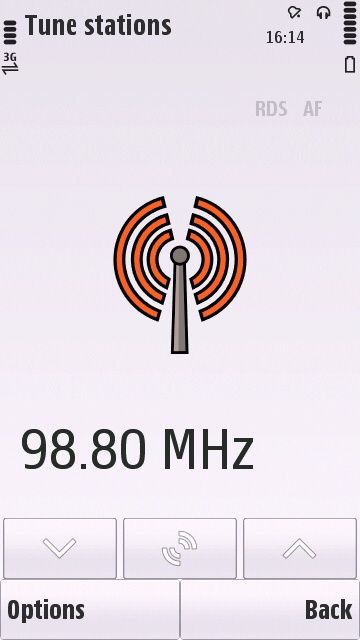
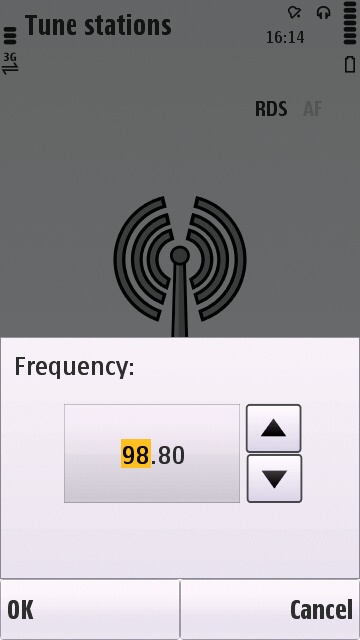
S60 Radio Alternatives S60 Radio Alternatives 

Energy Radio

http://store.ovi.com/content/29235.

With 18 stations under the Energy brand, Energy Radio packages all of these into a single application. There's no option to add in your own stations, this is a branding exercise for the parent company. But it does mean that you have a very slick interface – the stations are in a carousel that can be flicked with your finger in a similar way to cover flow and album art exploring.

Given that the app is a promotional tool for NRG NRJ (one letter makes all the difference to a station call sign! - Ewan), it's interesting to see that they have added in some advertising to the application. I think this is a mistake, the small amount of revenue this could gather is offset by a garish colour strip at the top of the application that projects the image that this app was done on the cheap. There's also the matter of the error codes. Throwing up “Error -5120” gives me no idea what's going wrong. There's no documentation with the application and I wish it had done more than reflect the message from the Java runtime. It's only useful to the developer... and I'm not the developer.

Finally, the UI is nowhere near S60 standards, so it's confusing to use. The biggest flaw here is that the interface is missing a close button, so you'll need to use the task manager to exit the application.
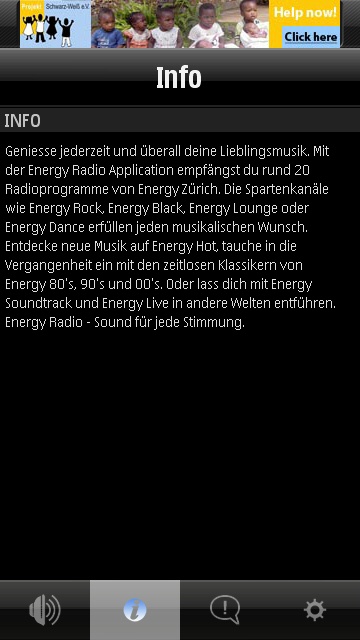
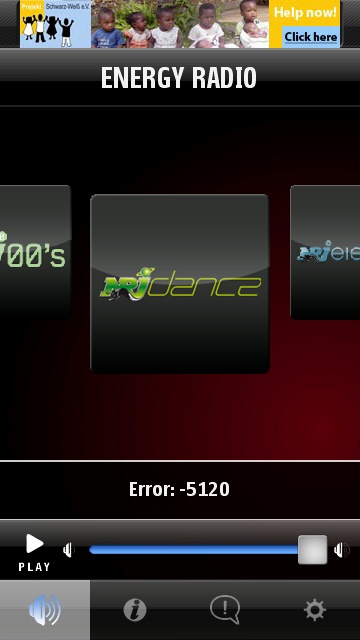
S60 Radio Alternatives S60 Radio Alternatives

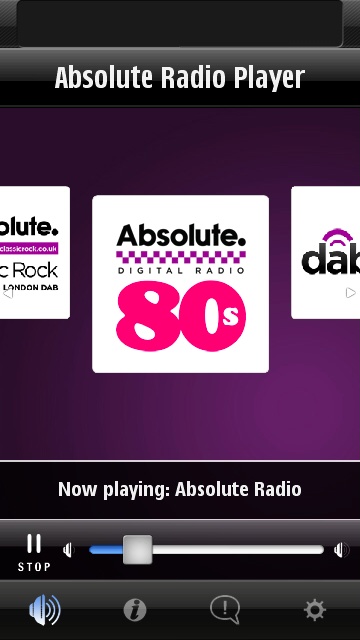
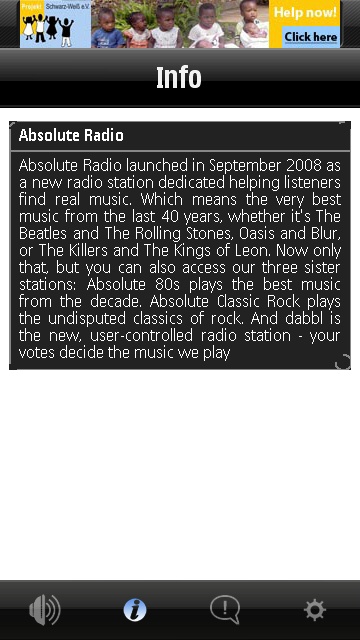
Absolute Radio

http://store.ovi.com/content/25939

Another package of radio stations, this time under the UK Absolute banner. Formerly Virgin Radio, a number of stations, mostly broadcast on the DAB frequencies of Digital Radio in the UK, can be found in here. As with NRG, you only have the bundled stations available, but you do get... er... hold on, this is the same application! They've just changed the colours and station feeds.

Sneaky. So yes you do get your stations you were hoping for, for but you can't combine the databases, you'll have multiple icons on the screen, and the same faults are still present.

When you look at the various "radio" options in the Ovi Store, you'll see a similar story for many radio stations out there - either they all have the same CEO, or a canny company has managed to get development deals with all of them. After all, if the desktop colour is a different colour, it's a new app. Right?
S60 Radio Alternatives S60 Radio Alternatives

Mobbler

http://store.ovi.com/content/27017

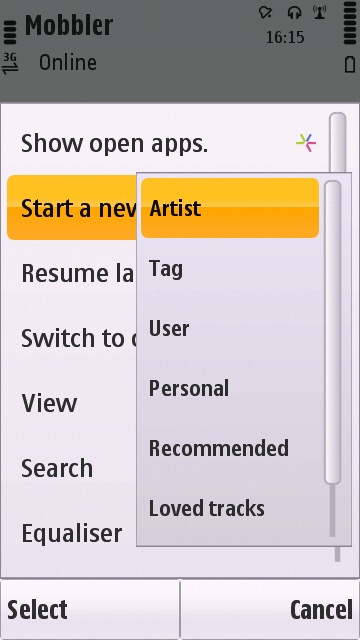
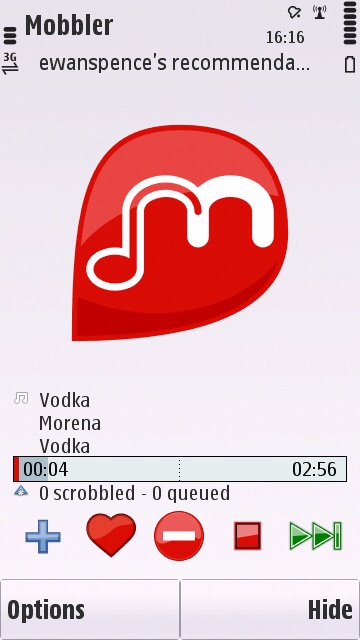
With it looking unlikely that there's an all-purpose Internet Radio application out there in third party land, it's time to look at some more alternative ideas. The rise of streaming music services could compensate if you're looking for entertainment, and Mobbler is going to provide the radio equivalent of “what song is going to be next”, but it will be tailored to your listening. Mobbler runs with last.FM , which takes a note of the music you listen to and from that determines what other music you should like, and makes this available as a stream. Mobbler is freeware,  although some of the streams are available for paid memberships only. The latest version is reviewed here, which does the noting of the music you listen to, and acts as the streaming application to listen to music you should like.
S60 Radio Alternatives S60 Radio Alternatives

Spotify

http://www.spotify.com/

While not strictly radio, given that you choose the music you want to listen to and this is streamed from the Spotify servers to your handset, then you can argue that it is a solution to getting streaming media. There is an ongoing cost, with the application only available to premium members, currently around £10 a month, but this gives you access to the desktop client as well as the mobile application.

There's an added bonus in that you can download the chosen tracks to your phone and listen to them without streaming and maintaining a connection. But if that's your solution, then sorting out music on your desktop would be a far more efficient way of doing it unless you have a very small music collection at home.
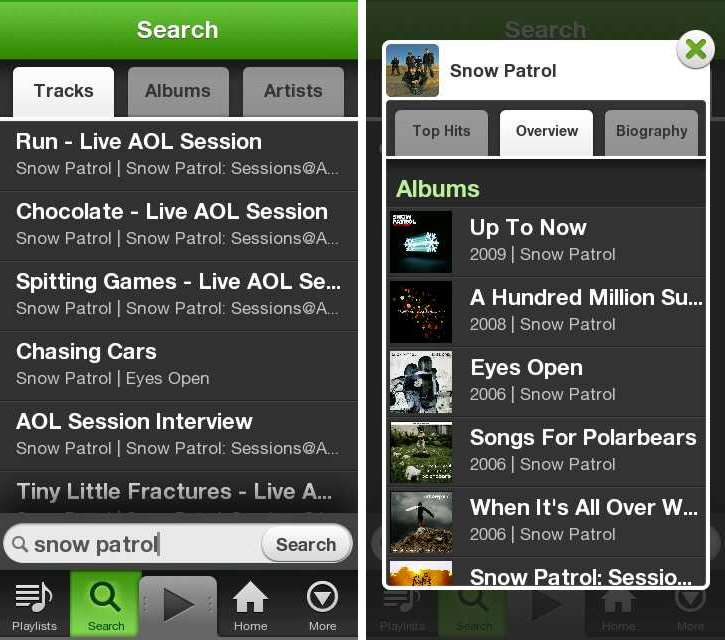
Spotify search results and artist information.

Podcasting

Built into your handset

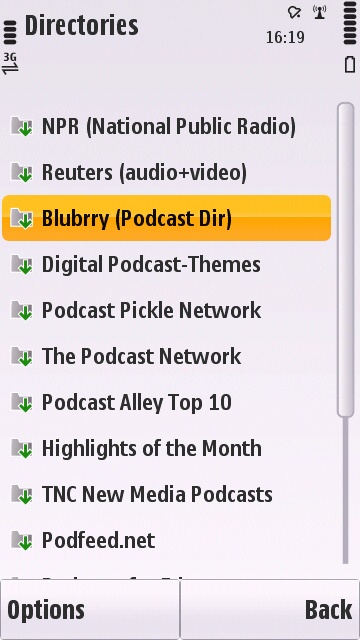
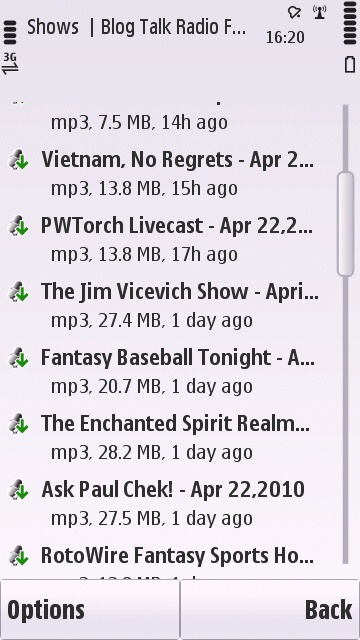
Streaming is just downloading an audio file in real time (with some cacheing). While podcasts aren't strictly streams, they are a download of a media file, they're often very radio-like on content, and the fact it comes down in one great squirt saves battery power, and allows you to listen in areas without coverage.

There's also a wide range on offer, and while you'll be forced to go for unsigned or smaller indie bands for music, if you are looking for information, news and current affairs, then the major talk-based radio stations have a huge range of pdocasts that you can download shortly after the live broadcast. Look at America's NPR Directory of podcasts for news and current affairs, and the BBC's podcasts include delights such as Radio 4's Today show, which posts the major interviews online within an hour or so of the show finishing.
S60 Radio Alternatives S60 Radio Alternatives

BBC iPlayer

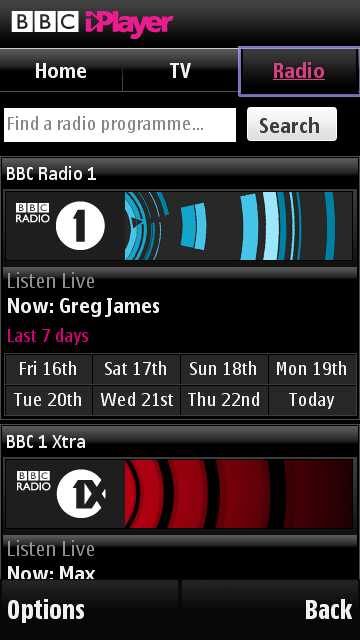
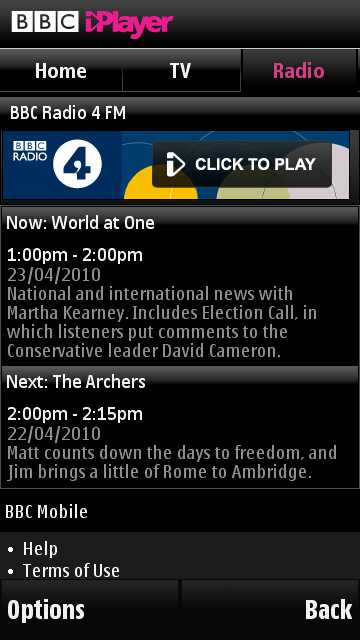
Speaking about the British Broadcasting Corporation, the iPlayer client gives you access to their range of UK radio stations. There is an obvious caveat here in that it's only available when you are physically in the United Kingdom (they have a number of tricks to spot you spoofing your IP and location, but you're welcome to try). The widget passes the link to the stream to the Nokia Media Player, so you end up using a familiar interface to the audio.

Definitely recommended if you have a S60 5th Edition device that supports the service. Just a shame it's not more widely available.
S60 Radio Alternatives S60 Radio Alternatives


In summary, it should be clear to developers looking for a new project that this is a gap in the market that could easily be exploited with a clear UI, a good directory of stations (not just in terms of volume of stations, but searching and tagging) and taking advantage of the rise of unlimited data packages.

The problem is that any work a third party developer could do would take a significant hit if Nokia were to suddenly release their own Internet Radio app updated for the latest devices. That's why I'd love to have Nokia make a definitive statement on the future of the application. If it's coming back, we could wait a bit longer, but if dead is dead, then let us know so the market can do what it does best and get out there to program a killer Internet radio application.

 -- Ewan Spence, April 2010.


Filed: Home > Features > Is there an alternative for Nokia Internet Radio on on S60 5th Edition devices?

Platforms: S60 5th Edition

Categories: Comment, Software

Discussion

UKJeeper
The old original version of Internet Radio works on 5th edition, but you have to make/edit your own .pls file.

Used to use it happily all the time on my i8910, at least until almost all US stations were blocked outside the US. :mad:
Unregistered
I'm glad AAS did an article on this.

God sakes Nokia, just what on earth is the hold up for internet radio for v5?
Unregistered
It's like rocket science for Nokia :D
frustrated user
I would be grateful for a tip how to change the volume in the Nokia Internet Radio.

e90 does not have volume keys on the outside. There are volume keys inside of the clamshell but the
app closes when you open the lid.
Unregistered
Tune wiki has a shoutcast button and it works very well, with loads of stations. I think its excellent
RogerPodacter
I used tune Wiki on my n97 as well and it gives full shoutcast streaming and the app is free in the ovi store. worked great.
Unregistered
Just to mention a little confusion built up by a tiny orthographic error in this article. This "NRG" name you are refering to is only used by an Albanian station. The application you are discussing here is using the streams of diverses NRJ radios (with a J). Those stations are brands from NRJ International (http://fr.wikipedia.org/wiki/NRJ_International) that currently airs in more than 20 countries. In all those countries (speaking either deutsch, finish, english, ...) NRJ is called NRJ, not NRG. To complete, NRJ International a French group built on the original NRJ french radio (meaning "Energie" similar to the english "Energy).
Hurlley
Nokia really does baffle me sometimes, why would they not continue one of the best things they have going for them? Steve I suggest use your Nokia convincing powers and compell them to make it like you did with Free Ovi Maps. you know they're reading!
michellebg
I recently found a couple of nice applications that are working on the i8910, hyperx 3-29 rom.

tunin.fm - large selection of shoutcast stations organized by genre. not the slickest application but works.

&

tunewiki - used for viewing lyrics to music, but also has a tab for shoutcast stations. They have quite a large selection that should satisfy most people. They even have a youtube lookup tab, but it is currently not working on s60 devices. They are looking for beta testers though!


These 2 plus mobbler and my streaming needs are met.
davidmaxwaterma
I used to use plain real audio streams to listen to the bbc when I was using Symbian and I use wma on Maemo. Aren't these good enough?

It would be nice to have RDS like features...is that the added value of these clients?
Unregistered
This is the reason why people are flocking to Iphone and Android.
raka
Since I have the 5800, now over a year already, I use the built-in Realplayer for listening to internet radio. Every Shoutcast or other radio streaming link I added to the E:/Videos map is bookmarked and will play fine in the Realplayer.

For instance, the direct link to the Dutch Radio 1 station stream is:

http://shoutcast.omroep.nl:8100/

When you copy this link (without any BBcode, so without the [url] tags) to an ordinary text file, name it "Radio 1.ram" and copy it to E:/Videos, the next time you open the Realplayer you can find it in the Streaming links folder.

Happy listening!
Unregistered
Quote:
Originally Posted by Unregistered View Post
This is the reason why people are flocking to Iphone and Android.
Lol..'flocking' to Android? Hahaha..you armchair analysts never give up do you?
daos
Coreplayer is awesome application. So it is not compatible with 5th edition and has issues with its UI, you still can play ANY asf to wmv streaming (also known as mms://). Then all you need to find any site, that streams in WMP format, copy its address and play. You can save the address of streaming audio as .m3u or .asf extension and open it in Coreplayer.
Unregistered
Is an app really needed? Can't you use the browser to access something like <https://www.reciva.com/> which has stations from just about everywhere? I don't have a Symbian handset at the moment (using N900), so can't check this crazy idea of mine...
Ammar_Dento
May be the N900 web browser can handle that because its an Internet tablet.
Unregistered
It's just another minority requirement. Nokia have left it to the third party developers.
jApi NL
@raka . It sounds like a brilliant idee . Video streaming finds any .ram file . URL http://shoutcast.omroep.nl:8100/ gives an error : "videoclip can't be played" . Anyway the URL has to start with rtsp: , but also rtsp://shoutcast.omroep.nl:8100/ no avail .
The combination rtsp://http://shoutcast.omroep.nl:8100/ gives an URL error "not valid" .
What did I wrong ?

:) Regards jApi NL
computer gadget
I really enjoyed reading your posts. I thank you for your postings so inspired.

<a href="http://computergadgetreview.com" target="_blank">Computer gadget</a>|<a href="http://nmobilephone.com" target="_blank">Mobile Phone</a>
p51
I have been using http://www.yourmuze.fm since I read of it here http://www.allaboutsymbian.com/forum...ad.php?t=94469


Works a treat on my N97 and i8910.
Unregistered
You forgot Lonely Cat Games Jukebox!!! It has shoutcast integration! It also has a niec miniplayer on the frontpage, a finely tuneable qualizer and much more steps in the volume control then the standard stuff! Worth updating the article for imho.
Unregistered
raka Thank you! Made my day :D
irha
I am having a lot of difficulty finding the right radio app. I have been listening to my favorite ShoutCast radio station using TuneWiki. However, they recently removed this station from the directory (apparently to force users to use their official app on iphone and android for the sake of ad revenue, but don't have one for symbian yet), so I can't use TuneWiki anymore. I am now back to using the "S60 Internet Radio" app (the beta version of the Nokia Radio App from their labs), but I am not happy about it, because it has no control on the volume and often misbehaves (sometimes the volume is very low for no reason).

Looking at alternatives, I can play this specific station using Real Player, but it is buggy. E.g., after the device autolocks, its UI becomes unresponsive (i.e., after unlocking the screen, I can no longer control it). The other issue is that if the app goes into the background, it will stop playing, so I have to keep it always in the foreground. I was hoping the "Nokia Internet Radio" in the OviStore will serve me better, but it gets an error during the launch, in fact there is not even an icon for it (I can only try to launch from the OviStore app). CorePlayer is also not an option for me, since it is not supported on s60 v5.

Which other app would support playing from an arbitrary stream? If it supports mms and realaudio streams, it is a bonus. I am using 5530, if that matters.

Update: Just to clarify, I already tried Shazam, Mundu and Mobbler, but neither has a way to play radio streams.
Paul Holmes
It depends, do you want the App Store? Cuz the App store is ONLY with apple, although there is Droid which does have a seperate appstore, and so does Zune. Personally though, I think the iPod Touch is the best choice, it's whatever you want though.
irha
Quote:
Originally Posted by Paul Holmes View Post
It depends, do you want the App Store? Cuz the App store is ONLY with apple, although there is Droid which does have a seperate appstore, and so does Zune. Personally though, I think the iPod Touch is the best choice, it's whatever you want though.
I have 4 iPhones in my house (two used as phones and 2 retired 1st gen that are used by my kids for playing games) and I don't need to know more about them. My question is about symbian, and let us keep the topic to that.

Full thread: 25 Comments / Post New Comment

Search

Navigation

Social

Advert

Translate