
Review: Samsung SGH-i550W
Score:
83%
Samsung's stylish candybar goes under Steve's careful examination...
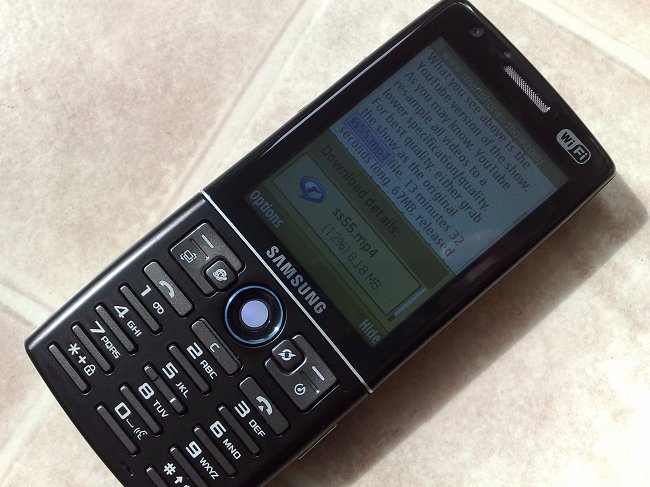
At first glance, the i550W (there's a version without the 'W' and without Wi-Fi) has got everything. And probably makes its way onto everybody's shopping list for the perfect smartphone. After all, it's a metal-keypadded candybar smartphone running the latest S60 3rd Edition Feature Pack 1. It's got 3.5G, Wi-Fi, GPS, a 3 megapixel camera, a 3.5mm headphone jack, microSD expansion, oodles of free RAM, a 2.6" screen and USB charging. And it's black and is only 13mm thick! What's not to like?
Unfortunately, one by one, the showstoppers come a-calling, taking a score that should have been heading for 90% down to a meagre 65%. Let's look at the Samsung i550W in detail and I'll explain both the brickbats and the bouquets.
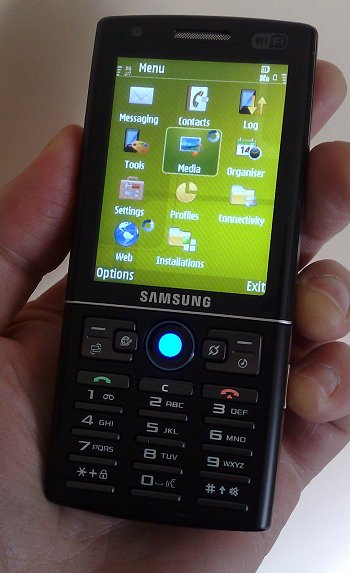
First impressions are good, with an everything-but-the-kitchen-sink layout. It's a very solid candybar, moulded in plastic but with a metal keypad plate that lends a touch of class. In addition to the usual S60/smartphone keys, there are shortcut buttons for Web, for Navigation (a rebranded Route 66 that - sadly - wasn't in the review unit box! Shame) and Media. These three assignments can't, as far as I can see, be changed, which is a pity. The Media button brings up a popup choice of Music Player, RealPlayer and the built-in FM radio and, again, you can't choose which one you want permanently - Samsung - these all need to be settings!
The keys themselves are largely in 'retro' calculator style (also seen recently on the Nokia N82) but work well enough and are very clearly labelled, in white-on-black. The main display is also very clear, at least indoors, and very colourful, but it does reflect quite badly outdoors, a malaise shared by some of the Nokia Nseries, it has to be said.
In between the two function key blocks is the single biggest innovation by Samsung to the S60 canon: a trackball instead of a d-pad. When the i550 is on, it glows a sexy blue, when the device is charging it turns a fiery red - pretty cool.
Replacing a standard d-pad with a trackball isn't all a breeze though. Counted among the problems is that there's now no longer an obvious way to implement 'up and hold' or 'down and hold', for rewind and fast forward in Music Player or RealPlayer, both functions I use a lot. In fact, it turns out that you can use '2' and '8' on the keypad as substitutes in Music Player and '5' and '0' in RealPlayer (nothing like consistency, eh?!), but it's nowhere near as intuitive as using a traditional d-pad. In addition, using a trackball for direction pushes in general is fiddly at first, with slight inaccuracies in direction misinterpreted as intentions in other directions. And some games simply won't be playable using this controller.
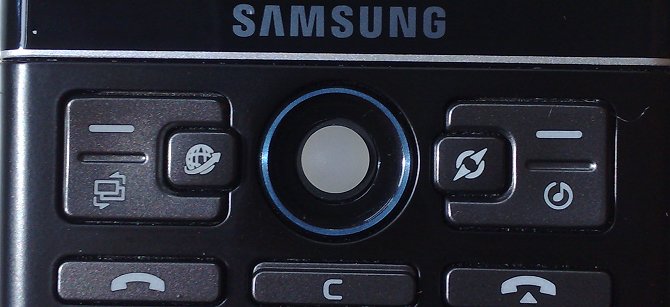
One oddity is that when you nudge a trackball in a direction, you expect the cursor/highlight (as appropriate) to move in that direction. So far so good. When you want to move further, you spin the trackball faster and with more momentum - but the cursor/highlight still only moves a single step for each spin. There's no equivalent of holding down a d-pad direction. It can be a tiny bit frustrating whenever anything cursor-intensive comes along, such as moving down an Options menu. When scrolling down a web page, there seem to be some optimisations, with the cursor speeding through rather more than on the i550W with the original (older) firmware. Ten out of ten for thinking outside the box, though, Samsung.
Working round the i550W's frame, there's:
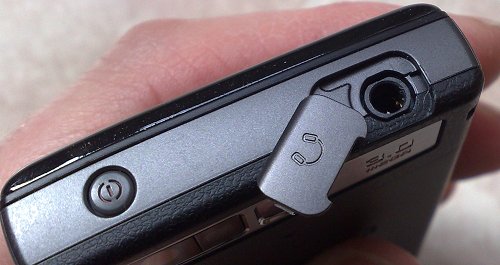
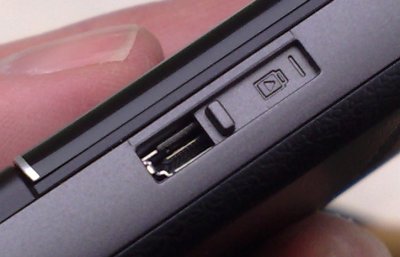
- the now obligatory microSD card slot (with a tethered cover)
- up/down volume buttons
- a 3.5mm headphone socket (also with a tethered cover - kudos)
- power on/off
- the proprietary Samsung serial connector (USB plus audio duties) (with sliding port cover - very neat)
- the camera button (a cheap affair with only a single stage press - see below for appropriate comments!)
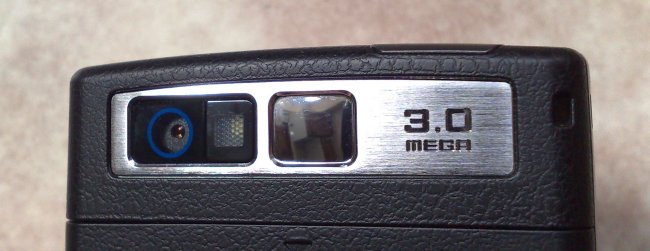
The back sees a rubber effect cover, housing an ample 1200mAh battery, and a basic 3 megapixel camera lens with LED flash and a small aiming mirror. The overall form of the i550W is different to most Nokia S60 designs but does work well, especially viewing the device with a business/productivity 'hat' on.
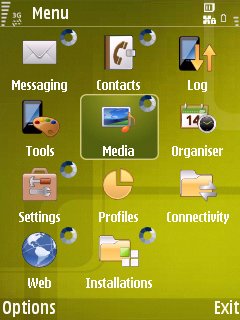
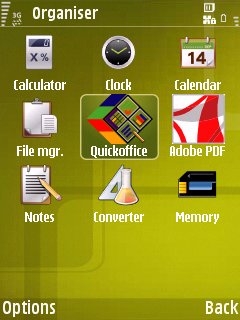
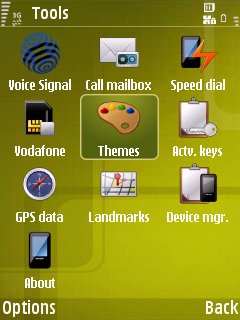
After power on, most of the S60 interface will be very familiar to every reader of AllAboutSymbian, so I won't dwell on it. There's a certain sense of something being missing though, with the dozen or so add-ons that Nokia likes to festoon their Nseries with all absent. So no Download!, no Share Online, no Podcasting, and so on. I've tried downloading several Nokia utilities separately and installing them on the i550W, but they all fail a certificate check on this device, which is a shame, if quite understandable from a commercial point of view.
One of only two additions made by Samsung to the base S60 application set is the Arcsoft Media suite that they've licensed (seemingly) for all their S60 handsets. The camera module in the i550W captures video at 352 by 288 pixels by 15 frames per second, average for a 2008 phone and, thankfully, Samsung seem to have sorted out the audio from the original review firmware. Audio is now quite acceptable and so it's quite appropriate that Arcsoft's full bells-and-whistles video editor is here for on-device quick movie creation.
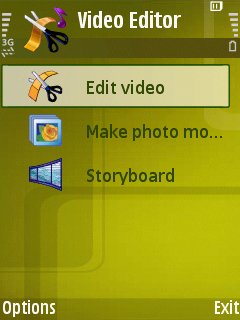
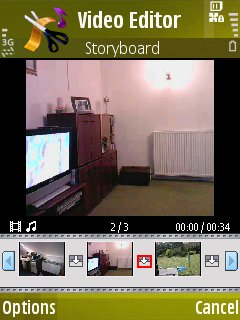
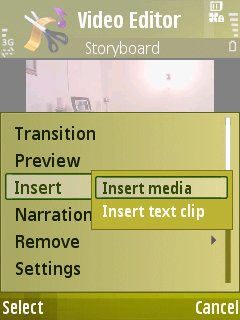
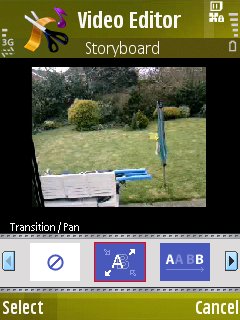
As you can see from the screenshots, Video Editor works in three modes: a simple video cutter, a 'muvee'-like composition tool that takes in still photos, and a full storyboard-based video editor that seems to have just as many bells and whistles as the one in the N95 'classic', with video effects, a wide selection of transitions (all gloriously previewed using your live video captures), plus a flexible title composition tool.
Staying with camera functions, the 3 megapixel tag is accurate, in terms of overall resolution. And the image quality isn't bad, here is a photo sample, click to download or enlarge:

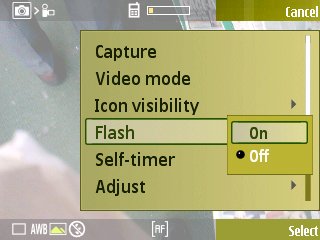
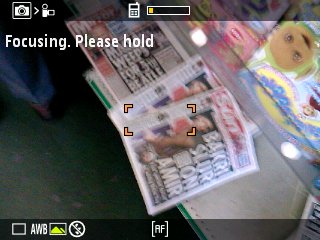
But the single step shutter button and the half-hearted camera software make for a disappointing experience. You line up your shot, you press the shutter button to focus, you wait a couple of seconds (too long) while the auto-focus does its thing and then photo gets taken automatically. No waiting while your subject starts to smile or you get to just the right pose - the camera software takes the shot after focussing - and that's it.
In practice, this makes the i550W's camera all but unusable for anyone with any passion for taking photos of real people. You could argue that photo taking is easier for beginners because they don't have to learn to focus, but I'd say that they're also the people who will get very frustrated by such a long apparent delay. There's a small pop-up warning them that focussing is taking place, but the system's not ideal...
Having looked at Samsung's other new S60 smartphone, the i450, recently, I was expecting good things from the music angle on the i550W and in terms of playback quality I wasn't disappointed, with great bass and treble response. As with the i450, there's a proprietary headset included that plugs into the serial/USB port, and music quality with this was very good indeed, playing back the usual formats (WMA/MP3/AAC etc). There's no fancy equalisation electronics this time though, but the dedicated multimedia/music shortcut key does at least mean that you can get to Music Player (fairly) quickly, in order to adjust the track (plus there's the usual S60 standby screen music plug-in). There's also the aforementioned (and extremely welcome) 3.5mm jack in case you want to plug in your own headphones or use an FM radio transmitter or other audio accessory.
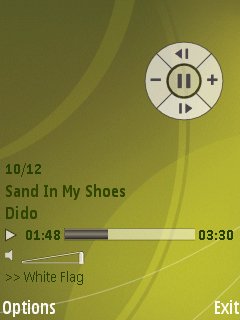
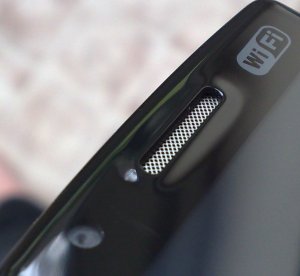
There's no dedicated speaker in the i550W, the main earpiece above the screen has to double up. Predictably, music played in mono this way sounds very tinny, but again this is mainly a business device so it would be churlish to complain too much.
Getting music tracks onto the whopping 150MB of internal flash or (preferably) the microSD card (I was using a 6GB SDHC, proving that the i550W likes these!) was a doddle, thankfully. As with the i450, there's both Windows Media Player sync compatibility and also full USB2 High-speed operation, so putting a dozen ripped CDs onto the i550W in Windows Media Player mode only takes a couple of minutes, which is a refreshing change after some of Nokia's recent devices, running at USB 1.1 speeds.....
Data transfer speeds from phone to PC were similarly blindingly fast, great for transferring on test video clips.
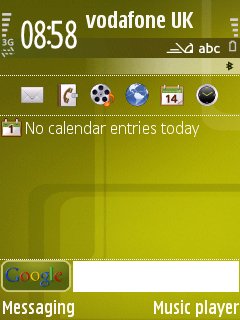
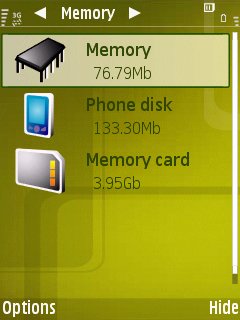
Video playback includes H.264 codecs, presumably because of S60 3rd Edition Feature Pack 1 being used, and most videos I tried played OK, albeit at a lower frame rate than on the likes of the Nokia N95 - the lack of hardware acceleration brings playback down to around 10 frames per second. Still, quite usable and the screen's nice and clear at least (indoors)
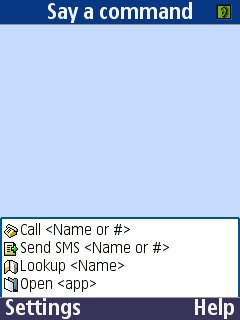
The second Samsung-added application is a licensed copy of Voice Signal, a really effective voice-activated launcher. In my tests it almost always got things right, dialling phone numbers, looking up a specific contact or launching an application. It's a pity the technology's not ready yet for full voice-to-text composition, but Voice Signal worked well, triggered here by a long press on '0' in the standby screen rather than by a side button, as is usually the case with voice control on Nokia devices.

Going online for the first time is made slightly trickier by two factors. One, this being a grey import, the right settings weren't in place for my Vodafone SIM, although when bought in a supported market the network provider would of course have taken care of this. And, unlike Nokia's S60 smartphones, there's no Wi-Fi scanning function on the active standby screen - still, 'Search for WLAN' is present and correct when an application wants to go online ad-hoc, so most people will be able to use the Wi-Fi (and 3G) data easily enough. Once online, Wi-Fi worked well enough, with similar sensitivity to my Nokia S60 smartphones. Having a shortcut key to Web was a big help when switching between an Internet session and other phone activities.
One of the big selling points of the Samsung i550W is its GPS, of course. Not exactly unique these days, with virtually every new Nokia having GPS, but good to have nonetheless. Our grey import i550 didn't come with its 'Mobile navigation' software on card, but see here for AAS's review of what is essentially the same software. I was still able to use S60 'GPS Data' mini-app, to at least prove that the GPS receiver was working, including using 'GPS+', a utility to preload GPS satellite positions, creating 'Assisted GPS' for faster locks. I also loaded up the latest version of Google Maps for S60 instead and got it working quickly.
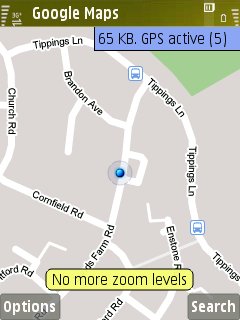
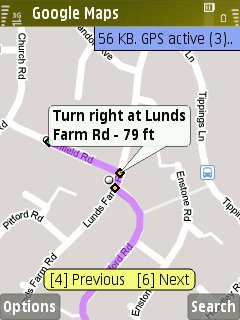
It's not clear where the GPS aerial is positioned on the i550W, but I'd rate its sensitivity as equivalent to that in the Nokia N95. I was able to use Google Maps to show me on the planet and also to guide me along a planned route, junction by junction (manually, of course). As with the Samsung i450, Nokia Maps won't install on the i550W, but there are plenty of other S60 and Java navigation solutions and I'd expect most of these to also work properly here.
The i550W comes with Samsung's own take on PC connectivity, 'PC Studio', seemingly totally incompatible with Nokia's PC Suite - you'd have thought that there would be some degree of interoperability. Ah well. Not wanting to mess up my existing PC Suite installation, I opted to install applications over the air and by .SIS transfer onto memory card, both of which worked perfectly. Although no Nokia-written add-on applications will install here, Google's native Maps worked fine, as did Google Mail, Yahoo Go, Frozen Bubble, Y-Browser, Magi-Mix, Screenshot (duh!), Calcium and Best TaskMan. Mobitubia installed and kind of worked, but video was often jerky and the sound wasn't always present - I'm guessing Sittiphol hasn't got a Samsung device for testing!! A small application sample, but I'd guess than the majority of S60 software will run fine here, though certainly not all.
There's 80MB or so of free RAM, too, so there are no dynamic memory problems when running resource-intensive applications (Web, Maps, Java apps, etc)
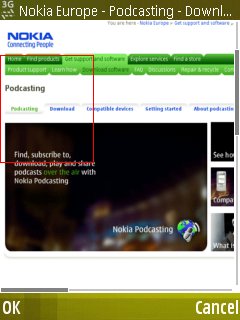
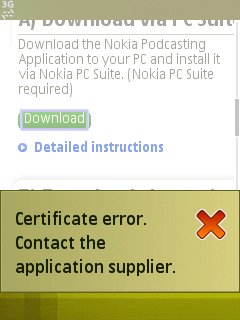
Trying to be cheeky and install some of Nokia's own media software...!
Coming to the i550W from the relatively cosy and well supported world of Nokia, I have to say that I have a few concerns about support. Most owners will be buying through a network and will be reliant on them for tech support and firmware updates, but you're probably on your own if you obtain an i550W from another source (as here)
I have to say that I was disappointed when doing my earlier review of the i550W, with many, many bugs in the 2007 firmware. I really wanted to like the phone and, in the end, couldn't recommend it. However, the current firmware - i550DDHA2 - seems much more stable and most of the bugs and issues have gone away. As long as you're not reliant on the typical Nokia media and maps bundle and are happy to slum it with the likes of Google Maps and Web's own feed and uploading functions, then the Samsung i550W is a terrific option, uniquely providing a thin, robust candy-bar form factor, trackball operation, USB charging and extra shortcut keys. For a business and navigation-centric user, it's ideal and in this role comes recommended.
Steve Litchfield, AllAboutSymbian and the Smartphones Show, 14 August 2008 (original review on launch firmware 26 March 2008)
Supplementary photos:
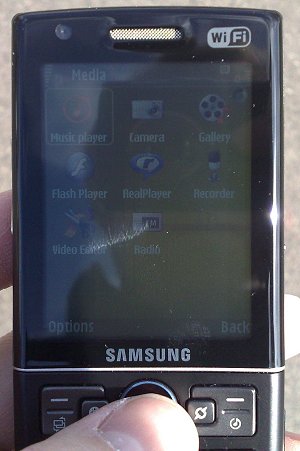
The i550W's display in sunlight. Not the worst I've seen, but nowhere near as clear as that on the likes of the Nokia N95 and E61.
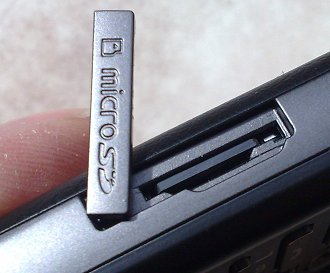
The tethered card slot cover, nicely done
Reviewed by Steve Litchfield at