
Review: Nokia E51
Score:
86%
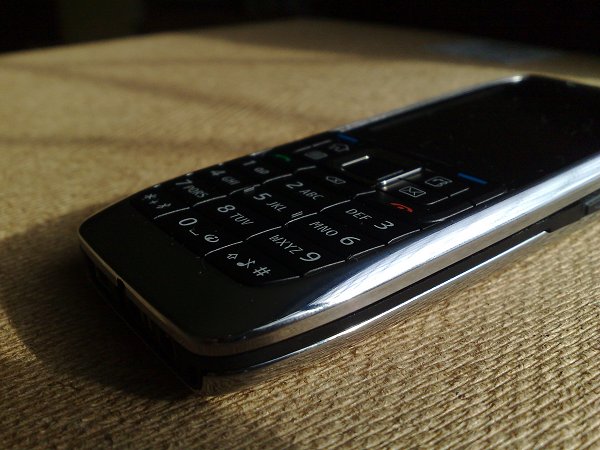
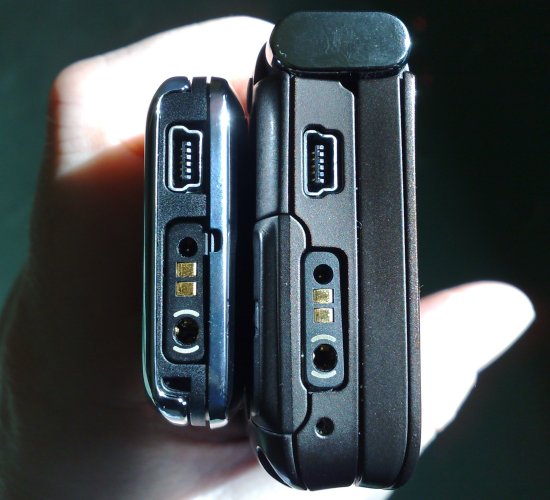
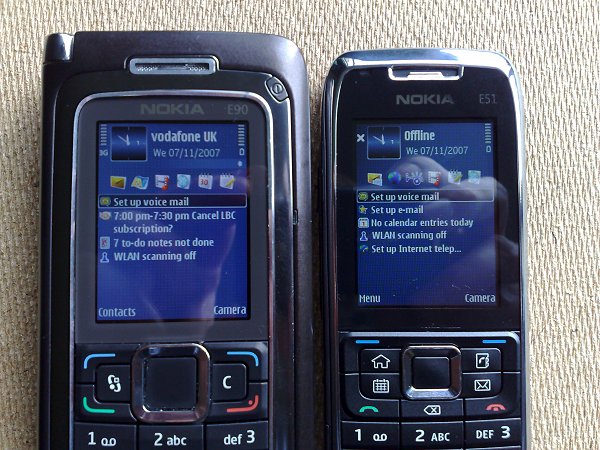
First impressions of the Nokia E51 are of its diminutive size. Although slightly heavier than the 6120 Classic, it's quite a bit thinner, at only 12mm and seems perfectly formed for its target market, businessmen and women and the companies they work for. Putting it side by side with the E90, the other extreme in Nokia's 'Enterprise' range shows the E51's dimensions vividly:
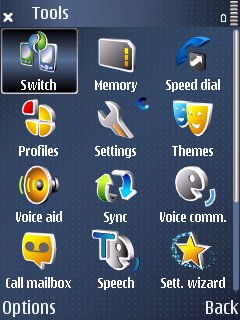
And yet within the case lies an almost identical device, at least in terms of OS, memory and software. S60 3rd Edition Feature Pack 1 (this is the second Eseries device to feature it, after the E90) is now pretty mature and most of the applications and interface will be well known to you:
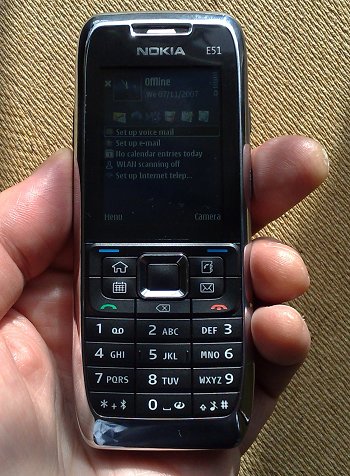
I'll come to any additions and differences later, but for now let's return to the hardware, finished in black and silver and styled very much like the E90. And like the E90, the E51's case is mainly made of metal, with the front surround and battery cover chromed - a fingerprint magnet it's true, but if you're going to have a fingerprint magnet then it might as well be a quality metal one rather than a cheap plastic version. The E51 feels like it could take a lot of knocks without damage, important if it's to survive the life of a busy road warrior.
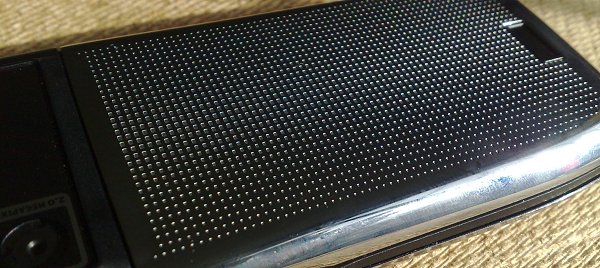
The screen dimensions, contrast and reflectivity seem identical to that on the outer screen of the E90, by the way, should you need a comparison, and I want to publically congratulate Nokia's Eseries team for using transflective screens which work well outside in bright natural light - while your Nokia N81 and N76-using friends are squinting at their displays trying to see what they're doing, your E51 (or E90 or E70 or E61 etc) will remain extremely readable, even in the very brightest sunlight.
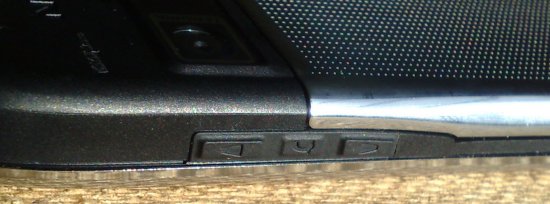
The side buttons (voice recording, voice tag, volume) are rubberised and easy to find, although they're each quite hard to press - I'm hoping that this firmness is unique to the prototype that we were sent for review and that production hardware has buttons which are easier on the fingers. Ditto for the power button on the E51's top, which was even firmer.
It's better news for the d-pad key cluster and main keypad, all of which is a joy to use. The d-pad's clicky and positive to use, while the presence of no less than three application shortcut ('one touch') keys mean that PIM use (by default) is even easier to access than usual. There are buttons for Contacts, Calendar and Messaging, with extra launch options for a long press on each. The defaults are sensible (e.g. 'Create new contact'), but you can configure any button or long press to launch or kick off any app or common action.
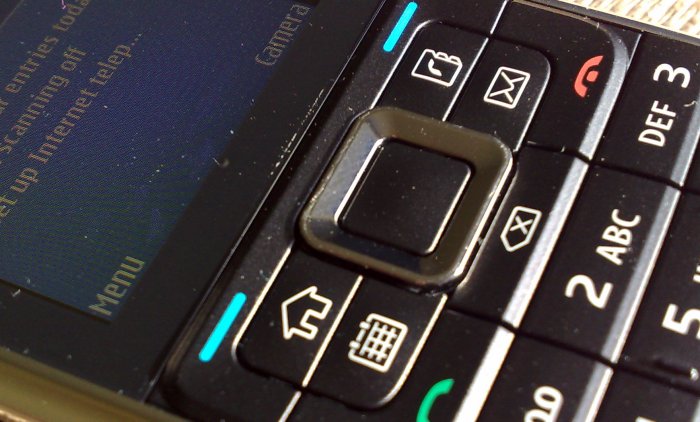
Which brings me to the fourth button in the main cluster and one of the KEY improvements made for the E51. Changing the old, confusing 'S60' key with the 'swirly thing' logo to a simple 'Home' icon is a masterstroke and instantly simplifies the interface and makes things obvious for new users, especially in an iPhone world where the idea of a prominent home button to bring up the main app menu is familiar. Well done, Nokia - now make this the standard on all future devices!
The main 12-key pad is superb in feel, again similar to that on the E90, with separate physical keys and positive 'clicky' feel - despite the size, texting should be pretty quick on the E51. Ten out of ten. Or should that be twelve out of twelve?
The rear mounted camera's a standard Nokia 2 megapixel affair with QVGA video recording, nothing special to see here. Good to have, but not a main focus of the device.
Switching the E51 on for the first time reveals the first of several tweaks to the standard Eseries package. Extending what they did for the E90, Nokia has put direct shortcuts to 'Set up Voice mail', 'Set up Email' and 'Set up Internet telephony' on the standby screen, leading users to the appropriate dialog, wizards, or downloads respectively. After set up is complete, the shortcuts (actually temporary standby plugins) disappear. The standard set of Eseries plugins is available of course. Once you get set up, it's easy to add missed call notifiers, voice message notifiers, email notifiers, to-do items and half a dozen other optional plugins, all configurable in 'Settings'. Flexible and powerful.
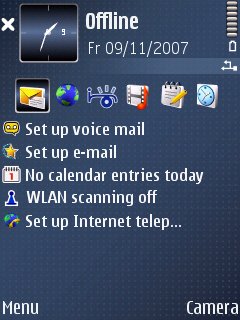
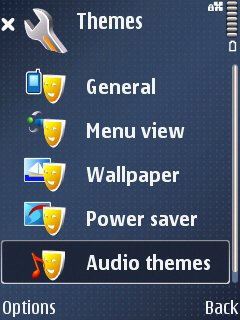
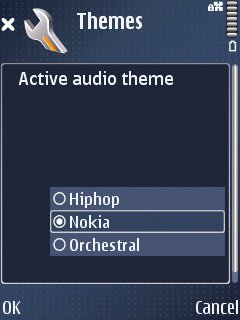
Also new, as far as I can tell, are 'audio themes', sets of sound effects for common events (think of these as a superset of the standard profile-based tone settings). So for example the default is an authentic rimshot when you switch back to the standby screen and a simple popping sample for the main app menu. As someone who perpertually turns such audio feedback off on every device, I found audio themes a bit pointless, but they may appeal to some. The fact that the digital samples don't actually play until a second or so after the event itself doesn't help the overall sense of pointlessness.
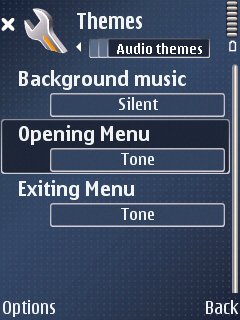
Also configurable, as on most other Eseries models, is a 'notification LED', which can be set to flash on a variety of common occurences, from missed calls to incoming emails.
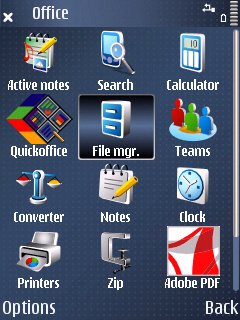
There are few surprises in the Eseries software suite. Newcomers like Active notes, Search and Teams are all present and correct, though I was slightly surprised to see that the version of Quickoffice in the firmware was the viewer only - editing is a pay-for upgrade. Mind you, trying to edit documents on such a small screen wouldn't be much fun, even if you did use a Bluetooth keyboard for input. Those wanting to do serious Office work will go for the much bigger E90, with its keyboard and 800 pixel wide screen.
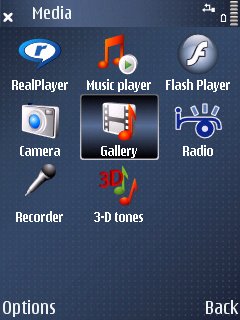
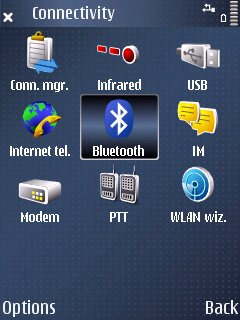
Media is well catered for, including an FM radio, again just as on the E90, and with RealPlayer having access to H.264 codecs - as with the E90, video playback isn't perfect - there can be the odd stutter - but at least most MP4 content can be consumed without difficulty. Gallery is the usual plain Eseries version, adequate but a pain for large image collections. Note the WLAN wizard - as an Eseries device, the E51 has got Wi-Fi, not always a given in a device so small, and a real boon if you're planning to use one of the many VoIP solutions now on offer for S60.
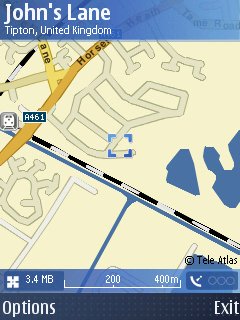
It's good too, to see Nokia Maps in the firmware, this seems to be part of the S60 furniture now, with the usual Bluetooth connectivity to a GPS to stop you getting lost.
 The E51, like the rest of the Eseries range, has fabulous battery life, in this case a 1050mAh BP-6MT. With no auto-focus, power hungry camera to supply and (presumably) with limited music and media use, this battery is fine for keeping the E51 up and running for days on end - with light use, it'll last a full week without recharge, which is impressive. There's 48MB free RAM after booting, enough for browsing the largest web pages over the fast Wi-Fi or 3.5G (HSDPA) connections, plus 137MB free flash memory (disk C, in addition to whatever microSD card you use) for installing extra applications and documents.
One can't help returning to the E90 comparison when handling the E51, though. Not only is the styling so similar, it's striking how much of the E90's power is contained within the incredibly, astoundingly small body of the E51. We all know that Nokia likes to refer to is smartphones as 'computers' and as such we're used to a little thickness and general bulk, excusing it because we know there's a lot of computing grunt under the good. But Nokia's 6120 Classic and now this, the E51, both prove how diminutive S60 smartphones can be, including a decent keypad and a decent battery. Very impressive.
The E50 and E60 (last year) were competent devices without really excelling in any way. The E51 rolls in kick-ass styling, a metal chassis, a thinner form factor, S60 3rd Edition Feature Pack 1, latest media codecs, 3.5G, a better and tweaked key layout and a decent (if not great) camera. It's quite a list, and should be one of Nokia's mainstays, certainly in the business world, going into the period when all Nokia's phone divisions are being merged. I don't think the E51's in any danger of being axed!
Steve Litchfield, AllAboutSymbian, 12th November 2007
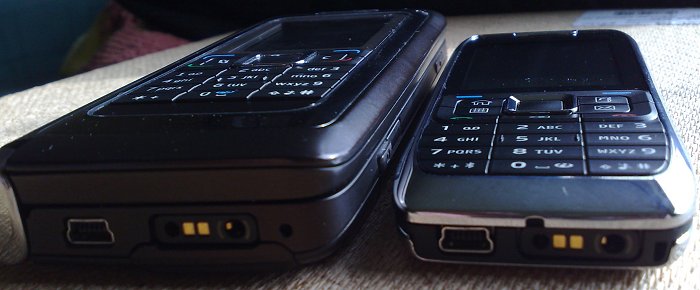
A final shot of E90 versus E51 - talk about thinning down.... 8-)
Reviewed by Steve Litchfield at