
Review: Book review: Mobile Python
Score:
84%
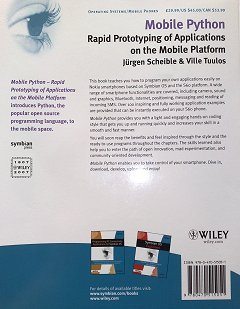
If you have even the slightest interest in creating applications for S60 smartphones then you'll have heard of Nokia's open source port of Python. Essentially this takes the industry standard (and supremely flexible) Python programming language (itself open source, i.e. free and extensible) and adds a huge number of phone-specific modules and functions, plus a real-time interpreter.
If you remember Psion's OPL, the simple language that enabled applications to be created quickly for their palmtops and later for Nokia's 9210 and 9500 (and assorted other Symbian OS phones), then there are distinct similarities in the overall concept. Python differs from OPL in its form and function however. It's a harder language to get to grips with, not least because its object-oriented, but on the plus side the PyS60 modules mean that almost anything your smartphone can do is available in function form with a minimum of effort from Python.
 Juergen Scheible, one of the authors of Mobile Python, new from Wiley, has been a leading evangelist for PyS60 since its inception, so he makes the natural lynchpin here. Ville Tuulos is a new name to me, but there are plenty of others from the Python and Symbian worlds who also seem to have made contributions here.
Mobile Python's subtitle is 'Rapid Prototyping of Applications on the Mobile Platform', but as with the earlier book on OPL, which had a similar title, a substantial number of Python programs will end up being THE applications, not just prototypes. It's important to get your head around the sheer power of PyS60 - about 20% through the book, there's a ten line code example that's a fully working SMS Inbox search tool. In ten lines! The richness of the Python language and the PyS60 modules thus make writing a book teaching it all something of a challenge.
But it's a challenge that has been taken up with gusto by the two main authors. Mobile Python is NOT a reference book though - as the book goes on, there are more and more references to the main PyS60 documentation (a set of PDF files on the web). And it's NOT a book for beginners. Uncle Tom and your sister will give up after chapter 3 and so will you unless you've done some programming on other computers in the past. Although there are boxed 'Python Language Lessons' every so often, these are intended more for alerting clued up home developers to the way in which Python does things.
I'm coming to PyS60 from OPL, C and Fortran (all pretty old procedural languages) and found myself making reasonable progress but starting to struggle a little once into the meat of the book. The problem isn't with the book itself, it's with the Python language and the PyS60 implementation of it. Python is just so darned flexible that modules and functions (and this goes for the PyS60 parts too) have in places been implemented seemingly at random, with little thought for consistency. So some modules have sub functions, some have sub-sub-functions, some expect certain parameters or return different values and, to be honest, trying to keep it all in your head is just about impossible. There are about half a dozen ways I can think of to do 'Hello World' in Python and twice as many ways of implementing a simple event-driven application framework, none of which are any more 'official' than any other. It's a bit overwhelming, to say the least.
Mobile Python approaches the problem in 'tutorial' manner, introducing concepts and example code hand in hand, so that you're always building code snippets which work and do something useful, hammering home the message about Python being a great language for creating applications quickly. And you'll be impressed how efficiently your S60 smartphone's systems are accessed. At one point in chapter 4, a complete SMS server game is created (Hangman), which users sending in guesses by SMS and receiving results in the same way. All from Python on your phone in less than 50 lines of code! The difficulty level of the PyS60 code rises fairly rapidly as the chapters progress, which is why you'll need to have some prior programming experience and/or a real aptitude for this sort of thing.
 The example applications (all thankfully downloadable from the book's web site - the typing's not that arduous, but it does help reduce typos!) that come thick and fast throughout the bulk of the book should give you an idea of the PyS60 functionality which is demonstrated:
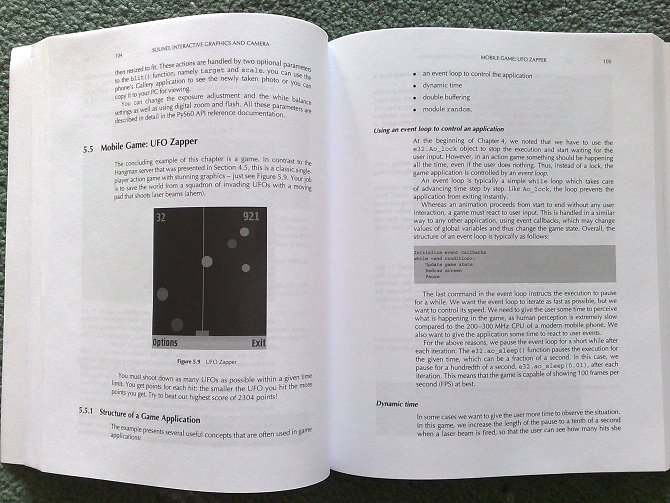
MP3 player / Camera with viewfinder / UFO game / GSM cell locator / Vocabulector (a language learning aid) / Bluetooth chat / GPS reader / Photo uploader / HTTP server / MopyMaps (client for Yahoo maps) / EventFu (web 2.0 event guide) / MobiLenin (multi-device video interaction) / MobileArtBlog (an arty image composition gadget) / Roombatics (control of the Roomba vacuum cleaner)
Most of the latter examples above are existing real world applications and included for interest, to see how they work, rather than specially written code for the book itself. As said above, Mobile Python doesn't pretend to be a reference book - I guess that would make a good followup - and for every tasty function that gets introduced I'm also tempted to wonder where the function fits into the overall module, what the other parameters are that aren't mentioned, why a function is called in a specific way, and so on. As many questions are raised as examples given.
But I'm not going to let that spoil my appreciation for Juergen and Ville getting this book out in the first place, full credit to them for managing to find the time, resources and backing in an age that so often publically endorses open source software but rarely puts real money or effort into doing anything with it.
Extras with the book include an appendix on Platform Security and application (SIS) building, one on setting up a 'Bluetooth console' (debugging PyS60 code from a PC), another with advice on debugging code, plus some tables and a reasonable index to all the major modules and functions mentioned.
That Mobile Python is the best book on PyS60 isn't in doubt, seeing as it's the only one. But as someone who loves to tinker with Python in my spare time, I've definitely found my imagination and enthusiasm fired - and I suspect this was exactly Juergen and Ville's aim.
Steve Litchfield, AllAboutSymbian, 15 Nov 2007
Reviewed by Steve Litchfield at