All About Symbian - Nokia and Samsung hardware and software reviews

Nokia E63 Review - Part 2: Multimedia, Files on Ovi and Wrap-up

Published by Steve Litchfield at 16:52 UTC, January 13th 2009 under Hardware in S60 3rd Edition|| 23 Comments / Post New Comment

Part 2 of our review of the Nokia E63. Part 1 covered the hardware, the UI and Email.

Author: Nokia
Version Reviewed:
Score: 79

Media

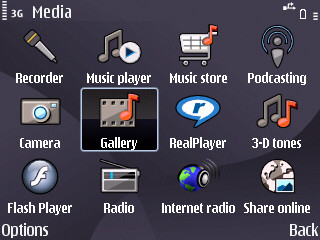
In this, part 2 of the review of the Nokia E63, I'm going to look at how multimedia is handled, followed by a look at the way Files on Ovi has been bundled. As explained in part 1, the E63 has been set up so that many users will never actually need to go into the main S60 menus (most apps and functions they need are available from the two mode switching standby screens). The 'Personal' mode includes Music player and Gallery, so that's the very basics covered, but anyone with any sense will also delve into the menus to see what's there. And, this being S60, there's no reason not to pluck a favourite media application and put a shortcut to it on the standby screen as well, though this of course does rather qualify as 'advanced' S60 and will require a bit of tech awareness to accomplish.
  E63 Screenshot E63 Screenshot
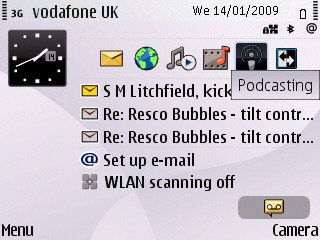
Elevating Podcasting onto the standby screen

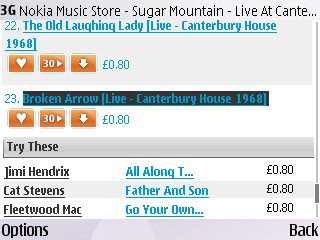
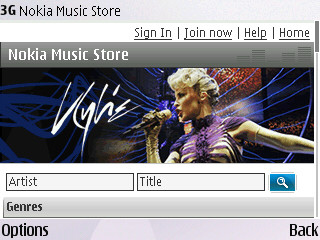
There's the Nokia Music Store client - now apparently standard on Eseries devices - whatever next?  Provided the user is OK with the DRM on each (WMA) track and doesn't intend to switch devices too often in the near future, this is an acceptable way to buy music instantly, over the air. (Regular readers will know that I'm not big on DRM - I simply copied across a few Gigabytes of unDRMed music files from my (legally ripped) CD collection with the E63's microSD card in 'Mass Storage' mode) With the world seemingly moving away from the madness of DRM (which only ever inconveniences the honest), maybe Nokia's Music Stores will also drop it at some point? Let's hope so. 
  E63 Screenshot E63 Screenshot

Music playback is now acceptable without seriously encroaching on the audio quality found in the likes of the N78, the N95 or standalone digital music players. The inclusion of a proper Equaliser was useful and I liked keeping 'Bass booster' on in order to hear bass frequencies better. The mono speaker on the E63's top is OK as a tinny radio replacement and does better than many non-Nokia phones in this regard, but it's a lot quieter than the speakers on the E90 or N95, not surprisingly.

Media handling is slightly crippled by the use of USB 1.1, as on most other S60 3rd Edition FP1 (and earlier) devices, although slow file transfers (under 1MB/s) won't be a huge issue for many typical Eseries users, who arguably tend not to swap their music and video collections around as often as, say, someone with an N95.

Gallery is the same tired old application as in S60 devices three years ago. Why, oh why, hasn't Nokia's Eseries team asked the Nseries team for the code to the slick Gallery featured in every Nseries device since the N93, over two years ago? Gallery works here, but it's not pretty and it's not pleasant.

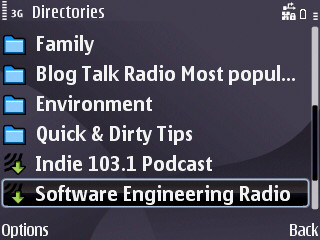
One big multimedia surprise for the E63 and E71 - Podcasting's preinstalled! One less app for the user to have to go off and download.  I've really been getting into listening to podcasts while getting to sleep and the E63 does a good job here.
    E63 Screenshot

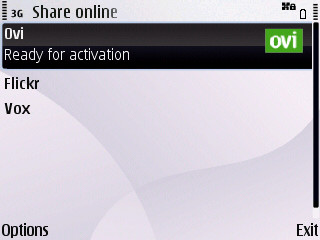
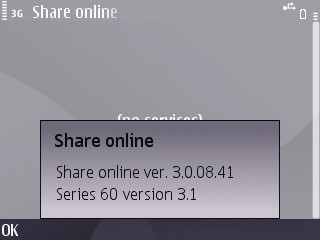
Yet another Nseries crossover - Share Online 3.0 is also preinstalled. Not that the photos from the E63 will be good enough to share most of the time and not that Nokia are pushing the service.... but, again, it's one less thing for potential users to have to find out about and download at a later date. 
 

    E63 Screenshot  E63 Screenshot

And another.... Internet radio is present and correct and working beautifully on the E63... This wasn't on the E71 when it was launched but has now been retrofitted to it in a firmware update. Again, I'm a big fan of Nokia's Shoutcast-based Internet radio, it's a great, free and portable way to get music, news and chat without worrying about other devices or reception.
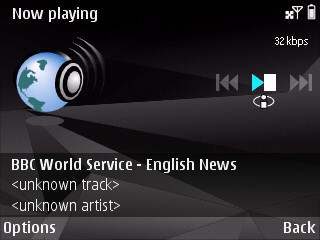
 

    E63 Screenshot

Multimedia on 'Enterprise'-aimed S60 devices has always lagged a little behind the cutting edge and the E63 (and E71) is no exception. Video playback does now include H.264 support, so most MP4 videos will play to some degree, as will FLV videos (Flash Video, e.g. saved from YouTube). Mind you, I did notice regular jerkiness (there are no fancy 3D graphics chips to help out here, as on the N95, for example) and suspect that there's still some fine tuning to do under the hood for future firmwares, for both performance and stability - the E63 soft reset itself several times during video playback.
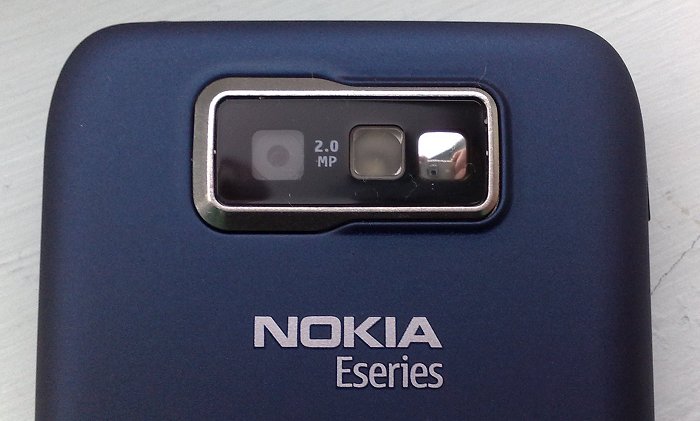
Nokia E63

The average, non-focussing camera was mentioned earlier, in part 1: "For many people, the camera was the weak point of the E71, at 3 megapixels (with small sensor/aperture) and with a cumbersome way of focussing - the E63's camera is worse, at 2mp and with no focussing, but for many people it will produce images just as good (or maybe that should be 'average') in most light conditions. The E71's camera only pulls ahead in great light and when used wisely."

Here are some sample photos taken yesterday in feeble winter sunshine in the UK, click on each to download or enlarge it, etc.
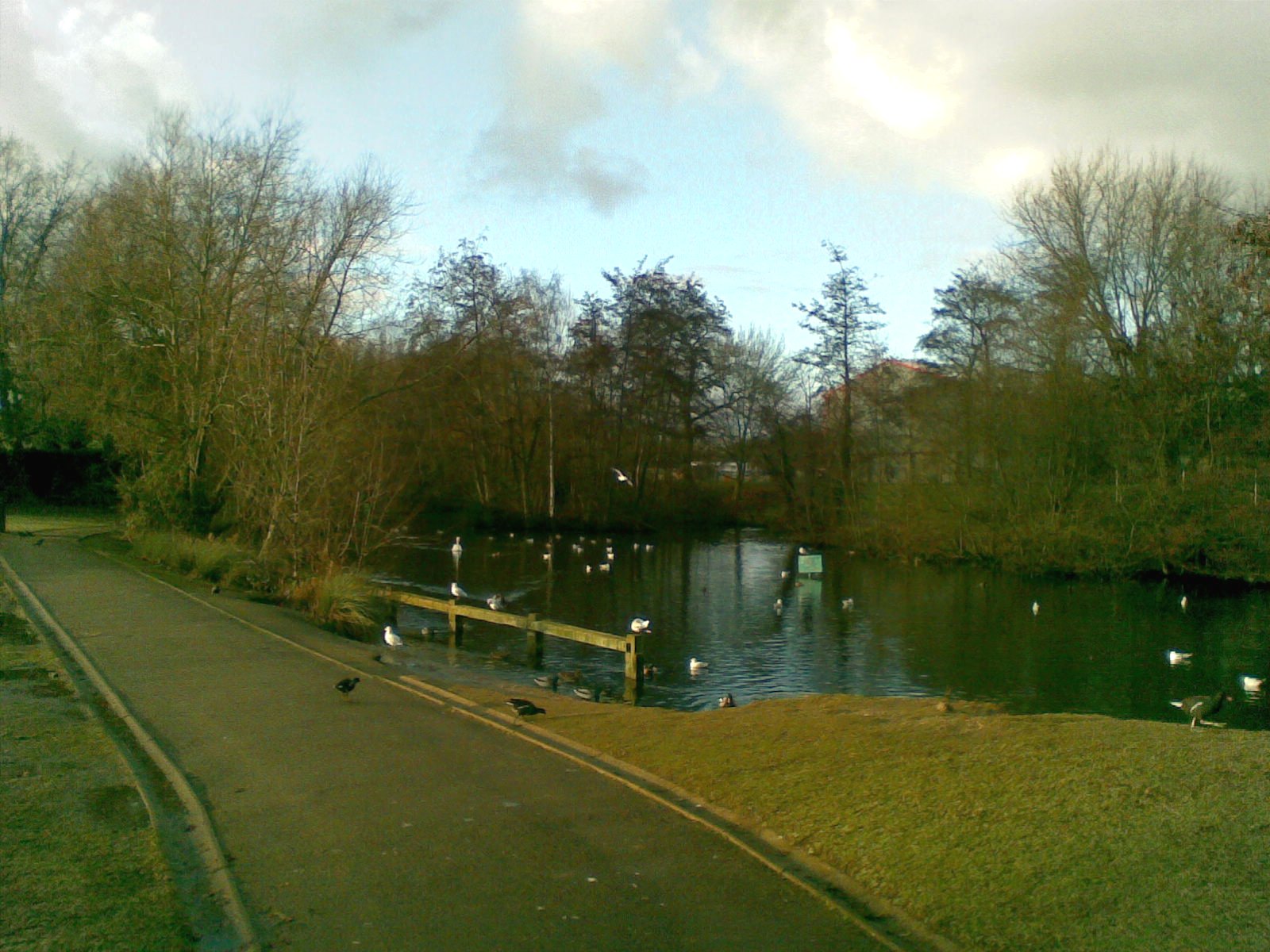
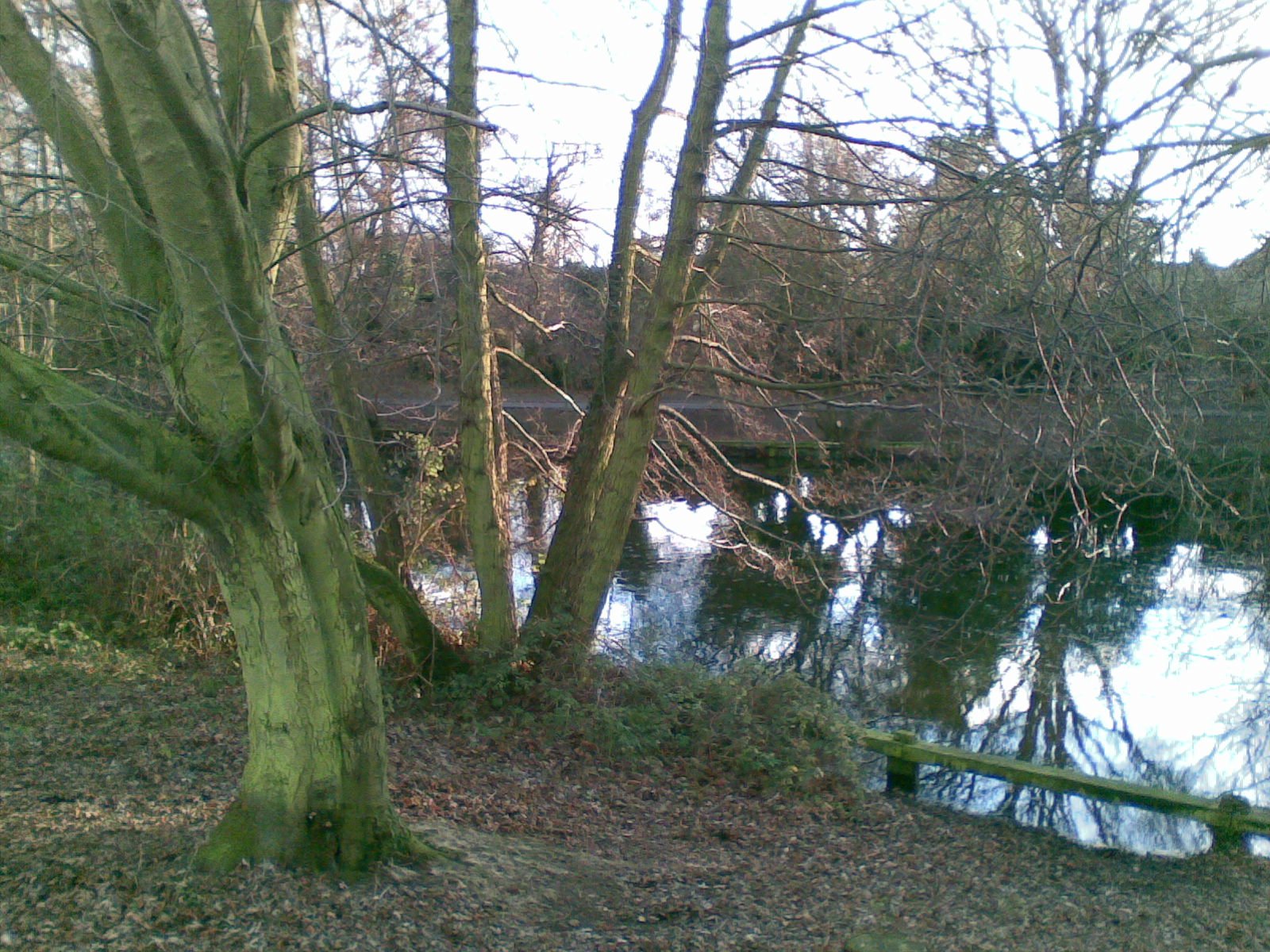
Sample photo from E63 Sample photo from E63

For video recording, capture is at the now humble QVGA at 15 frames per second (i.e. YouTube-friendly), although the optics are pretty good for this sort of work as long as there are no extremes of light (shooting in full sun isn't recommended) - and the captured soundtrack is of much higher quality than similar video-recording phones and smartphones, though obviously some way short of the excellent video recorded on the likes of the N95 and N82. Interestingly, the LED flashlight comes on permanently while shooting video - it doesn't help that much for lighting a subject, perhaps it's more an indication to your subject that you're filming?

In summary, media recording and playback is fine for occasional use but a user probably wouldn't choose the device for these abilities. 

N-Gage games compatibility is out of the question, though there are plenty of S60 games that work in landscape QVGA and which don't require a fast graphics chip. Users shouldn't get their hopes up too though, in this department.

120MB of flash memory makes up the internal (C:) disk and this will take some filling - it's certainly ample for all uses I can think of. Not having a microSD card in the package is a slight nuisance, but cards are cheap these days.

Files on Ovi

Don't forget about the free 1GB of space provided by Files on Ovi, which a user can make best use of if he/she has regular use of a Wi-Fi connection. Kicking off the sign-up on the E63 gives them a free account for a year (normal pricing is for 10GB and is £40 a year). As long as they haven't got any stupidly large documents to move around (and with no 3.5G to access them that would probably be the case!), then 1GB is still a very useful bit of cloud storage, especially so since many people will get just as much use from the standard 'Files connector' functionality, in which you 'see through' to your (Windows) desktop PC's hard disk to grab files directly.

This was my first chance to play with Files on Ovi in a 'production' environment and the E63 is something of a trailblazer in this regard, so I'm going to take my time and walk you right through how it works. By default, the Files on Ovi icon resides in 'Installations':
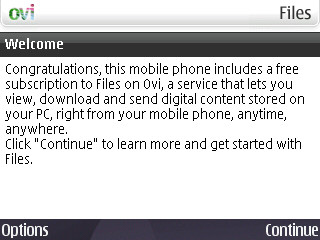
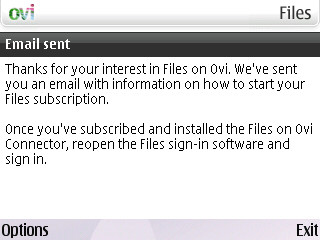
E63 Screenshot    E63 Screenshot

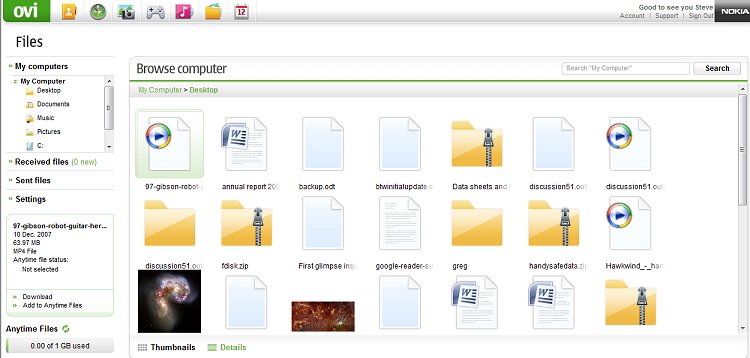
Sign-up is kicked off from the E63 itself, and this tells the Files on Ovi system to send you an email with the download link for the PC-hosted Files 'connector'. Once installed, this starts up a window in Internet Explorer, showing the files on your hard disk which are available to your phone on-demand. 
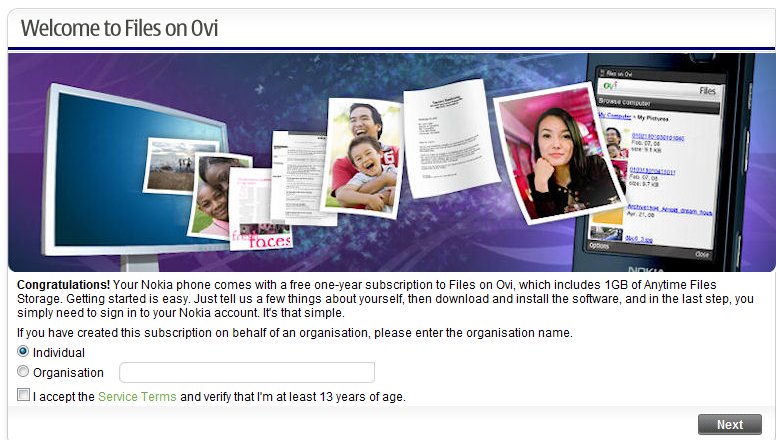
E63 Screenshot 


E63 Screenshot

All very smooth. Back on the E63, hitting the File on Ovi icon brings up a sign-in screen (with details remembered), followed by a view of the customised mobile Files web site:
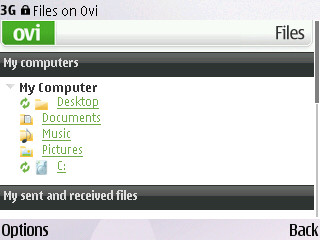
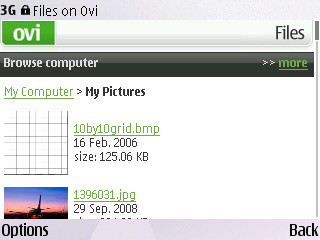
E63 Screenshot    E63 Screenshot

Browsing one's hard disk on a QVGA screen, one file at a time, it becomes very evident that you have to keep things organised - it's no good trying to scroll through a folder of 500 items on a small screen - use folders wherever possible, etc.
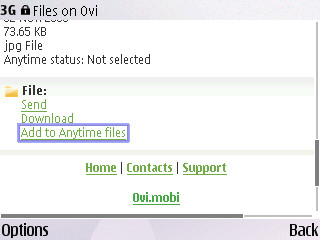
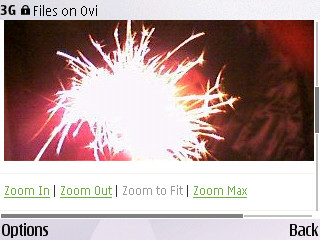
E63 Screenshot    E63 Screenshot

Once you've used the magic of Files on Ovi to browse to a file you want (e.g. a document or picture), you can view it in the Ovi viewer, zooming in or out and with the option to email it, download it (to your phone) or 'Add to Anytime files'. 

'Anytime files', as you might guess, are the contents of the aforementioned 1GB of free disk space in the 'cloud'. You can signify which files you want copied onto Ovi with Anytime status from the main Files on Ovi web interface on your desktop, or via the mobile web version on your E63 (or other phone). The Files on Ovi 'connector', always running under Windows on your broadband PC, then copies that file up to the cloud - and keeps it up to date should you change the master on your PC hard disk.
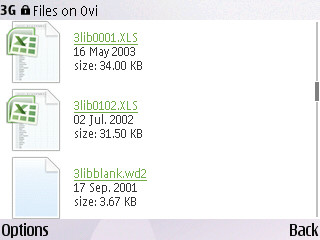
E63 Screenshot   E63 Screenshot  

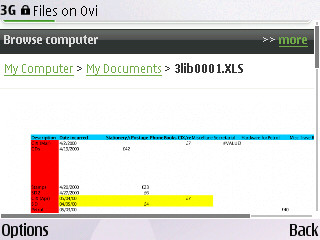
Above, I'm browsing 'My Documents' on the E63 in the mobile web version of Files on Ovi. This then reaches down through the running Files connector and gives the system read access to my hard disk. Impressive? Scary? Bit of both, but it does largely work as advertised. Here an Excel spreadsheet is being viewed, but if I then clicked on 'Download' (for example), the original  files would be transferred across the Internet and saved onto the E63's internal disk, with the device prompting me to open it in Quickoffice.
E63 Screenshot    E63 Screenshot

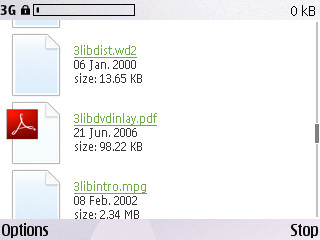
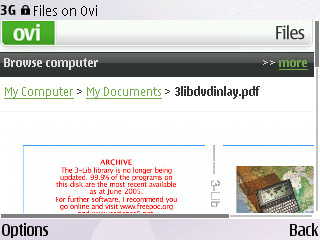
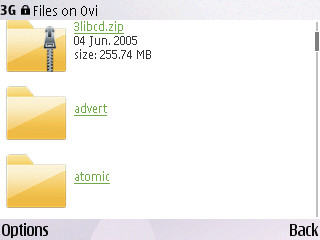
Here I've chosen an Acrobat file, again viewing it as a zoomable web image in the mobile version of Files on Ovi. It's easy to be a bit sceptical about a remote file access system like this, especially pointing out having to run the extra Files connector in the background on the PC, but when you see it all working a light goes on in your head. Essentially, you don't need to worry about taking the right files out with you on the road ever again. Get an email at home requesting data that's in a file at work? Just use Files on Ovi to email it directly or grab it for annotating. And with the Anytime files system, you don't have to leave the PC on all the time - your most common files can all be stored online, ready for instant retrieval.
   E63 Screenshot E63 Screenshot

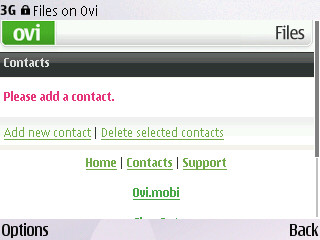
Interestingly, there's a Contacts link at the bottom of each Files on Ovi page. This doesn't seem to be linked yet to the main Ovi Contacts store - I suspect this is a switch that has yet to be turned on at Nokia. Also of note and shown above is that you're not limited to just common folders that have been pre-ordained for sharing on Files on Ovi - you can choose to 'Browse' and dig deep into any obscure corner of your hard disk, retrieving anything to the E63 (or similar) as takes your fancy.

[Bonus link: See also Rafe's own impressions of Files on Ovi, including access from a PC browser, etc.]

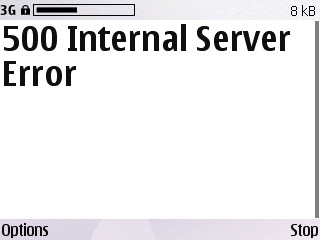
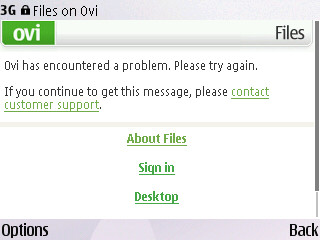
As should perhaps be expected from a device with early firmware (despite the maturity of the underlying platform), I did encounter a few glitches and application lockups. Shown below are some of the errors I experienced in my short time with Files on Ovi:
E63 Screenshot E63 Screenshot

Wrap up

This being both 2009 and also show season (CES, MWC, etc), we're used to being bombarded with products with flagship specifications, designed to amaze with ultra convergence (e.g. the N97 and Palm Pre) and, looked at in the light of these, the E63 is rather limited and downright boring. At most turns it will disappoint a power user and some of the cost-cutting measures (3.5G and GPS) just seem bizarre in light of modern economies of scale. Is the E63 a budget version of the E71? Not exactly, but it does fill that niche.

In both physical and online shops, individual customers who have seen the E71 and can stretch the extra £100 or so will undoubtedly go for it instead, it's by far the superior device. However, the E63 remains a solid email-and-work-focussed choice, with the intense integration of the new Nokia Email Service and Files on Ovi. While it's probably not for the typical tech-savvy All About Symbian reader, it may still do well as a workhorse for company bulk purchases (all those £100 savings add up!) and on the High Street as a (relatively) low cost QWERTY phone. 

Steve Litchfield, All About Symbian, 18 Jan 2008

Link: Part 1 of this two part Nokia E63 review

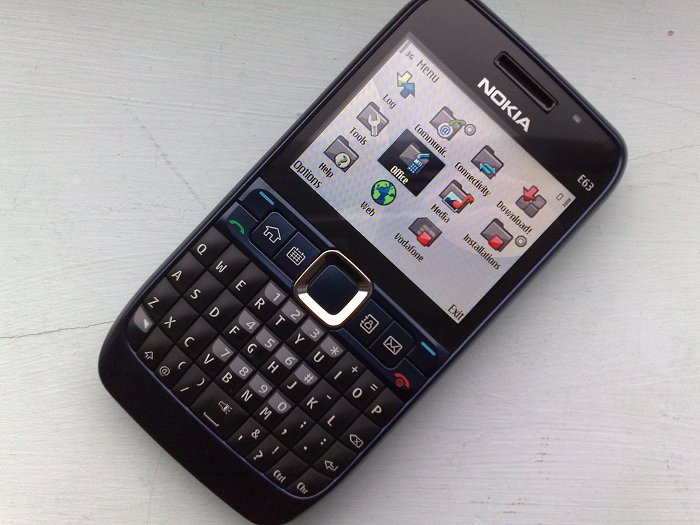
You can buy the Nokia E63, SIM free, from Nokia's UK Shop for £199.
Nokia E63


Review Discussion

23 Comments / Post New Comment

Unregistered
Thanks for this great review.
Unregistered
Worst review ever! Why even bother?
slitchfield
"Worst review ever! Why even bother?"

Well, what a superbly thought out and explained critique of my review. I stand corrected and humbled.

Rafe, remind us again why we let 'unregistered' trolls post in our forums?
josesxi
Not trolling, I was truly disappointed with your review. Half of the frigging article about Files on Ovi?? Don't care about that! I am about to buy this phone when the NAM version hits over here, and want to gather as much 411 as I can on how it performs. Music, video playback etc.. and there you are plugging away Nokia services. Give me a break!
Pilotpaul
Well I like being able to post unregistered, but would never think of being offensive without putting my name to it!

Anyway moving on, despite the E63 being classed as a lowish spec, I think everyone is spoilt these days an forget about the slow S60 interface ;-) on old phones like the N73 which I still have!

Using it over the last couple of days it is by far an large a hell of alot snapier than what I had got used to. I think this would be a good phone for the messaging crowd, hey if I want to use email I will use my ipod touch which goes with me everywhere. I changed the email button to the messaging client/new message respectivly.

Keep up the good work guys!
slitchfield
@josexi: Yes, but you're missing the point. The E63 is utterly unremarkable APART from the bundled in-ROM Nokia Messaging Service and Files on Ovi (which you'd normally have to pay for). They're the ONLY two real unique selling points, apart from the price. And this was the first time I'd played with either in a production device, too.

Sorry if you didn't like the review. Maybe you missed part 1, which talked a lot more about the hardware?
Unregistered
i bought an E63 2 weeks ago for around $259 (12500 Phil. pesos) here in the Philippines. i am absolutely stoked by what this phone can do for the price... the QWERTY feel is great (not inferior at all to the E71), the specs are superb, and the unit seems durable! i do however have a niggle with the wifi, which is very dodgy and refuses to work more than half the time in my house. i'm pretty sure it's not our router because laptops work just fine. i wonder if you encountered wifi problems Steve. files on Ovi is something i'd like to try on as it will solve my constant problem of forgetting files at my home PC.

100% agree on the comment about the phone being for the messaging crowd! it's such a joy to text on it even if it seems small.

thank you for a great review Steve (and AAS), i always look forward to the reviews posted on this site.
Tzer2
Josesxi, do try reading part 1 of the review, that doesn't talk about services at all:

http://www.allaboutsymbian.com/revie.../Nokia_E63.php

As for "plugging" services, if a device includes a free subscription to a service, it's worth including that service in the review.

Devices and services are starting to get very intertwined nowadays, not just on phones but music players, games consoles and even TVs and radios. You can't just look at the hardware any more, the extra stuff counts as part of the package you're paying for.
Williamoni
Criticism from 'unregistered' is a complete waste of time. Why even allow any comments from 'unregistered'? Make everyone register and a large proportion of this pointless criticism will go away.
Rafe
I'm basically the reason the unregistered people are allowed to comment. It means people don't have to go through the long-ish registration system to post and thereby encourage extra contributions. I am considering different options including compulsory moderation of unregistered comments, replacing the comment system (though not keen to lose forum integration) and of course switching off unregistered commenting.

Incidentally I think Files on Ovi is a great bundle for the Eseries - makes a lot of sense.
Unregistered
Is the soft reset during video playback deal breaking? I like it for its big screen. I know its not multimedia phone, but I'm intending to watch videos on it on long trips. But you mentioned it is not stable during video playback, so it kind of break the deal for me. It will be good if you can elaborate on how bad it is or whether if it is acceptable or it consistently soft reset in the middle of a video playback. Does 3rd party application resolve this issue?

Thanks!
tkao2025
Quote:
the E63 is rather limited and downright boring
Hi Steve, I found this ending quite interesting.....isn't the E63 basically an E71 without the GPS Chip and better camera? So is the E71 a limited device as well? Just trying to clarify since I'm thinking about picking one of these up, but leaning towards the E63 cause of the price and also I light the slight thicker device.
Unregistered
Thanks for the review Steve, I'm now a proud owner and very pleased.

Does anyone know how to get those free games mentioned in the review? I checked Download! and can't find them. :cry:
Unregistered
Nokia E63 is a great phone "in my opinion"
Unregistered
Those games aren't available you should change the review
Unregistered
Nice review. Got my E63. Works great. 3G here in the Philippines is superb.
Gee-Man
Hey Steve,

Great review...I've ordered mine today (under £180 from Play.com)! I just can't wait. I'm really excited about this phone, as one, it is just fantastic value and I have been looking at the E71 before...but really cannot justify the spend on it, let alone the extra features.

Not only that, I think the omitted specs Nokia have chosen for this was perfect. I already own a GPS device and always take that with me in the car when needed. Google maps uses "My Location" to the closest cell-tower so that is more than enough for me. So GPS in a phone...no big deal. As with the camera, it's at the minimum spec that I would cope with. But shooting video is more important, and at QVGA at 15 FPS is also my desired minimum so that checks those boxes. HSDPA is not important yet to me, but basic 3G is more than enough for now.

I am an avid Palm user, and have used Palm since the old 3Com Palm III, up to more recently the Palm 680 and now the Centro. There are alot of features that I would of liked in the Centro that many other phones have, but I've gotten by. But I can see the E63 has a very swift OS, and great software support too. And I have matched everything that I love on my Centro with the E63 so I can safely jump aboard without much hassle. Main things I wanted was Threaded SMS like the Centro, and I know the E63 doesn't have it natively, but there's a great app called ThreadSMS by EHandySoft that fits the bill. Also I loved my CallRec to record calls with, and I've also found an equivalent app for the S60. Along with stuff like CallBlocking software. So it checks the software side.

The ergonomics on the E63 seem perfect along with the keypad and build quality, much better that the Centro. The only thing I might miss (but I'm sure it will be very short lived) is maybe the Touchscreen on it. But I got to a point where I never use the stylus anymore and practically just use the D-Pad and shortcut keys for everything. The other features that I wished for in the Centro were 3.5mm headphone jack, Stereo Bluetooth, sometimes Wifi and a LED light as a torch. Which the E63 has! So I'm pretty over the moon with this device and think Nokia read my mind on it.

It should keep me happy until I see what the Palm Pre might be like whenever that gets released. But until then, who knows. Sorry for the real long post. But I have been checking the net for the past week on the E63, and your review and videos (on you tube) have finally hit the nail on the head so I can make the right choice. One thing that I couldn't see mentioned was stuff like call quality, loudspeaker quality, etc., but I figured with other reviews and Nokia being Nokia, that it shouldn't be much worse than my Centro.

And one question that just came to mind which would be the icing on the cake:
Do you know if I can directly connect the phone to the computer via Wifi router or ad-hoc for direct data transfer?

All the best!

Gee.
Mr. Kunga
"And one question that just came to mind which would be the icing on the cake:
Do you know if I can directly connect the phone to the computer via Wifi router or ad-hoc for direct data transfer?"

Yes you can, download some software called Joikuspot
CelticBear
Hi Rafe,

Don't block unregistered users! I love contributing online but can't be bothered with the hassle of full registration.

They have been adopting a method on the Yahoo blogs/article which I have loved. It allows users to rate a comment i.e. the same as youtube thumbs up/thumbs down approach. Once it receives a poor enough rating it isn't displayed in the thread unless you click on the link 'comment hidden due.....'

While it's primarily meant for spam it should also help with negative posts that add absolutely no value to a thread.

BTW. Great review. That and the other comments meant I took the plunge and got the E63 today!
Unregistered
just got mine yesterday,
looks ok, thanks for this review...
Unregistered
The bases are fairly well covered with this one. I would've liked to see a little more depth in the audio review (call quality, sound quality from the headphone port, etc), and perhaps a word or two on signal strength, everyone is saying it's excellent though so that doesn't concern me.

It's a bit unfair to say that it's "downright boring," after all, it's a very inexpensive QWERTY-equipped device that can do a hell of a lot for the money (About $200 in the states). Symbian is great, very flexible, the phone is provisioned so that regular headphones may be used which is a great relief for those who are not a fan of proprietary equipment, relatively spacious QVGA 16-Million color screen is a welcome feature, and, well, it's a Nokia phone. One of their better phones at that. Perhaps HSDPA could have been implemented for a minor cost, the lack of GPS doesn't seem too outlandish, stand-alone GPS devices with larger screens are much more suitable for this task in my opinion, especially for in-vehicle use. The device does have a 370 MHz ARM-11 processor which certainly isn't slow, the choppiness of the video playback and the possible quirks with the web browser are concerns that are alleviated with better apps for the job (but I do believe you mentioned this). For a relatively tech savvy person this is an excellent value for the money, plenty to work with and not expensive at all for what you're getting.

I'm glad I found your review, it sealed the deal for me in my search for a new QWERTY phone, ordered mine just today. Thanks for the review.
Unregistered
I found your 2 part review to be very helpful, thanks, and I will be ordering mine (in UK) probably on "three" network soon. However, can you or anyone else advise how easy it is going to be to move my diary, contacts, etc. from Palm desktop (v 4.1.4) on WinXP to the Nokia E63, please?

And does the email IMAP sys work in the same way on three as you describe it on Vodafone?

Many thanks

my contact is davidm fastmail fm (I trust that is this allowed on the forum?)
Unregistered
I absolutely love my new nokia e63. It's by far the best cell phone I've ever had. It does everything it should do. It's really a really compact computer that can take pictures and record videos. I have lots of apps on it and I am loving it. Thanks for the review....

23 Comments / Post New Comment

Copyright Notes || Contact Us || Privacy Policy