
Asri's two weeks with the Nokia E52
Asri al-Baker reports on his first two weeks with the Nokia E52...
Version Reviewed:
Score: 85

Hardware - built like a tank
E52's design and hardware materials continue the Eseries' legacy of class and luxury. Here are my notes:
- The screen is 240 x 320, standard QVGA with physical dimensions of 2.4" - an improvement over its predecessor E51's 2.0".
- Voice call quality is excellent!
- The keypad is the best alphanumeric keypad in recent Nokia S60 smartphones history. The tactile feedback is great, the finger moving range is perfect and the physical buttons themselves are huge by today's standard. The combination of big keypad buttons with the control keys made E52 perfect for one-hand usage.
- The Calendar and Messaging one-touch buttons can be configured to launch different applications for short and long presses. So you have 2 extra buttons!
- The 3.2 megapixel EDoF camera doesn't have a lens cover. LED flash is used. The camera portion is humped, meaning the E52 can't lay (perfectly) flat on a surface.
- The BP-4L 1500 mAh high-capacity battery is used even in such a micro package. For my usage, with heavy web browsing and texting, Gravity, push email 24/7 and some music, it still lasts 5 days. That's very impressive! You have to be very careful in removing the battery because you need to use a sharp object to lift the battery from its recess.
- The microSD slot is located at the back and you have to remove the battery cover first. In my opinion, it isn't user friendly to have to lift the battery cover everytime you want to access the memory card.
- The E52 uses a microUSB port for data transfer and charging. Nokia has included a converter that can be used for an old charger to refill E52's juice. However, the port is not covered by a plastic flap like the other recent Eseries.
- The placement of the camera button is in the middle, a little bit awkward, but it's a very high quality button and integrates well with the E52 design.
- I welcome the 3.5mm jack because I can plug in my Sony headphones easily. The sound quality is not bad.
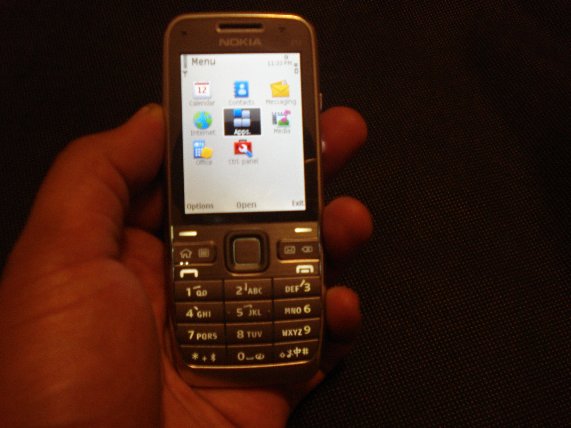
The first time I held the E52 in my hands, I was impressed by how good it feels. It's not too small, like the 6120 Classic, and it's not as bulky as the E90. It feels very nice and comfortable to hold. The overall quality was superb, with no squeaky parts, and the metallic finish made it look luxurious. There is no wasted space. Like Rafe said in his E55 first hands on impression, I can't help but ask myself "where did the hardware go?"... The only complaint from me is the hidden microSD card slot.
Software tweaks
Like the E75, the E52 and E55 (read Steve's excellent review) use S60 3rd Edition Feature Pack 2. Since the beginning, Eseries has been well known for software tweaks to address the target market it is aimed at - business people. For E52, the most significant improvements include :
- Home screen enhancement. There are 14 plug-ins to choose in Control Panel - Modes - Home screen applications.
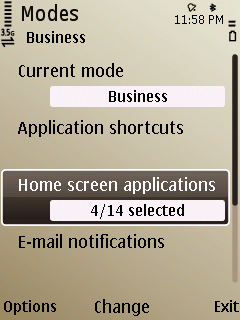
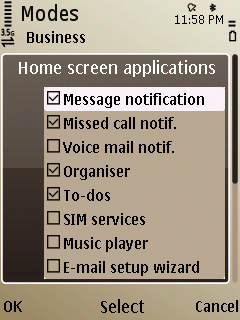
The home screen plugin customisation
- Professional and Personal mode. I wish this feature would be made available to all Nokia S60 smartphones. Changing mode (or indeed mood!) is so easy.
- Contacts enhancement. You can search the contacts database from the Home screen by typing the first few letters of a name. It answers the question "why is Contacts missing from the quick-access keys?" I wish the search could include application launching as well, though.
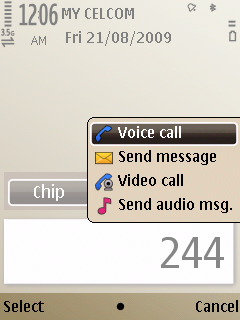
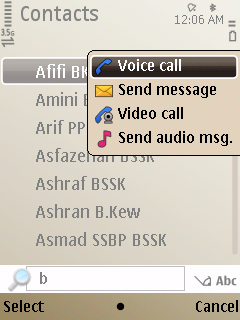
The enhanced Contacts, an Eseries exclusive since the E71
- Calendar tweaks. The most obvious calendar tweak for the E52 is the transition effect, which adds a little bit of eye candy but also slows down the navigation experience - and there is no way to turn it off.
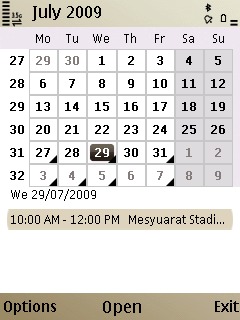
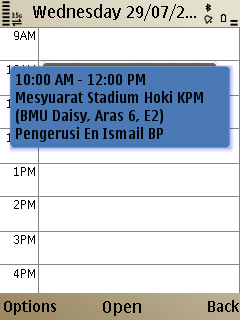
- Unified messaging. Nokia Messaging version 2.0 is included by default. First seen in the E75, it supports pseudo push email and a 2 year ("device lifetime") subscription is included. It includes Mail For Exchange and supports many webmail systems, such as Gmail, Yahoo Mail and Ovi Mail.
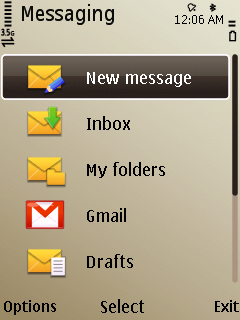
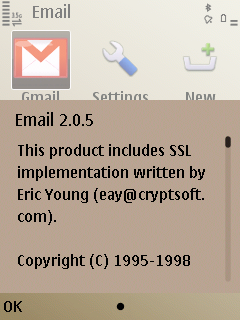
Nokia Messaging version 2 is integrated
- Full Quickoffice with editing and Office 2007 format support. It's only version 5.3, but you can upgrade to version 6 for free using Quickmanager.
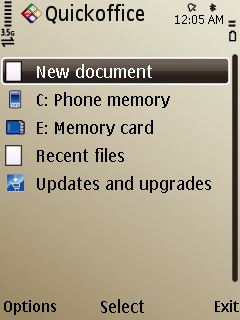
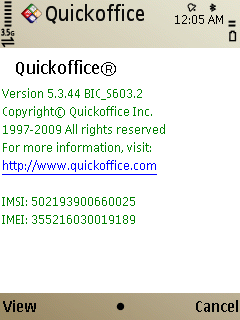
Quickoffice, full editing and Office 2007 format support
The New S60 Web browser
The newest S60 Browser, aka Web v7.1 is included. This is a huge improvement for non-touch S60 smartphones. Among the new features are configurable keypad shortcuts and a customisable toolbar. It performs 2 to 3 times faster than the older Web (depends on the connection, of course). Upon further inspection at www.useragent.org, Webkit engine version 525 is used, which is also the same engine used in Safari mobile, found on the iPhone 3G.
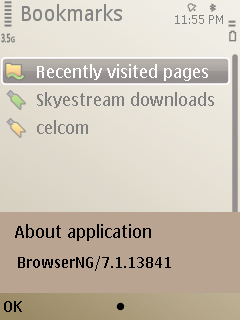
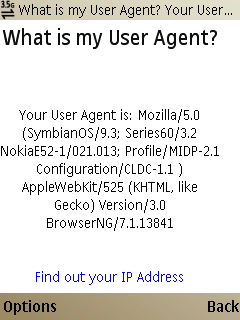
The user agent of the new S60 Web
Many aspects of web site rendering are improved. For example, in the older S60 Web, Facebook's web site can be opened in 2 modes, the RAM-hungry Desktop version at www.facebook.com and the Mobile version at m.facebook.com.
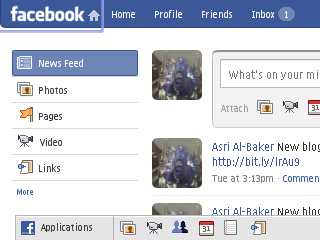
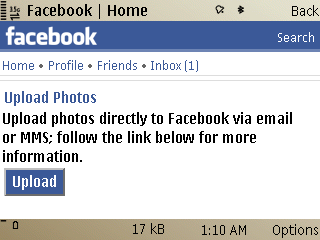
Full Facebook on the left and Mobile Facebook on the right, in landscape mode
The new S60 Web is also capable of rendering the two Facebook web sites mentioned, PLUS another one, at x.facebook.com - which is the richer mobile version. Previously, the old Web wouldn't display it properly. The ability to render complex web sites is a huge bonus.
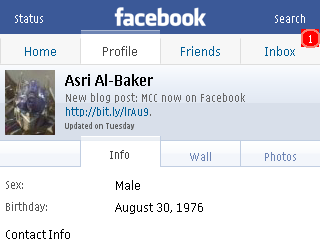
The richer version of Facebook mobile, also in landscape mode
For usability, the keypad shortcuts take Web browsing on non-touch S60 smartphone to a new level. It is now more convenient to access Web’s most used functions. The default setting is good enough for casual usage. However, the keypad shortcuts setting doesn’t include Page Up and Page Down being mapped to keys 2 and 8 - something which I love to use on Opera Mini.
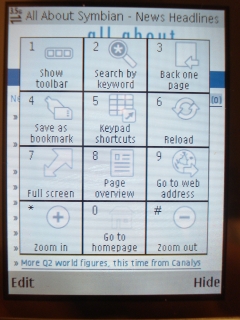
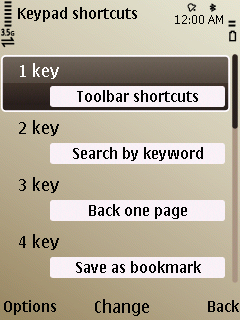
There’s also a new popup toolbar, which can be accessed by pressing number 1 on the keypad, by default. On the old Web, the toolbar is not configurable. This one allows you to access bookmarks and history as well as other functions without digging deep into Options.
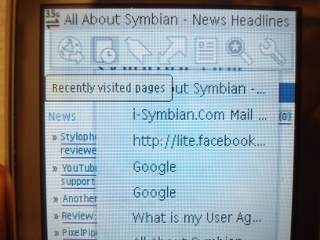
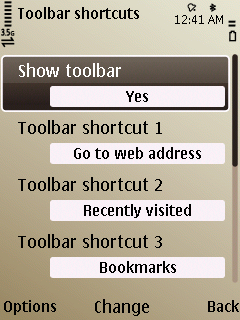
The popup toolbar and its Settings dialog
Speed and RAM improvement
One of the first things I did after getting the E52 was to disable the transitions effect from the Themes utility. It makes navigation faster and, in my opinion, the E52 is a speed demon when it comes to navigation and launching applications.
RAM never seems to be a problem - many applications can be opened at the same time without a performance problem, thanks to enhancements in S60 3rd Edition FP2 and the new hardware platform powered by a 600MHz processor. I have not experienced the notorious “Not Enough Memory” error yet.
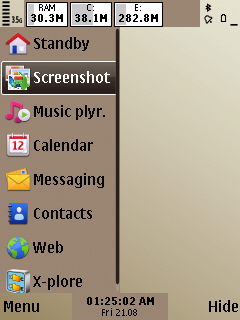
Background applications, using Jbak Taskman
Other goodies
- Ovi Maps version 3.1 is included, giving a more polished and enjoyable GPS navigation experience. I have not tested it in full yet but so far, I have no problem finding locations and navigating to my desired destination. There’s also a built-in Compass (magnetometer) but it can be used only inside Ovi Maps. I wish someone could develop a standalone Compass application like the one for N97.
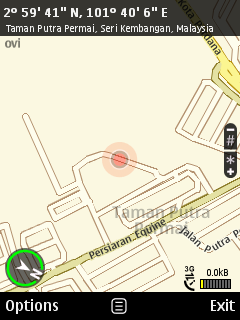
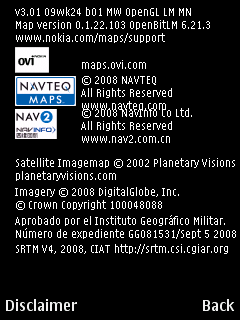
Ovimaps version 3.01 with compass
- Another small enhancement I noticed is the clock display in all screens, where possible. On the top right of the scree, next to the battery level icon, the time is displayed. Very convenient. This is a small tweak but nevertheless very useful.

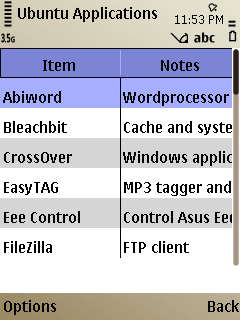
Clock display in Menu and inside an application window (HanDBase is one of my all time favourite S60 apps!)
- The new predictive text input is good and can be configured to use 2 languages at once.
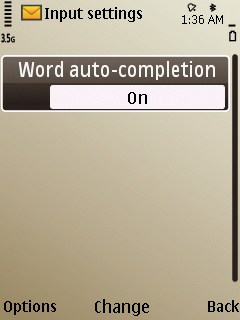
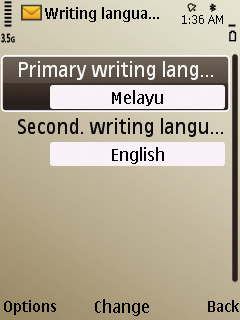
Text input configuration
Conclusion
The marriage of modern industrial design to the powerful and mature S60 3rd Edition FP2 has resulted in a package that is very compact yet very capable. The E52 is the best smartphone in the world at the moment, giving its sister, the E55, some serious competition.
Asri al-Baker, 21st August 2009
Review Discussion
21 Comments / Post New Comment
Unregistered
"Best smartphone in the world?
I say that's bull's shit.
Unregistered
Can someone clear up the issue of how many 3G bands the E52/55 has? The reviews say 3, but the specs and the FCC, if I'm not mistaken say 2. I'm pretty sure that Nokia decided that 3 was too hard somewhere along the line as only got as far a 2, which is a bummer.
I have to say the E52/55 is the most exciting phone in a long time. Thinness is very important and so is battery life, and Nokia hit both nails on the head. At the same time the feature set is great. Hopefully software updates will take off some of the rough edges (like lack of a stand alone compass app) and one day they'll release a triband or quadband 3g version (E52/55i?).
Unregistered
Hi Asri,
Nice revue, thank you for that. Are you able to sync with Handbase? With my former E51, it was possible, but now with the 5800 xpress music, the sync doesn't work. Do you know why?
Unregistered
J+How to sync contacts callenders etc in E52 with my Macbook ?
Unregistered
Great review. Some questions:
1. "best alphanumeric keypad in recent Nokia S60 smartphones history"
Is it different to the e51 keyboard?
2. "You can search the contacts database from the Home screen by typing the first few letters of a name"
How does the home screen know that you aren't typing digits for a raw phonenumber?
3. "predictive text input is good and can be configured to use 2 languages at once"
Multilingual users often turn single language predictive text off and stick to multitap. This will allow bilingual users use it. What about trilingual users, can it do more than two languages?
Unregistered
As a bilingual user (and no, I don't stick to multitap, I just switch T9 languages all the friggin time :) ) the dual language predictive text is a great idea!
fernando20
Ah, so the E52 browser has an about pane? I wonder why they're only making the browser version number known now, the browser doesn't even have a proper name, I hope they pick something and stick with it.
EDIT: Aha, they do have something with names and versions:
http://www.forum.nokia.com/infocente...A5F57D501.html, apparently there was a version jump from 3.2 to 7. lol. Still, they should pick a good, marketable name. s60.com/browser doesn't even work anymore.
I wonder what the 5800 is running though, it declares webkit 413 on the useragent, and it still haven't got the good stuff from the N97's browser. (ps sorry for the offtopic lol)
Unregistered
Why does it matter if the memory card is under the back cover? Just how often do you change the card? Mine has been in my E71 from the day I got it and I can't see any need to take it out.
Unregistered
>>How does the home screen know that you aren't typing digits for a raw phonenumber?
You are typing raw numbers in the normal dialing field. At the same time there is a pop-up menu with call types and a sidebar with predictive contact matches for those numbers. Look at the second set of pictures under Software Tweaks, the picture on the left.
Unregistered
Geez, listen to all these people bagging Asri for simply stating his opinion of the phone!
Tim2233
How to sync contacts callenders etc in E52 with my Macbook?
I expect (hope) that a new iSync plugin will be made available soon.
Is it different to the e51 keyboard?
Yes, it's wider and has a different feel.
I like the keypad, but when clicking left/right on the direction button it's too easy to accidentally press the calendar and email buttons.
How does the home screen know that you aren't typing digits for a raw phonenumber?
It doesn't :) You just type the numbers, they appear as normal, but above the numbers is a list of contacts you are possibly looking for. Press send to dial the number or use the direction button to choose the contact.
I really like this phone, but it's not made as solidly as the E51, and the email app crashes constantly - desperately hoping for a firmware update to address this. Otherwise it's fantastic
asri
Many thanks for those who commented ;-)
Quote:
Originally Posted by Unregistered
Hi Asri,
Nice revue, thank you for that. Are you able to sync with Handbase? With my former E51, it was possible, but now with the 5800 xpress music, the sync doesn't work. Do you know why?
|
I'm use HanDBase desktop version 4 on my Ubuntu box using the latest Wine. And I dont sync my database, I copy them manually. Most of my database work are done on the phone tho :-)
Quote:
Originally Posted by Unregistered
Why does it matter if the memory card is under the back cover? Just how often do you change the card? Mine has been in my E71 from the day I got it and I can't see any need to take it out.
|
I have 3 microSD card which I regularly swap and insert into the E52 :
- 8 GB card for songs and transferring files (no need to carry USD thumbdrive anymmore LOL!)
- 4 GB card for movies, videos
- 1 GB card for my documents (articles, ebooks)
All these are my usual suspects, everyday use. Hence, for me, accessing card slot easily is very important.
To each his very own ;-)
Quote:
Originally Posted by Unregistered
Geez, listen to all these people bagging Asri for simply stating his opinion of the phone!
|
I like the enthusiasm ;-)
Quote:
Originally Posted by Tim2233
How to sync contacts callenders etc in E52 with my Macbook?
I expect (hope) that a new iSync plugin will be made available soon.
Is it different to the e51 keyboard?
Yes, it's wider and has a different feel.
I like the keypad, but when clicking left/right on the direction button it's too easy to accidentally press the calendar and email buttons.
How does the home screen know that you aren't typing digits for a raw phonenumber?
It doesn't :) You just type the numbers, they appear as normal, but above the numbers is a list of contacts you are possibly looking for. Press send to dial the number or use the direction button to choose the contact.
I really like this phone, but it's not made as solidly as the E51, and the email app crashes constantly - desperately hoping for a firmware update to address this. Otherwise it's fantastic
|
Tim2233,
1. Many thanks for your assistance. In my opinion, E52 controller keys is better than E75's. I have no problem using the D-Pad, it's spaced correctly.
2. Smart-dial integrates itself with the built-in contact database. It will search the name corresponding to the keypad pressed in T9 style. So, if you want to search A.S.R.I, you just type 2, 7, 7, 4 ;-)
3. I used E51 before. Hardware-wise, E52 is better but the E51's strength is the darker colour and it looks indestructible while the E52 looks very luxurious and "bling-bling", you know what I mean... ;-)
I agree. Nokia Messaging is still too rough for heavy use. I'll write separate article for that ;-)
Anyway, If any of you guys are interested to buy new E52 Malaysian version, email me asri at i-symbian.com. I can get it at good price ;-)
Unregistered
The N97Compass is compatible with the E52, it's just works smoothly on mine. :)
xxnoelziexx
How to sync contacts callenders etc in E52 with my Macbook?
Someone has made a plugin which works with the E52/E55 already just need to follow instructions. PM and will send you the details.
My two phones work perfect with my macbook now.
Unregistered
Can it do more than two languages simultaneously?
Unregistered
Please can someone post an idiots proof guide how to disable transitions on the E52???
I got this last week from Play for £230, us Quidco and you get £8 off that, best candy bar mobile I have ever used!!
Unregistered
I have recently , a week ago, purchased a new Nokia E52.
However, I cant get the mail for exchange to funtion.
We have a number of older E71 machines in house that work OK with the Mail for Exchange so I know that Microsoft Excahnge is OK. I have copied exaclty the setup from the E71. I have attempted on now 4 separate attempts to get Nokia to respond via their Nokia Care phone line to help solve this issue and on each attempt they have said , oh we will get a level 2 engieer to call you and go over this issue. On the last attempt I was told that Nokia are reviewing this issue for the E52, mean while I have a phone that is meant to work for business users facilitating sync into my company server via exchange but it does not work, and worst still Nokia seem unable to respond. Frankly, I am not impressed with either the E52 or Nokia.
Pull your finger our Nokia, looks like HTC and IPhone is the only route to take.
Unregistered
On my second phone. Software problems. Phone freezes, crashes and occasionally even switches itself off. Could be the reason for UK's largest network delaying release. Not possible to see the screen in daylight - no problem though if you're sitting in an office. Hearing quality is no problem, however, noise cancellation function seems to be creating problems and receivers often complain of poor sound quality, particularly if walking around in busy streets, for example. Needs to be sorted out by Nokia, so my advice would be to wait for 3rd or 4th generation.
Unregistered
You said voice quality is great? how did you test it? there are a lot of users complaining about the quality of voice if you are in a crowded area because of the noise cancellation. People on the other line could not hear you.
Could you do another test?
Unregistered
Unregistered
hello can u send me the link for e52 plugin for mac.. as isync is not working with my e52.
21 Comments / Post New Comment