
Review: A day with the Samsung Omnia HD - Hardware and First Impressions
Rafe Blandford and I were invited to spend a day with the new Samsung Omnia HD, powered by Symbian OS 9.4 and S60 5th Edition (the previous Omnia had been much lower spec and Windows Mobile-powered). Away from trade show crowds and noise, we were able to really explore the Omnia HD in text, photos and video, so watch for this content over the next few weeks. In this feature I look at the device itself, its form factor and obvious interface characteristics.
For the (impressive) raw specifications of the Samsung Omnia HD, see our original launch news post here. And here's Rafe's original detailed photo gallery, taken at MWC 2009.
The Omnia HD we were trying out was final hardware and with recent (though not final) firmware. Of note on the software front was that this still had debug code in (so it's potentially going to be even faster) and that many of the third party, licensed extras shown off at MWC weren't installed here.
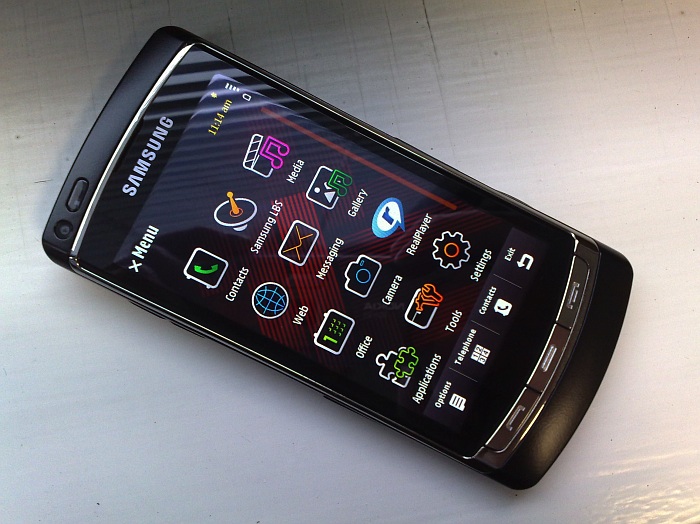
First impressions are of how tall the Omnia HD is. It's only 13mm thick and no wider than, for example, the Apple iPhone, but it's quite long, mainly due to the need to fit in the huge 3.7" capacitive, AMOLED touchscreen. So the Omnia HD has just about the biggest screen of any phone in the world, using the 'best' touch technology, with the brightest display system. It all adds up to something of a stunning experience. I thought the screens on my Nokia 5800 and Apple iPod Touch were pretty stunning (indoors), but both were outshone for colour and contrast by the OLED technology in the Omnia HD:
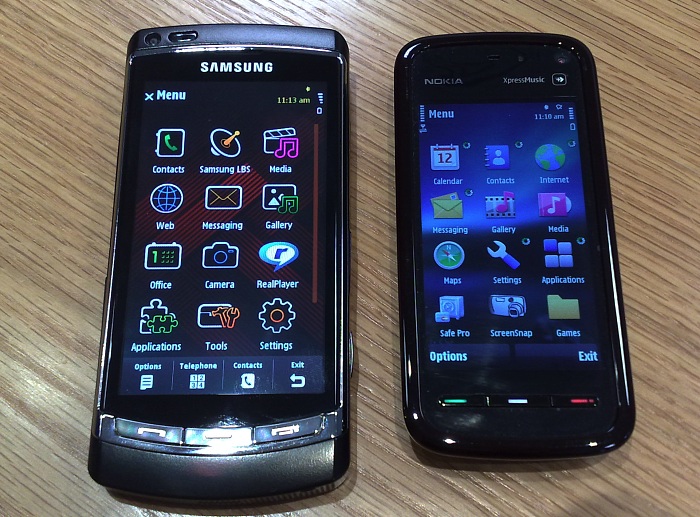
Omnia HD vs Nokia 5800
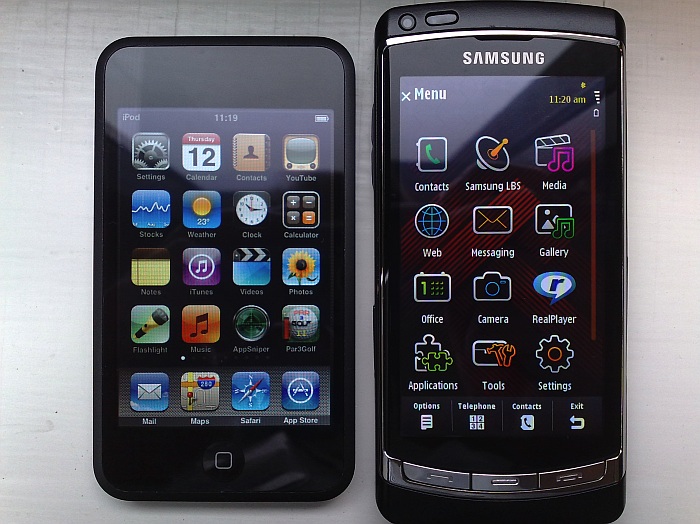
iPod Touch (same form factor/tech as iPhone) vs Omnia HD
Having used the resistive-screened Nokia 5800 extensively, I was keen to try the capacitive-screened Omnia HD. As with the iPhone, the use of capacitive sensing means instant response to a screen touch - there's no need to press down. Capacitive screens also mean a tough outer glass front and, with the bright OLED display underneath, and the use of a OMAP3 processor (with graphics acceleration), makes for an utterly superb user experience. You touch the screen, something happens. Immediately. Admittedly the Omnia is going to cost twice the price of the Nokia 5800, but at least you can see where the money's going.
I was particularly interested in typing on the full-screen qwerty keyboard. With the better touch response and with (physically) greater area per virtual key, I was expecting this to work really well. Which is why both Rafe and I were utterly bamboozled by the fact that our first attempts to type on the qwerty on-screen keyboard resulted in gibberish.
The problem is that, like the Nokia 5800's resistive screen, there's no multi-touch, so you have to completely lift off one 'key' before starting to tap the next one. Try to go too fast and there will be tiny overlaps and the capacitive screen then has two inputs to process and gets the result spectacularly wrong. With the 5800 there's a margin of error in that you can start lifting off one 'key' while starting to tap the next and the worst that happens is that you might miss a letter. On the Omnia HD, get even the smallest overlap in timing and you generate bogus characters every time. By the end of our day with the Omnia HD, I was starting to adjust and my last attempts at typing were a lot more successful. But this still won't stop me pleading with the programmers at Nokia and Samsung to pull their finger out and implement drivers for multi-touch (pseudo-multi-touch in the 5800's case - Nokia can email me for the concepts and algorithms!) so that typing on a touch screen becomes fast enough to be a viable alternative to a real keyboard.
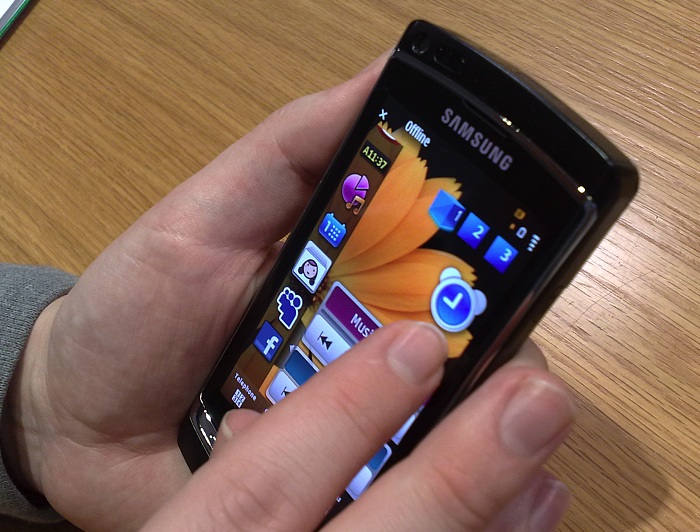
The TouchWiz home screen was something that Rafe was particularly keen to try and I think it's fair to say that both of us were moderately impressed with the slickness of it, although many of the 'widgets' were sadly nothing more than shortcuts to web sites, while many others were somewhat trivial in function. Still, being able to completely customise up to three separate home screens was rather nice and I especially liked the way you can swipe from right to left to bring up the standard S60 menus (as an alternative to pressing the middle hardware key). Rafe will be going into TouchWiz in a lot more detail in a future part in this series.
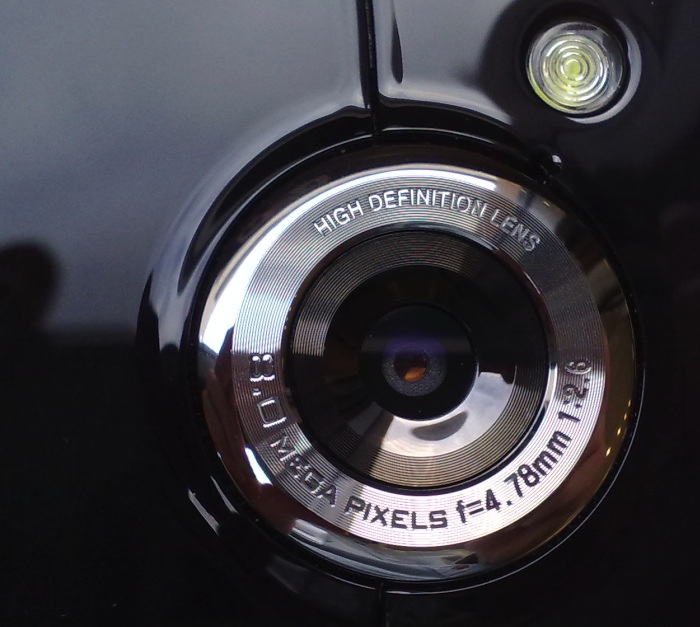
The next main attraction was the camera, of course. 8 Megapixels and 720p (HD) video recording. The first thing to notice is that there's no lens cover or shutter, a bit of a disappointment. It's recessed far enough not to be in danger of scratches, but it's still going to collect dust like it's going out of fashion. A backwards step. The 8 megapixel stills sensor seems to be similar to that in the excellent INNOV8 - results in my test photos weren't quite as good, but then the firmware and camera algorithms aren't finalised yet and this is sure to be an area that gets tweaked. Here's an example photo, taken on the Omnia HD, click for the full 8 megapixel image:

Night-time flash is via single LED, but the low light responsiveness of the phone's camera sensor does mean that you'll only need to resort to flash when it's really quite dark. Still, you'd have thought a Xenon flash would have made sense in a unit this well specified?
Video capture can be at a variety of resolutions:
- 720p (1280 by 720 pixels)
- 720 by 480 (the 16:9 widescreen version of VGA)
- 640 by 480 (VGA)
- 320 by 240 (QVGA)
Having experienced several Nokia Nseries phones which clearly had trouble managing to encode video at full frame rate at VGA (naming no names, but the N79 and N85 should look away now as likely candidates...), plus bearing in mind the issues I've had with Samsung's previous device, the INNOV8, which to this day can't keep captured video in sync with the audio track, I was slightly sceptical about whether the Omnia HD could cope with capturing, encoding and saving video at 720p HD resolutions.
I was right to be sceptical, though again we should emphasise that the firmware here is very much a work in progress. On the positive side, the Omnia HD managed to capture video at 720 by 480 without introducing any audio/video sync problems, so we've clearly moved on from the INNOV8. The initial focus in video mode was still there and very welcome, but the quality of the captured audio wasn't brilliant - I suspect this is down to Samsung using cheaper microphones than Nokia in this department. When we tried to record at full 720p, there was a huge lag in the audio track - this is an area where Samsung are going to have to pull out all the stops before release if the device's headline feature isn't to become a laughing stock.
So that you can see the output from the Omnia HD for yourself, here are two MP4 files from its camera. Again, bear in mind that this is preproduction firmware:
720by480.mp4 (wide VGA, 12MB) and 720p.mp4 (HD, 720p, 23MB)
__________
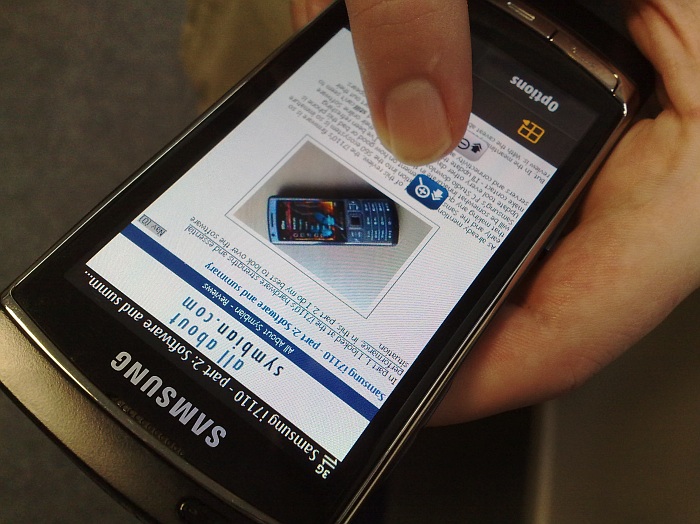
Working our way around the Omnia HD's interface, a lot of it was quite familiar from the Nokia 5800, although there are numerous tweaks that Samsung have added and which Rafe will be sharing in text and video form over the next few weeks. One of the most interesting tweaks we found (and shown above) was in Web, where tapping and holding brings up a zoom control - swipe up or down and you dynamically change the current page's zoom level. Pretty cool.
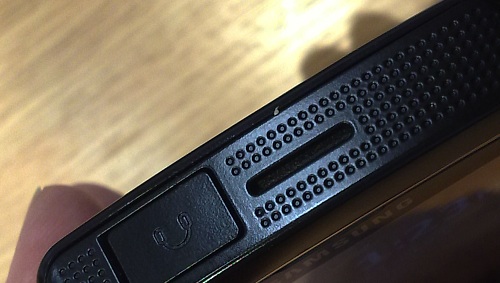
I experimented with video playback on the Omnia HD (I'd brought along a selection of media files) and it played everything I threw at it without complaining. The sound output was especially welcome, the Omnia's speakers (on each end of the device, shown below) are almost as loud as those on the Nokia N95 and 5800. Sound quality for music playback was especially good, with Samsung's DNSe 2.0 system providing some pretty advanced equalisation and enhancement functions - Rafe gave this a big thumbs up, listening on his Ultimate Ears headset.
On the technical side, I noted that the Omnia HD had a whopping, humungous 163MB of RAM free after booting. Whether this remains this high for production models remains to be seen. There was also 8GB of flash memory in a built-in mass storage disk (with a 16GB option in production), plus microSD, of course.
The specifications of the Omnia HD are somewhat overwhelming. When I first tried the INNOV8, early in 2008, I remember remarking how this had everything that could possibly be put into a phone. And here we are a year later with massive high brightness screen, capacitive touch, digital compass, FM transmittter, HSUPA, DNSe 2.0 and more, all over and above what the INNOV8 offered.
Holding the Omnia HD in the hand, it's large enough that you think of it very much in the vein of the iPhone (or the upcoming Nokia N97), i.e. it screams "I'm not just a phone", whereas the Nokia 5800 perhaps merely raises its voice to suggest the same. It has similar problems to the 5800 in that the screen is unreadable in full-on, direct sunlight, in that it attracts fingerprints, and in that there's no multi-touch (yet) to speed text input. And Samsung have, of course, got the traditional challenge from me to follow up some ground-breaking hardware with bug-free, mature software and services. The INNOV8 was perhaps a little too early in their software and services 'curve' and suffered at reviewers' hands as a result. Maybe the Omnia HD is the right product at the right time?
Rafe and I intend to find out - watch this space for detailed reports from Rafe on the Omnia's interface and software bundle, plus exclusive video previews from us both.
Steve Litchfield, All About Symbian, 15th March 2009
Reviewed by Steve Litchfield at