All About Symbian - News from the Symbian Ecosystem...

Nokia Communicator Center arrives at Beta Labs

Published by Rafe Blandford at 16:55 UTC, May 7th 2008

Nokia Communication Center Beta is now available via Nokia's Beta Labs. It is an add on for PC Suite (a potential replacement for several existing modules) that allows you to manage contacts and messages on your phone from your PC. This includes the ability to send SMS and MMS messages, view the contents of the messaging folders and view, edit and add contacts. Read on for more details and screenshots.

Communication Center effectively replaces the existing Contacts and Messages components of PC Suite. These take the form of Windows Explorer additions / plug-ins. As such they are relatively limited. There are also components to send SMS and MMS messages. The goal of Communication Center is clearly to consolidate this functionality into a single area. Even in this early release it is a clear improvement - it easier to use and adds a good amount of extra functionality.

The software is available from the Beta Labs site and requires you to be running the latest version of PC Suite (6.86.9.0 or later). Communication Center is currently classified as 'early release, with many known issues'. Therefore it may there be best suited to edge users who don't mind software that still has a number of bugs and stability issues.

Contacts

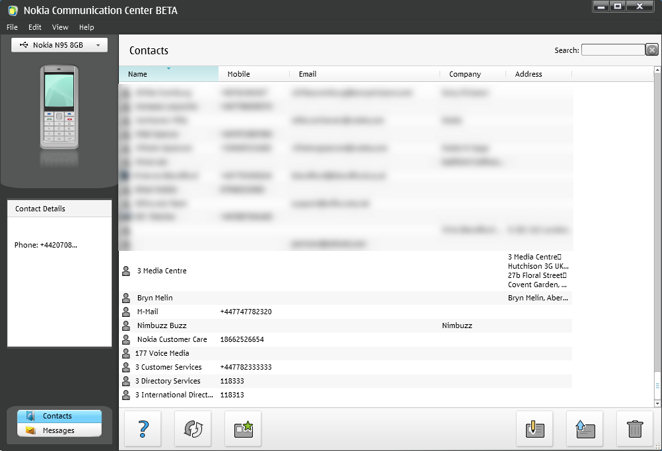
Accessing Contacts when on the PC is useful, especially when paired with the ability to send messages. But it is the adding or editing of contacts, as demonstrated below, which is particularly useful given the text entry limitations of a phone keypad (especially if youdont sync with a server or PC application).
Contacts

There are two modes for contact editing, the basics are handled by the simple mode (left), but other fields can also be accessed via advanced mode (right).
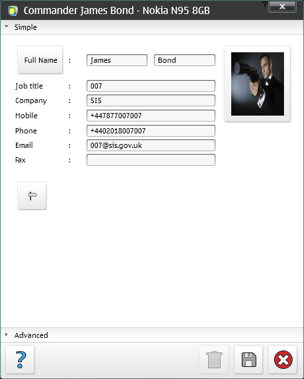
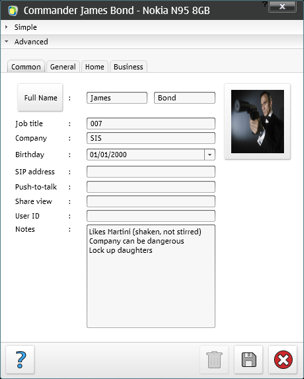
     advanced contact add

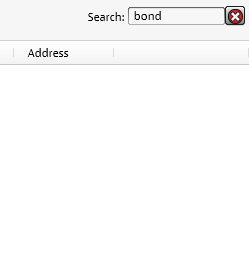
One of the key improvements of Communication Center over the current PC Suite implementation is better sorting and filtering support. For each field displayed it is possible to choose the way you want the data sorted and filter it by letter as shown below. There's also a context menu with appropriate actions for each contact (edit, send message, send email etc.). If you have a lot of contacts you will also appreciate the search box (which searches across all contact fields).

There's also the ability to import and export contacts which could prove very useful when transitioning from another device or as a backup alternative. Similarly the ability to print contacts and sned them (via email or MMS) to other make for great sharing tools.
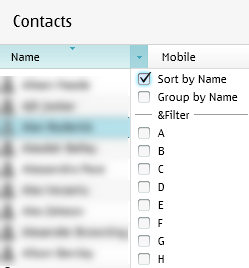
sort and filter              search


Messages

The Messages component of Communication Center lets you view and browse the folders of the Messaging application (Inbox, Draft, Sent Items, Outbox). It has similar context menu (reply, forward, add sender to contacts etc.) and search tools as the Contacts component.

The export option is a handy way to backup messages (text only) and, as with Contacts, there is a print option too.
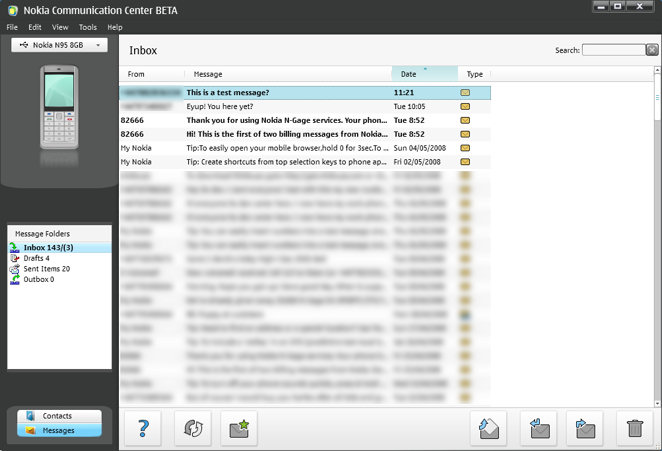
Messaging

Communicator Center includes an MMS editor (currently a little buggy) and a SMS editor. Once you have composed the messages they are sent to the phone for sending. There are a number of noice touches such as the auto-suggest when typing in the To: field (see screenshot below) and the ability to preview a MMS message before sending.
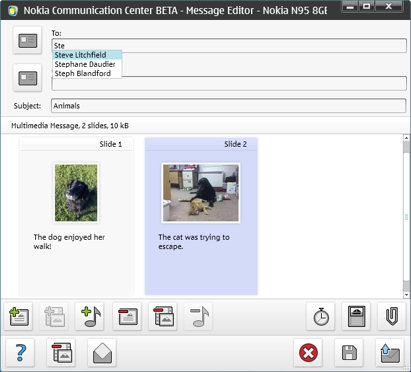
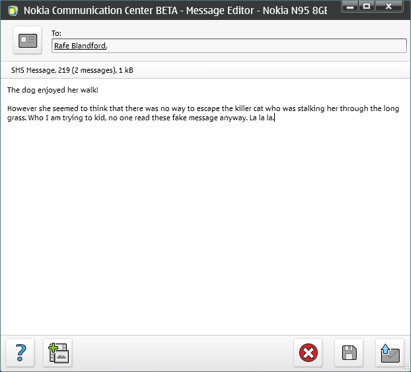
send mms sms

As ever Beta Labs are looking for feedback about the application - don't forget to give it if you use the software.

Categories: Software
Platforms: S60 3rd Edition

News Discussion

krisse
"Center" ... (shudder)


;-)
Rafe
I thought that as I was writing it up.

Clearly centre makes much more sense. Sometimes being a diffident Englishman is hard.
krisse
Yes, some of us do indeed read the fake messages.

Being serious though, the contacts application looks like it could be quite useful for small businesses keeping track of customers. Presumably you can take a call and use this application at the same time, so if someone gives you their number you can type it into your contacts on the PC. A laptop and smartphone combined could act as a mini call centre, if you see what I mean.
Unregistered
and to think that oxygen software tries to RIP people off with really stupidly high prices for such software when this is FREE and will be BETTER! Don't go with that oxygen rubbish where you have to install crap that restarts your phone. This looks great - well done beta labs!!
ardias
I have tried this and found that the messages do not load (even when left for 30 mins) yet the contacts load in about 2 seconds!

I am using a 9500

Is it supported?
bartmanekul
Its not quite there yet. However, thinking along those lines I dont see any reason why it could not be developed into a fully fledged business application.

Make it so it can connect with other installs of communication centre on a network, and sync it.

Also the potential to divert it to headsets etc when plugged into the computer. Although I suppose you could plug it in via USB and have BT headsets paired to the phone.

The company I work for would be willing to pay for such a solution, Im sure others would. Cant see it happening though.


Quote:
Originally Posted by krisse View Post
Yes, some of us do indeed read the fake messages.

Being serious though, the contacts application looks like it could be quite useful for small businesses keeping track of customers. Presumably you can take a call and use this application at the same time, so if someone gives you their number you can type it into your contacts on the PC. A laptop and smartphone combined could act as a mini call centre, if you see what I mean.

Full thread: 6 Comments / Post New Comment

Copyright Notes || Contact Us || Privacy Policy (Ellie)